System Information Guide 25
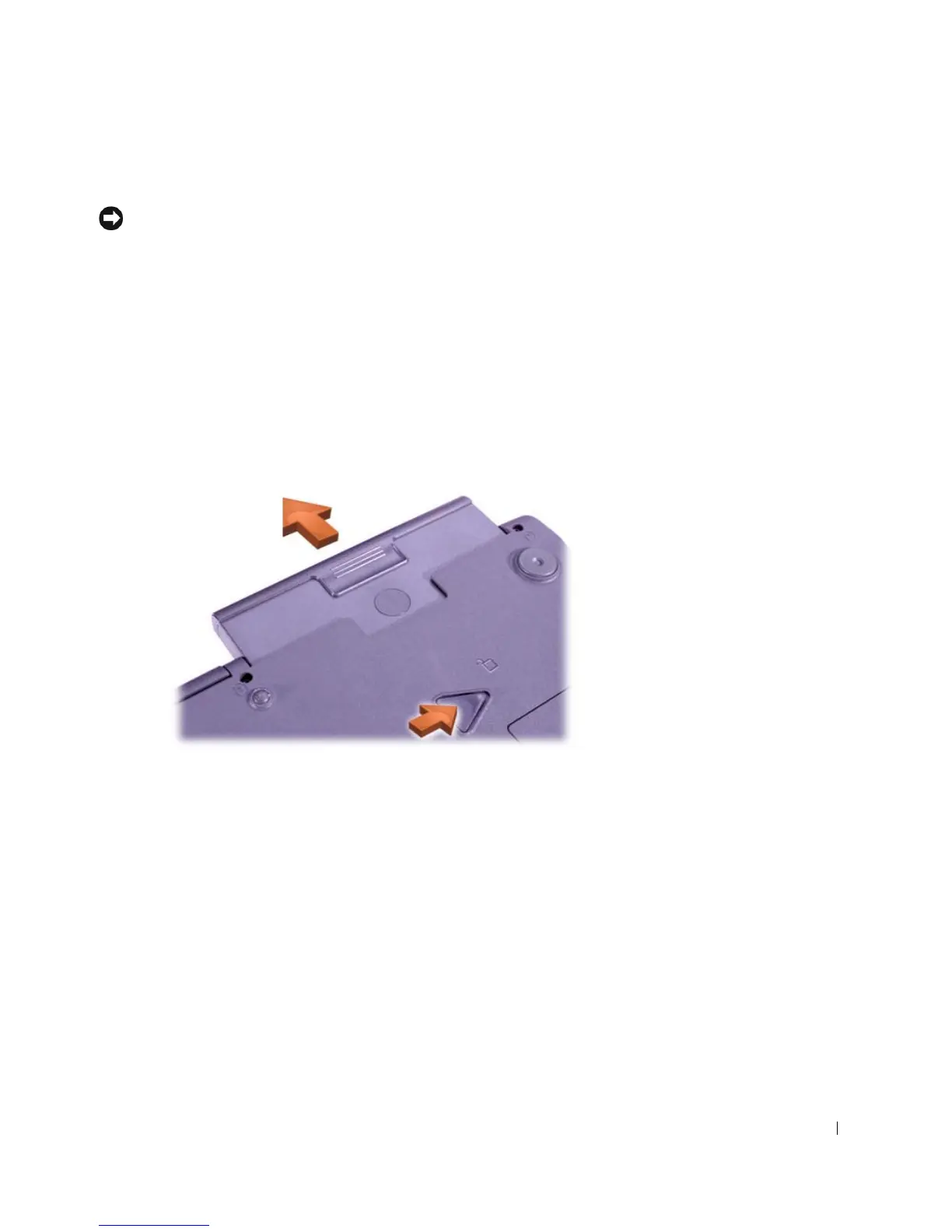
Removing a Battery
NOTICE: If you choose to replace the battery with the computer in standby
mode, you have only about 1 minute to complete the battery replacement
before the computer shuts down and loses any unsaved data.
Before removing the battery, ensure that the computer is turned off,
suspended in a power management mode, or connected to an electrical
outlet.
1 If the computer is docked, undock it.
2 Slide and hold the battery bay (or module bay) latch release on the
bottom of the computer, and then slide the battery from the bay.
Installing a Battery
Slide the battery into the bay until the latch release clicks.
Running the Dell Diagnostics
Dell provides a number of tools to help you if your computer does not
perform as expected. For information on these help tools, see your
User’s Guide.













 To Next Page