22 | Setting Up the Monitor
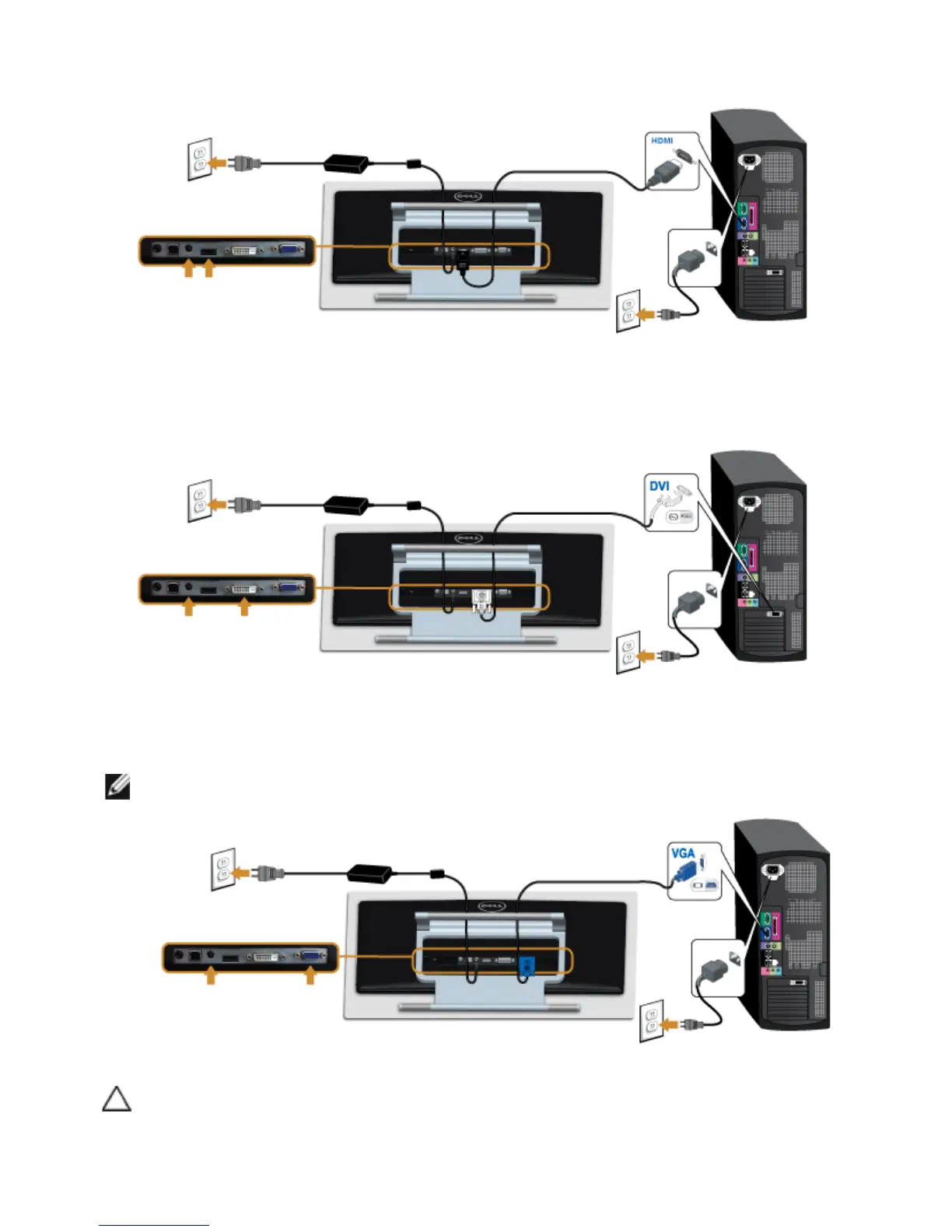
Connecting the HDMI cable
Connecting the white DVI cable
Connecting the blue VGA cable
Use a screwdriver to tighten the VGA cable.
CAUTION: The graphics are used for the purpose of illustration only. Appearance
of the computer may vary.



 To Next Page