Dell™S2409WFlatPanelMonitorUser'sGuide
Notes, Notices, and Cautions
Information in this document is subject to change without notice.
©2008DellInc.Allrightsreserved.
Reproduction in any manner whatsoever without the written permission of Dell Inc. is strictly forbidden.
Trademarks used in this text: Dell and the DELL logo aretrademarksofDellInc;Microsoft and Windows are either trademarks or registered trademarks of Microsoft Corporation in
theUnitedStatesand/orothercountries;Adobe is a trademark of Adobe Systems Incorporated, which may be registered in certain jurisdictions.ENERGYSTAR is a registered
trademark of the U.S. Environmental Protection Agency. As an ENERGY STAR partner, Dell Inc. has determined that this product meets the ENERGY STAR guidelines for energy
efficiency.
Other trademarks and trade names may be used in this document to refer to either the entities claiming the marks and names or their products. Dell Inc. disclaims any
proprietary interest in trademarks and trade names other than its own.
Model S2409Wb
June2008Rev.A01

 Need help?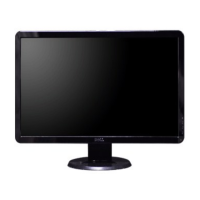

 To Next Page
 General