Controls user access to adjustments. When selected, no user adjustments are allowed. All buttons are locked except the menu button.
When the OSD is locked, pushing the menu button for 15 seconds will unlock and allow user access to all applicable settings.
pushing the menu button for 15 seconds will activate the Menu Lock function.
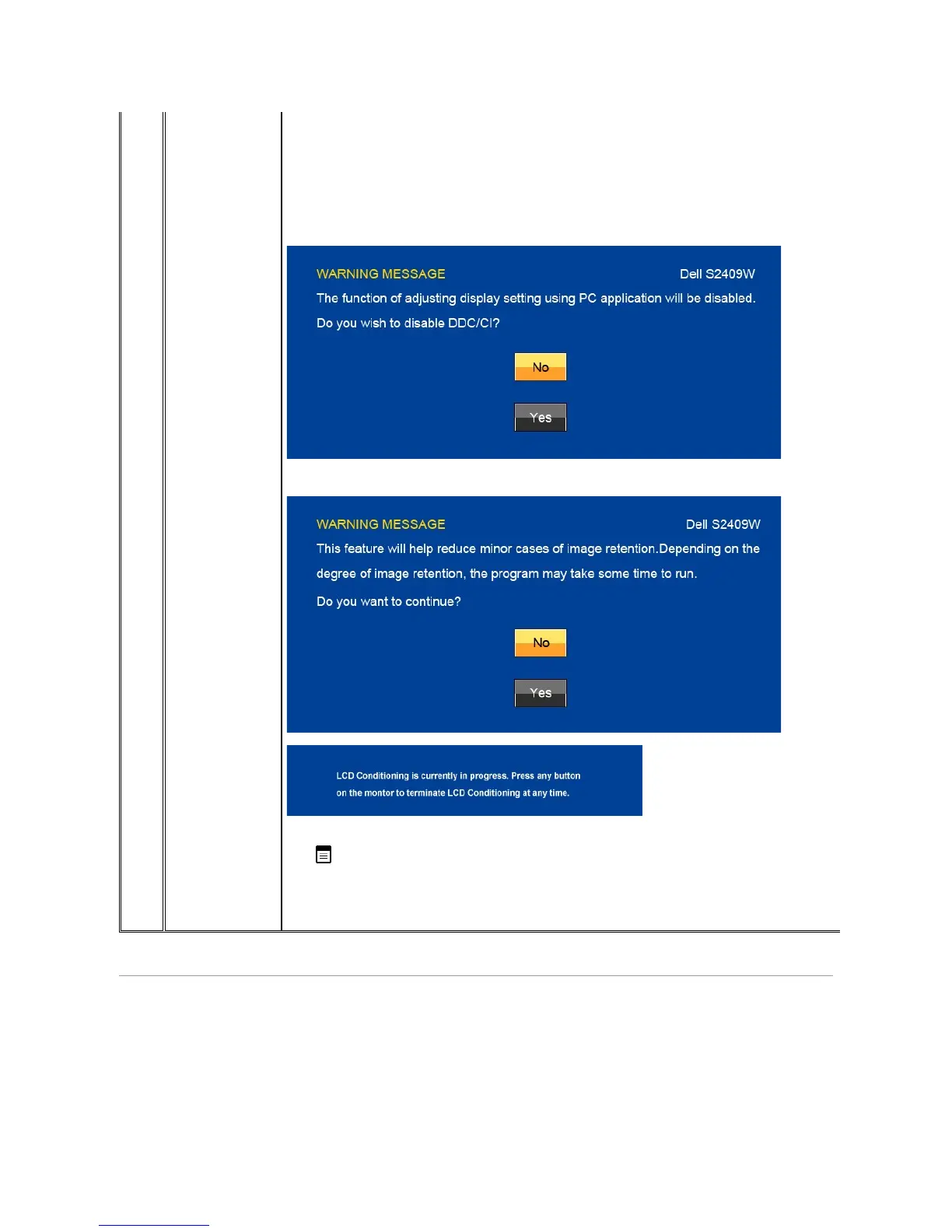
DDC/CI (Display Data Channel/Command Interface) allows your monitor parameters (brightness, color balance etc) to be adjustable via software on your PC. You
can disable this feature by selecting "Disable".
Enable this feature for best user experience and optimum performance of your monitor.
If an image appears to be stuck on the monitor, select LCD Conditioning
to help eliminate any image retention. Using the LCD Conditioning feature may take
several hours. Severe cases of image retention are known as burn-in, the LCD Conditioning feature does not remove burn-
ResetallOSDsettingstothefactorypresetvalues.
Push to go back to or exit the main menu.
When the monitor does not support a particular resolution mode you will see the following message :


 To Next Page