Install optional memory cards 23
Installing a memory card
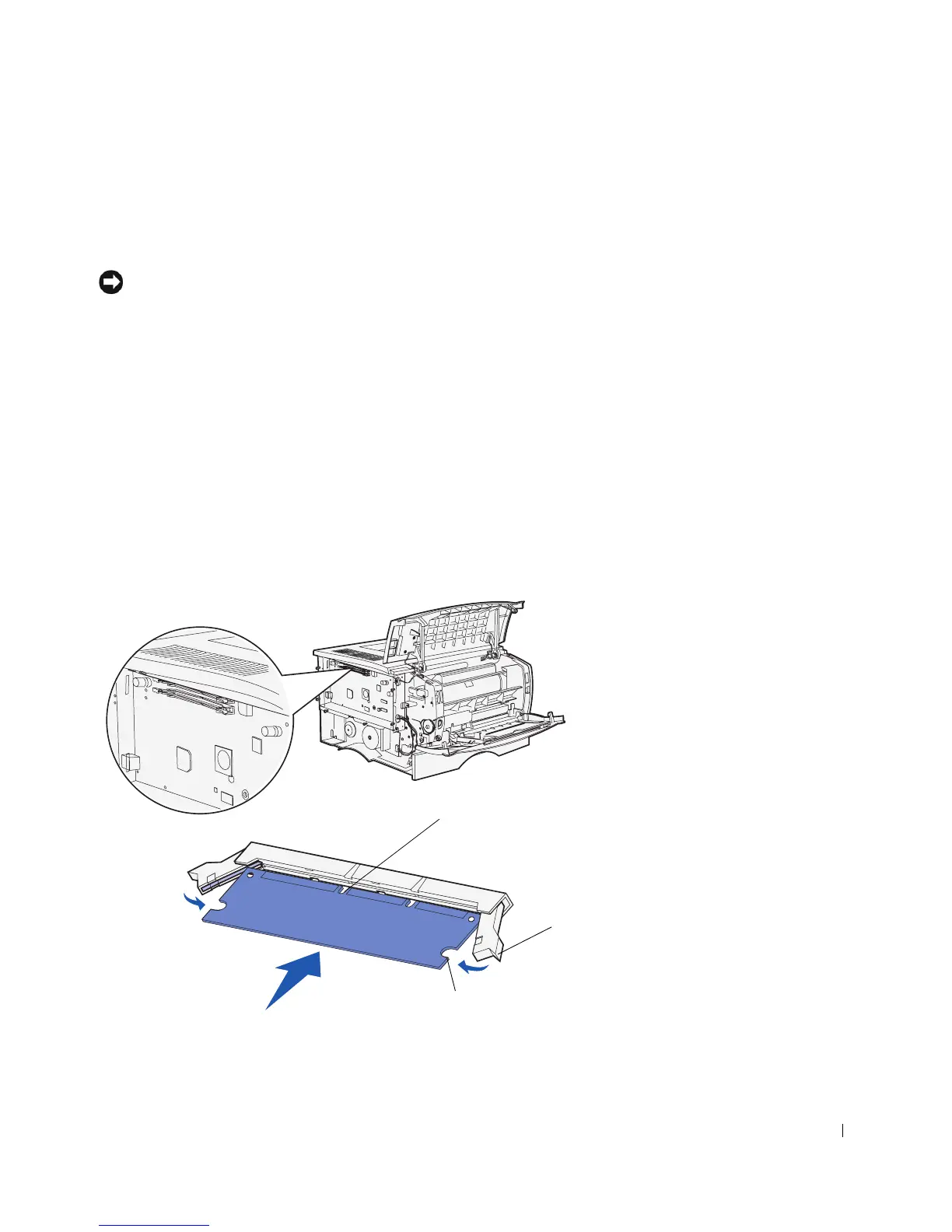
Follow the instructions in this section to install either a printer memory card or a flash
memory card. Memory cards must have 100-pin connectors.
NOTICE: Memory cards are easily damaged by static electricity. Touch something metal on the
printer before you touch a card.
1
Unpack the memory card.
Avoid touching the connection points along the edge of the card. Save the packaging.
2 Push open the latches on both sides of the memory connector you want to use.
3 Align the notches on the card with the notches on the connector.
4 Push the memory card firmly into the connector until the latches on either end of the
connector snap into place.
It may require some force to fully seat the card.
5 Make sure each latch fits over the notch on the end of the card.
Latch
Notch
Notch



 To Next Page