38 Load paper
www.dell.com/supplies | support.dell.com
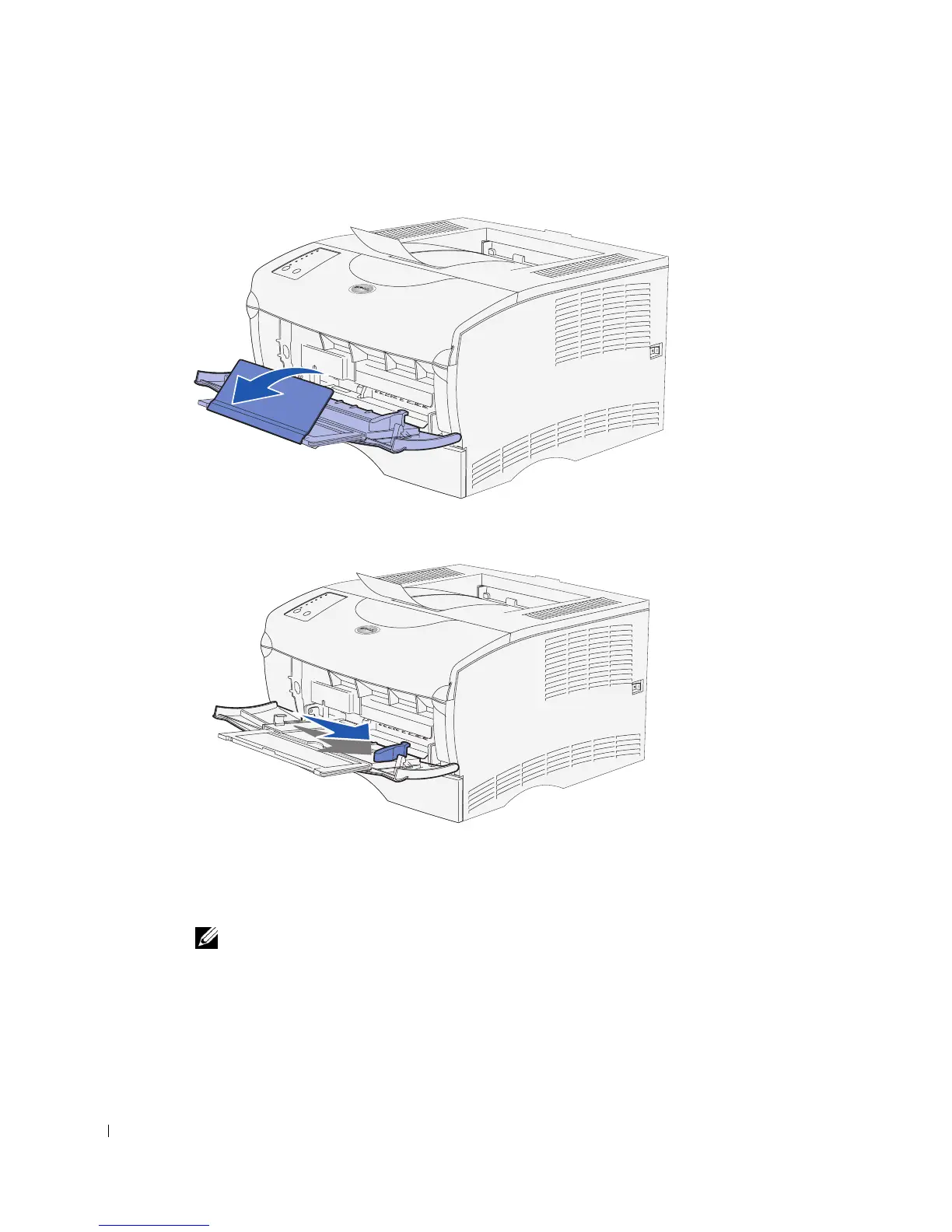
3 Unfold the extension.
4 Slide the width guide all the way to the right.
5 Flex the sheets back and forth to loosen them, and then fan them.
Do not fold or crease the print media. Straighten the edges of the stack on a level
surface.
NOTE: When you load the multipurpose feeder, do not exceed the maximum stack height
indicated by the stack height limiter. Overfilling the feeder may cause jams.



 To Next Page