Operating the monitor | 49
S2722DGM
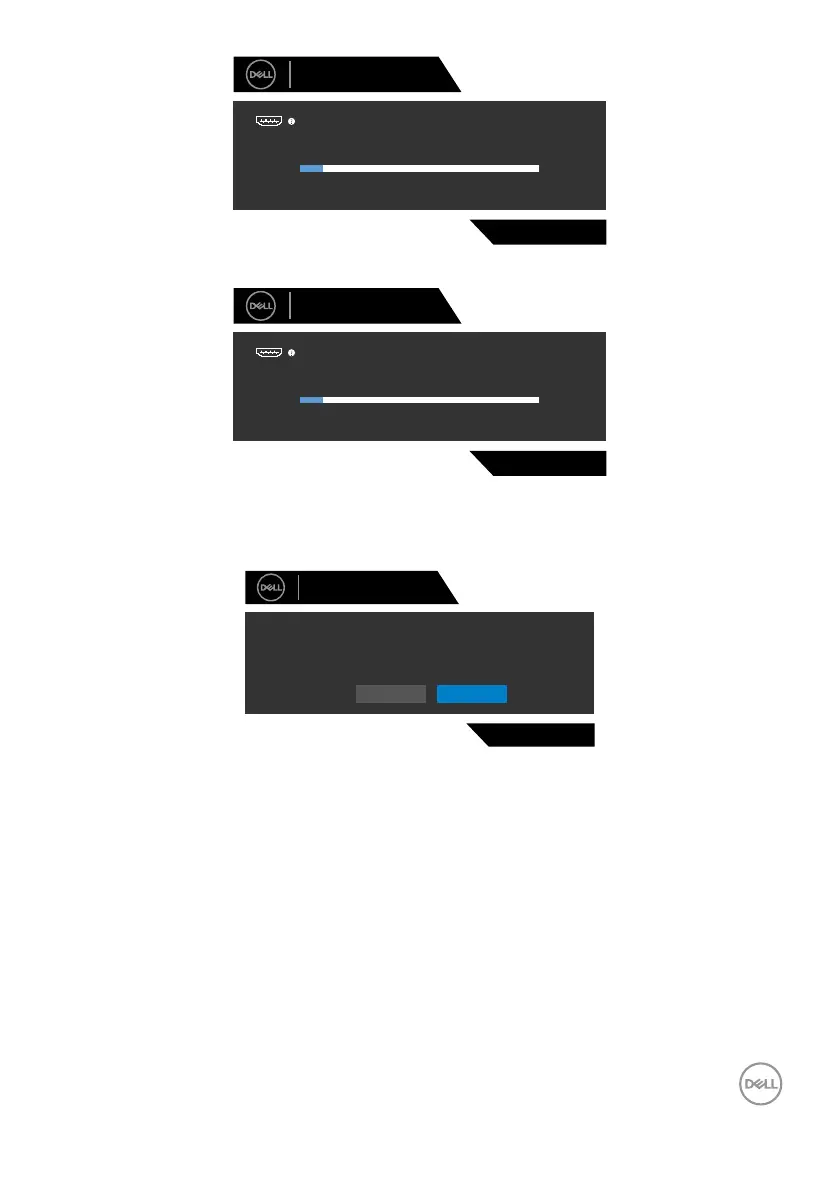
No HDMI 1 Cable
Dell 27 Gaming Monitor
1
The display will go into Standby Mode in 4 minutes.
www.dell.com/S2722DGM
or
S2722DGM
No HDMI 2 Cable
Dell 27 Gaming Monitor
2
The display will go into Standby Mode in 4 minutes.
www.dell.com/S2722DGM
When you select OSD items of Factory Reset in Other feature, the following message
is displayed:
Dell 27 Gaming Monitor
Yes No
S2722DGM
Are you sure you want to reset to default settings?
See Troubleshooting for more information.



 To Next Page