Operating the Monitor | 33
Icon Menu and
Submenus
Description
Dynamic
Contrast
Allows you to increase the level of contrast to provide sharper
and more detailed image quality.
Push the button to select the Dynamic Contrast “On”
or “Off”.
NOTE: For Game and Movie preset mode only.
NOTE: Dynamic Contrast provides higher contrast if you
select Game or Movie preset mode.
Response
Time
Allows you to set the Response Time to Normal or Fast.
HDMI 2.0 For switch HDMI1.4/HDMI2.0.
NOTE: Ensure that your Graphics Card can support these
features before selecting HDMI2.0.
Wrong settings may result in blank screen.
Display Info Displays the monitor’s current settings.
Reset Display Restores the display settings to factory defaults.
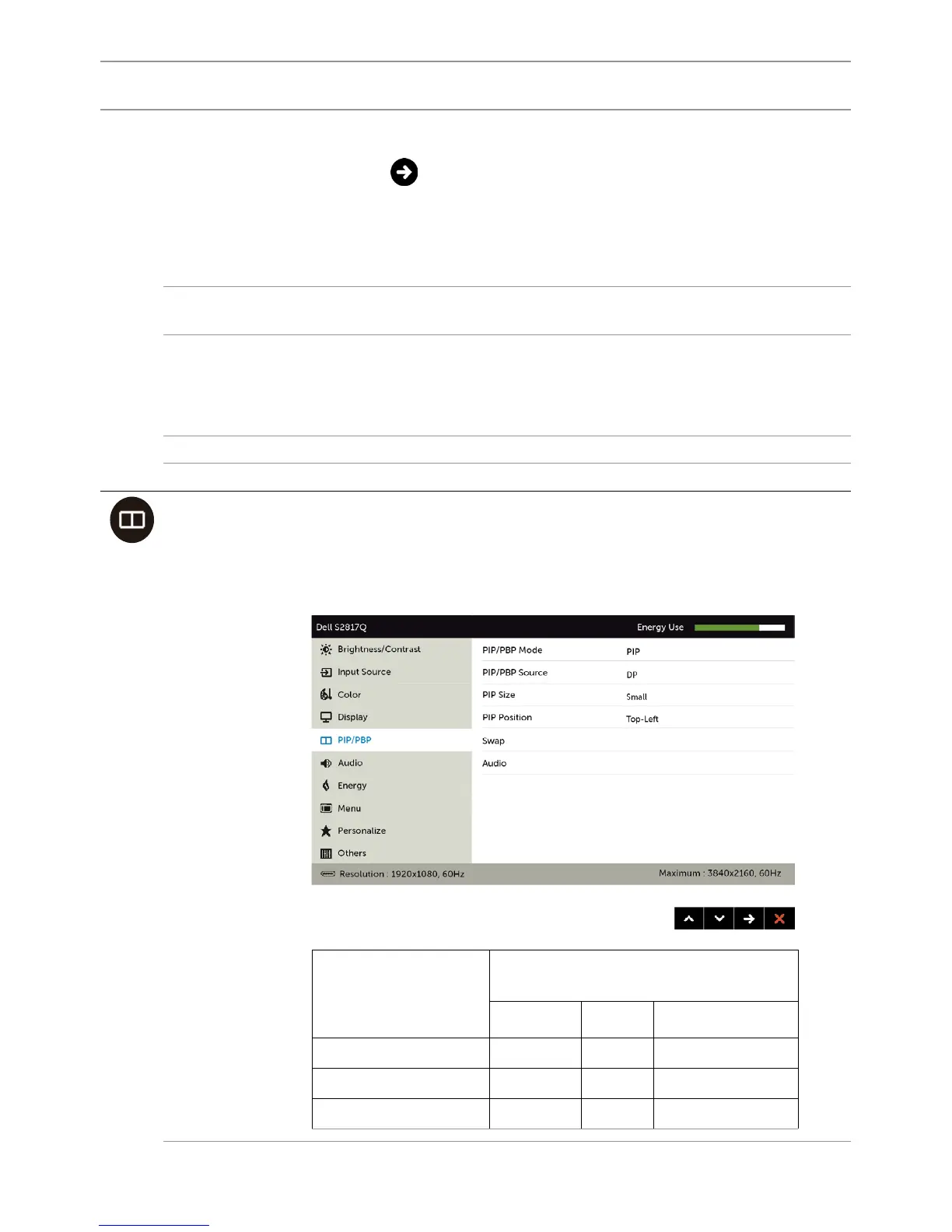
PIP/PBP This function brings up a window displaying image from
another input source. Thus you can watch two images from
different sources at the same time.
During DC/AC power cycle, the PIP/PBP setting will only be
disabled if there is no “main source” signal.
Right-Window
(select from
input Source)
Left–window (select from PIP/
PBP source)
mDP DP HDMI/MHL
mDP x x √
DP x x √
HDMI/MHL √ √ x


 To Next Page