32 │ Operating your monitor
OSD controls
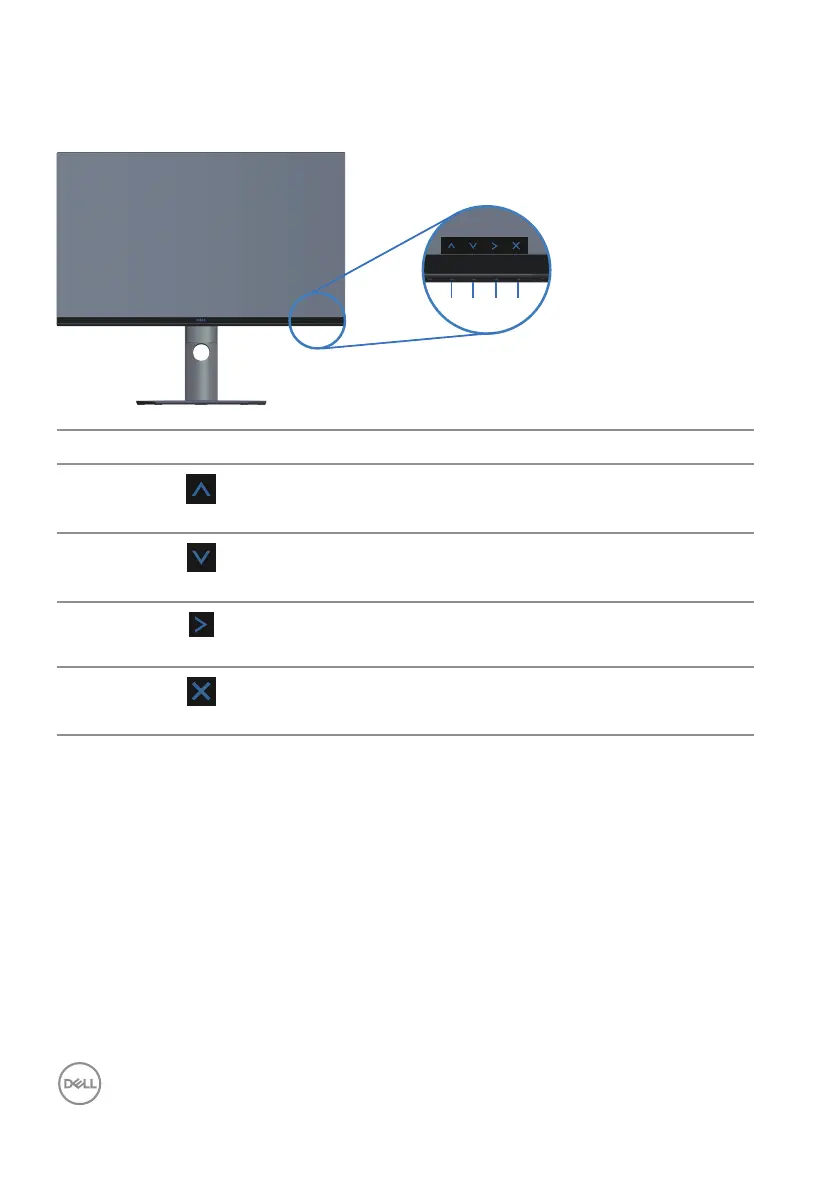
Use the buttons on the bottom of the monitor to adjust the image settings.
1
2
3
4
Control Buttons Description
1
Up
Use the Up button to increase values or move up in
a menu.
2
Down
Use the Down button to decrease values or move
down in a menu.
3
OK
Use the OK button to confirm your selection in a
menu.
4
Back
Use the Back button to go back to the previous
menu.



 To Next Page