18 | Setting up the monitor
Setting up the monitor
Connecting the stand
NOTE: The stand is detached when the monitor is shipped from the factory.
NOTE: This is applicable for a monitor with a stand. When any other stand
is bought, please refer to the respective stand setup guide for the set up
instructions.
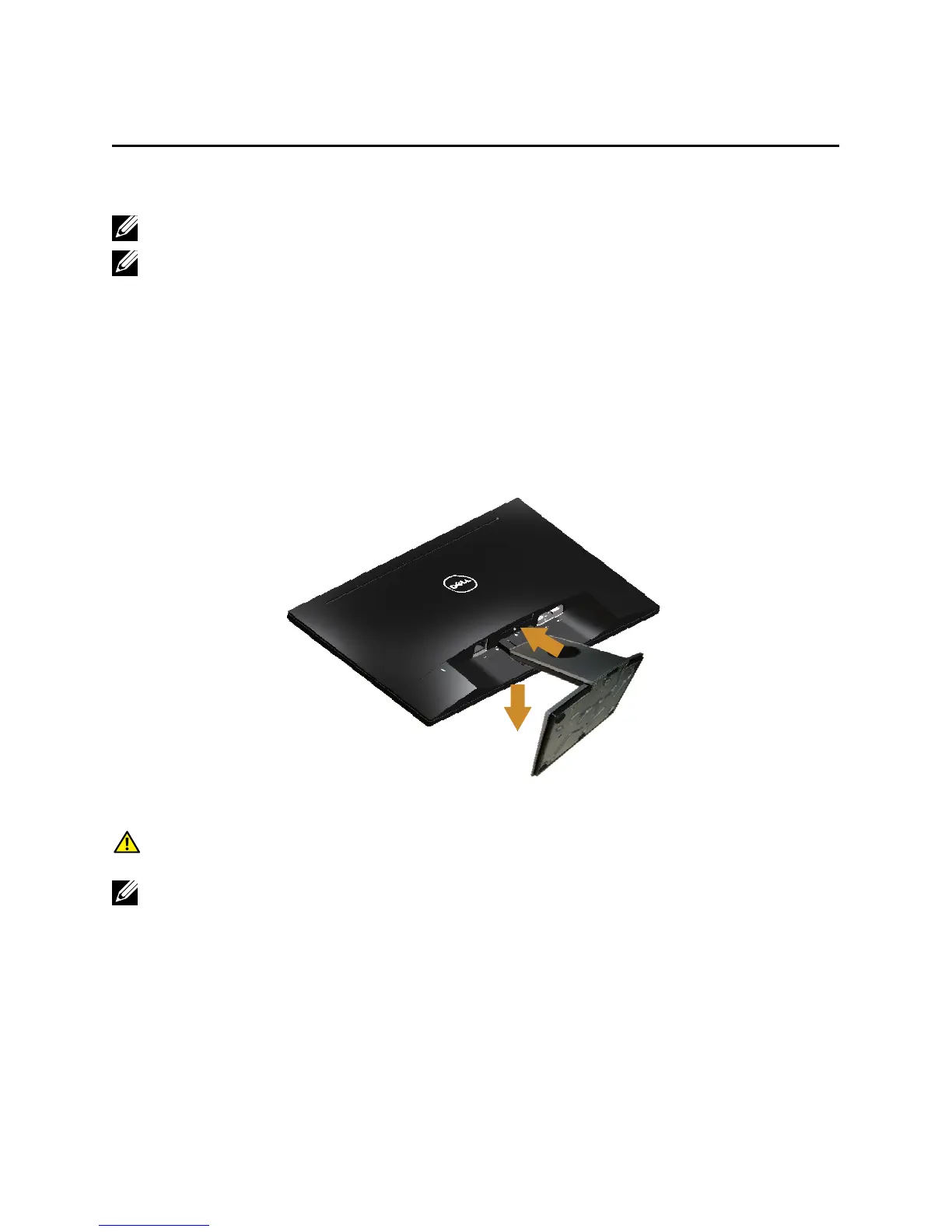
To attach the monitor stand:
1.
Place the monitor on a soft cloth or cushion.
2.
Insert the tabs on the upper part of the stand in to the grooves on the back of
the monitor.
3.
Press down the stand till it snaps into place.
2
3
Connecting your monitor
WARNING: Before you begin any of the procedures in this section, follow the
Safety Instructions.
NOTE: Do not connect all cables to the computer at the same time. It is
recommend to route the cables through the cable-management slot before you
connect them to the monitor.
To connect your monitor to the computer:
1.
Turn Off your computer and disconnect the power cable.
2.
Connect the VGA or HDMI cable from your monitor to the computer.



 To Next Page