Printhead Missing
Try one or more of the following:
• Install the printhead.
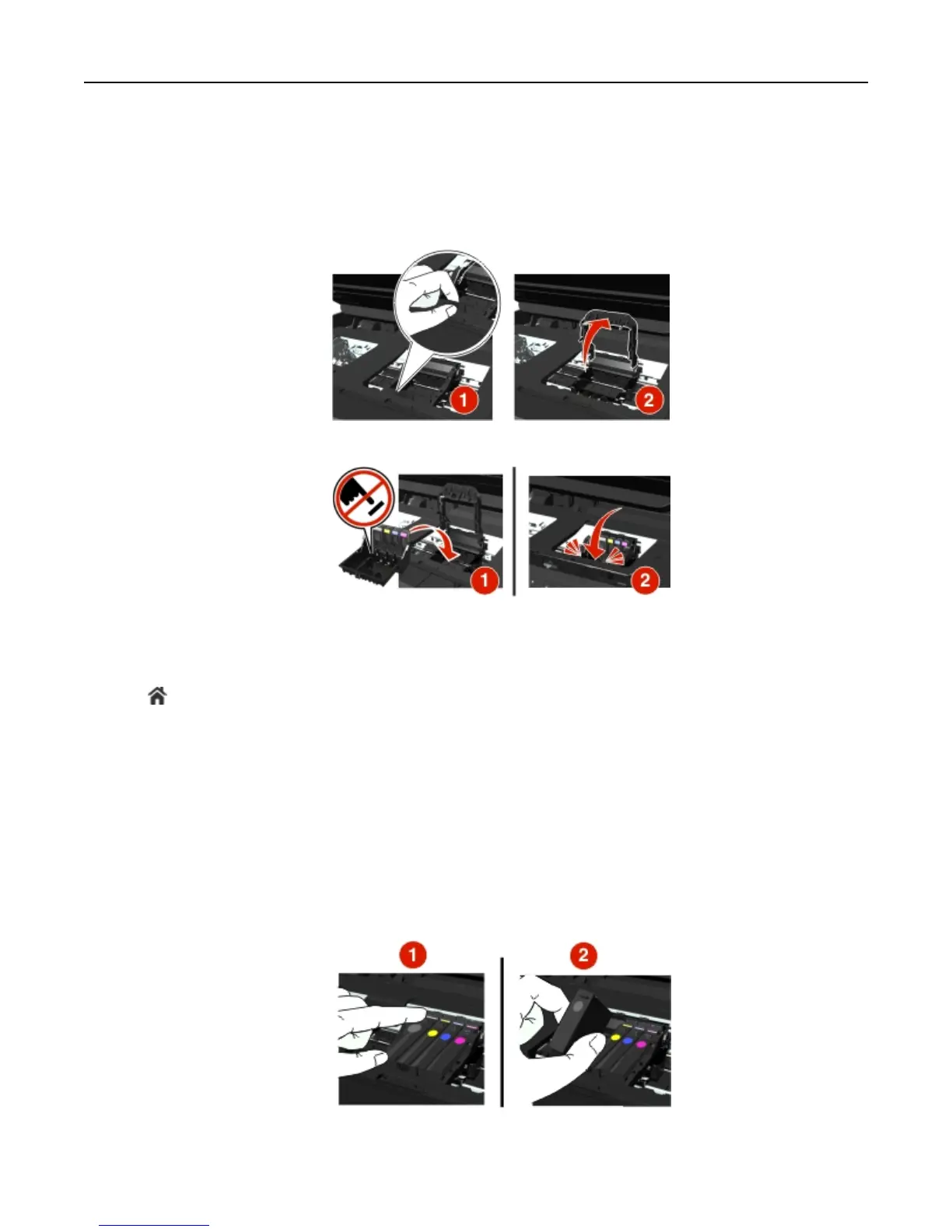
1 Open the printer, and then lift the carrier latch.
2 Insert the printhead, and then close the latch until it clicks into place.
Note: Make sure to install the ink cartridges into the printhead. For more information, see “Replacing ink
cartridges” in the User’s Guide.
3 Close the printer.
• Press to clear the message.
• If the message appears even if the printhead is already installed, then see “Printhead Error” in the User’s Guide.
Printhead Unsupported
Try one or more of the following:
• Turn the printer off, and then turn it back on.
• Install a supported printhead.
1 Open the printer.
2 Press the release tab, and then remove the cartridges.
Troubleshooting 138












 To Next Page