Printhead Error
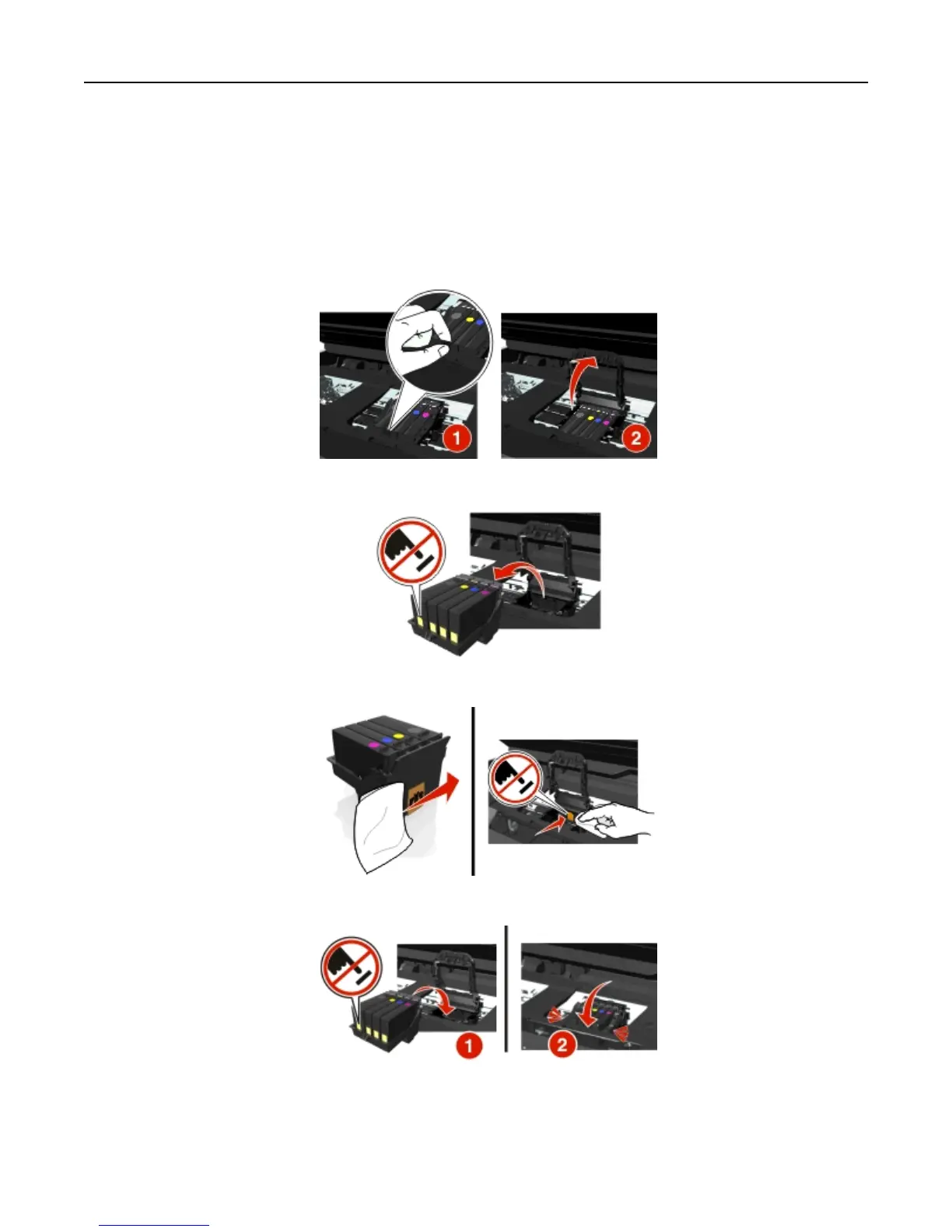
Remove and reinsert the printhead
Warning—Potential Damage: Do not touch the cartridge contacts with bare hands to avoid damage and print
quality problems.
1 Open the printer, and then lift the latch.
2 Remove the printhead.
3 Wipe the printhead contacts and the contacts inside the printhead carrier using a clean, lint‑free cloth.
4 Reinsert the printhead, and then close the latch until it clicks into place.
5 Close the printer.
Note: If removing and reinserting the printhead does not resolve the error, then turn off the printer, and then turn it
back on. If the problem persists, then contact customer support.
Troubleshooting 137












 To Next Page