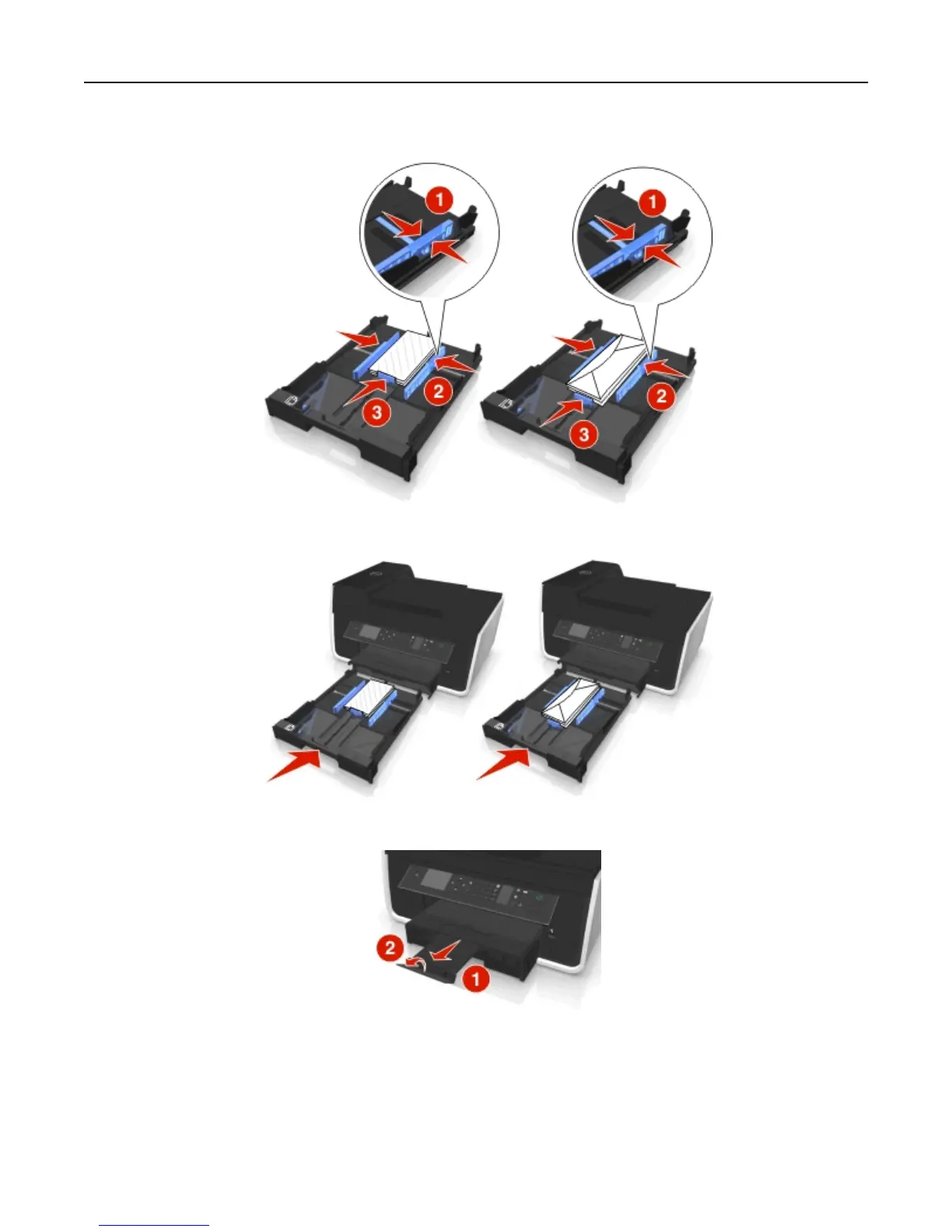
5 Adjust the paper guides to rest gently against the left, right, and bottom edges of the envelopes or photo paper.
6 Insert the tray.
7 Flip up the paper stop to catch the envelopes or photos as they exit.
Note: For best results, allow photos to dry at least 24 hours before stacking, displaying, or storing.
Loading paper and original documents 34












 To Next Page