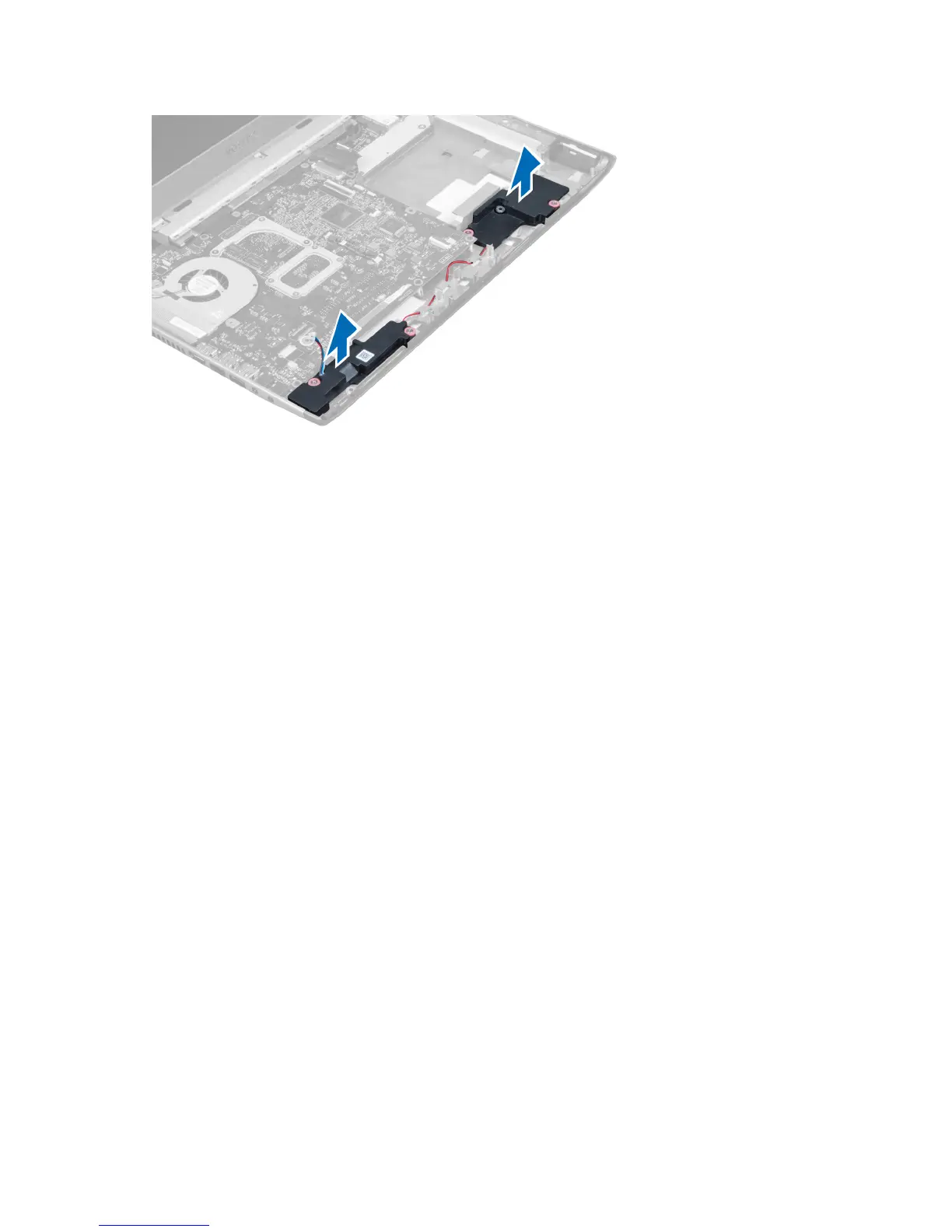
Installing the Speakers
1. Place the speakers on the computer and thread the speakers cable through the routing tabs.
2. Tighten the screws to secure the speakers in place.
3. Connect the speaker cable.
4. Install the:
a) express card reader
b) palmrest
c) display hinge cover
d) keyboard
e) hard drive
f) optical drive
g) base cover
h) battery
i) express card
j) SD card
5. Follow the procedures in
After Working Inside Your Computer
.
Removing the System Board
1. Follow the procedures in
Before Working Inside Your Computer.
2. Remove the:
a) SD Card
b) express card
c) battery
d) base cover
e) optical drive
f) hard drive
g) keyboard
h) display hinge cover
i) palmrest
28















 To Next Page