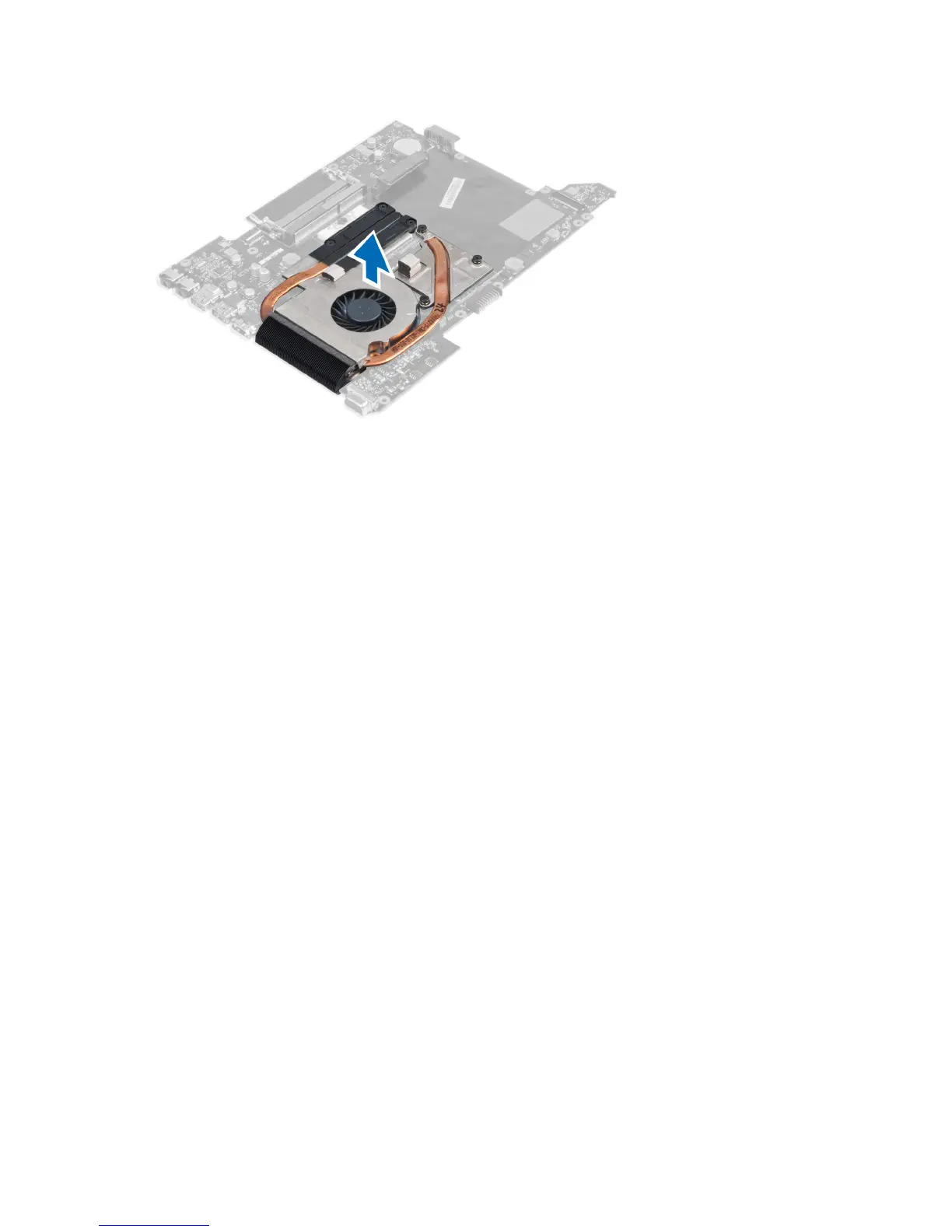
Installing the Heat Sink
1. Tighten the screws to secure the heat sink to the system board.
2. Connect the system fan cable to the system board.
3. Install the:
a) system board
b) palmrest
c) display hinge cover
d) keyboard
e) hard drive
f) optical drive
g) memory
h) base cover
i) battery
j) express card
k) SD card
4. Follow the procedures in
After Working Inside Your Computer
.
Removing the Processor
1. Follow the procedures in
Before Working Inside Your Computer
.
2. Remove the:
a) battery
b) base cover
c) memory
d) optical drive
e) hard drive
f) keyboard
g) palmrest
h) WLAN card
i) ExpressCard reader
34





 To Next Page