7. Remove the wireless card.
8. Remove the solid-state drive.
9. Remove the heat sink.
About this task
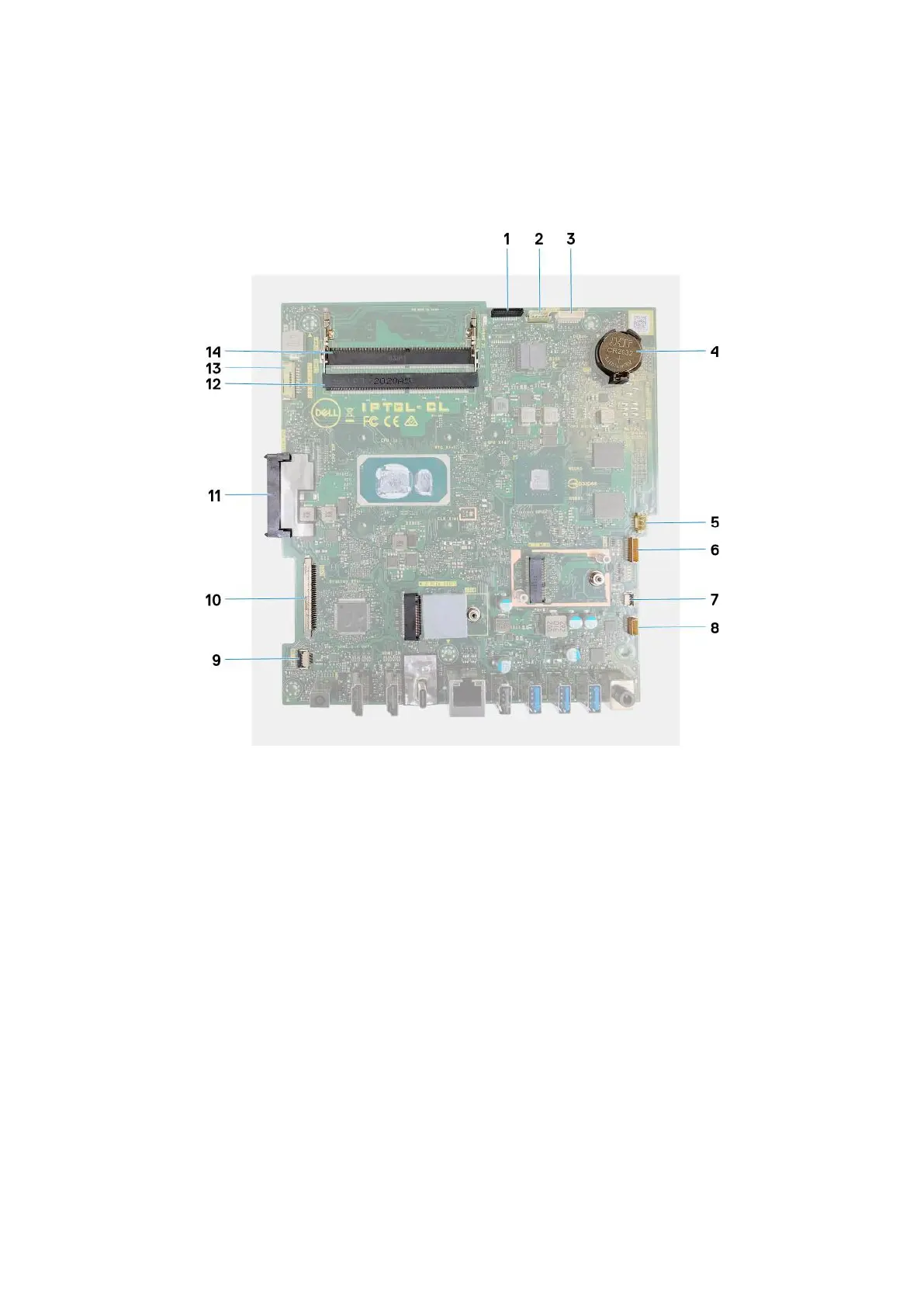
The following image indicates the connectors on your system board.
Figure 1. System-board connectors
1.
Camera cable 2. Touchscreen cable
3. Debug port 4. Coin-cell battery
5. Fan cable 6. Microphones cable
7. Media-card reader cable 8. Speaker cable
9. Power-button board cable 10. Display cable
11. Hard-drive connector 12. Memory module (DIMM2)
13. Backlit cable 14. Memory module (DIMM1)
The following image indicates the location of system board and provides a visual representation of the removal procedure.
46
Removing and installing components









 To Next Page