2. Remove the stand.
3. Remove the cable cover (optional).
4. Remove the back cover.
5. Remove the system-board shield.
6. Remove the bottom cover.
About this task
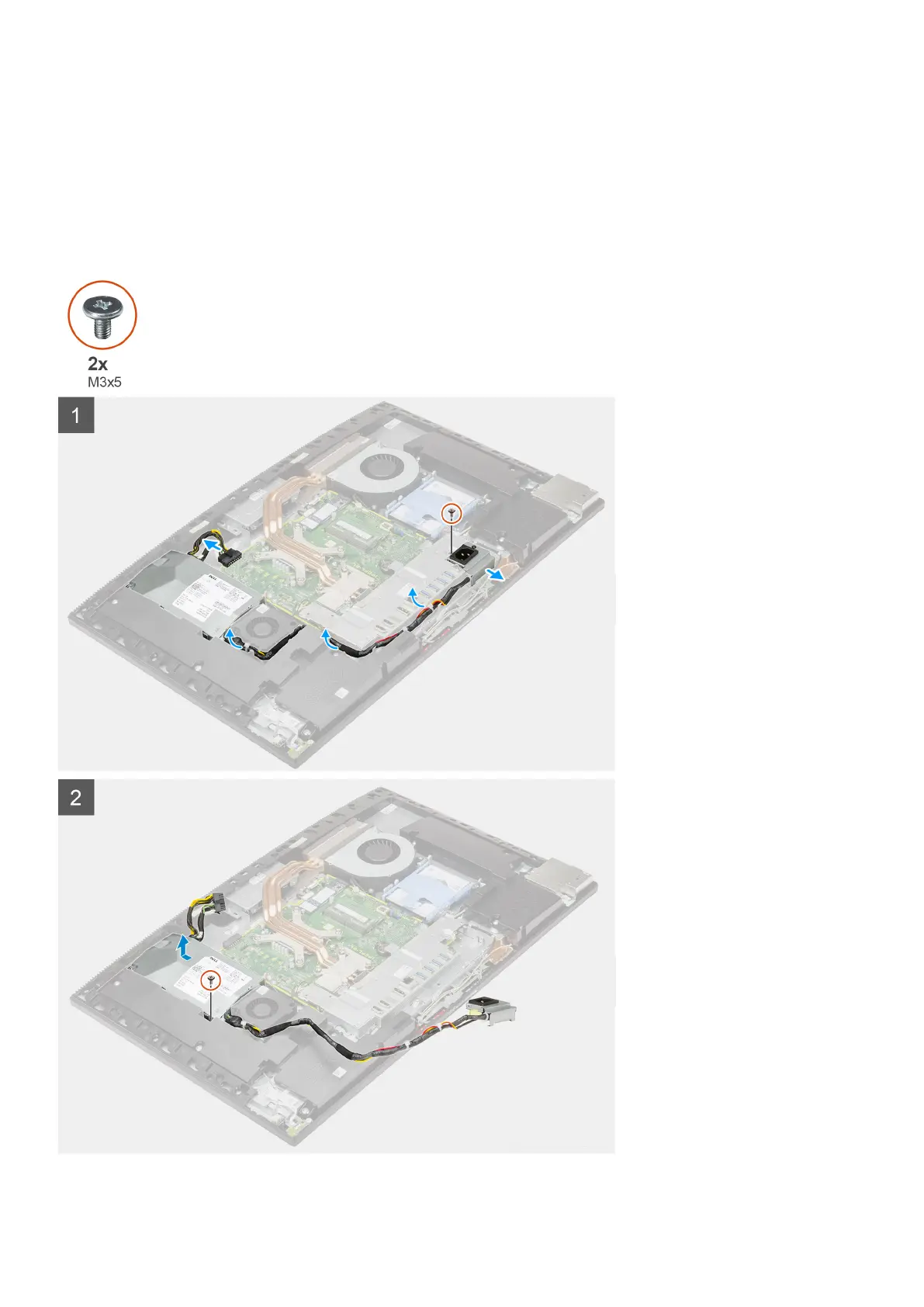
The following image provides a visual representation of the PSU removal procedure.
Removing and installing components 45



 To Next Page