Steps
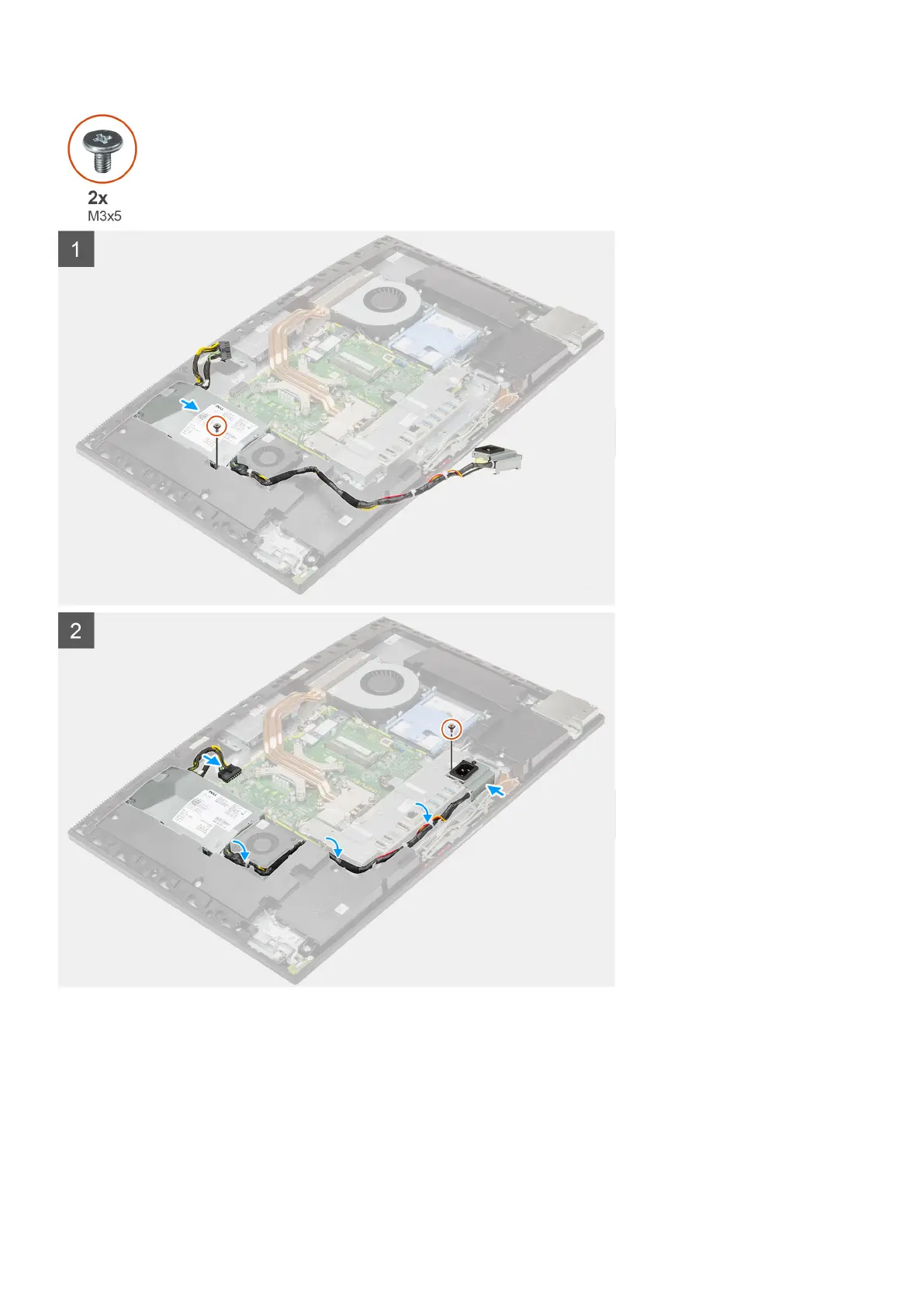
1. Align and place the PSU in the slot on the display-assembly base.
2. Replace the screw (M3x5) to secure the PSU to the display-assembly base.
3. Connect the power-supply cable to the connector on the system board.
4. Route the power-supply cable through the routing guides on the rear-I/O bracket and PSU fan.
5. Align the screw hole on the power-supply socket with the screw hole on the rear-I/O bracket, and place it in the slot on the rear-I/O
bracket.
6. Replace the screw (M3x5) to secure the power-supply socket to the rear-I/O bracket.
Removing and installing components
47



 To Next Page