Steps
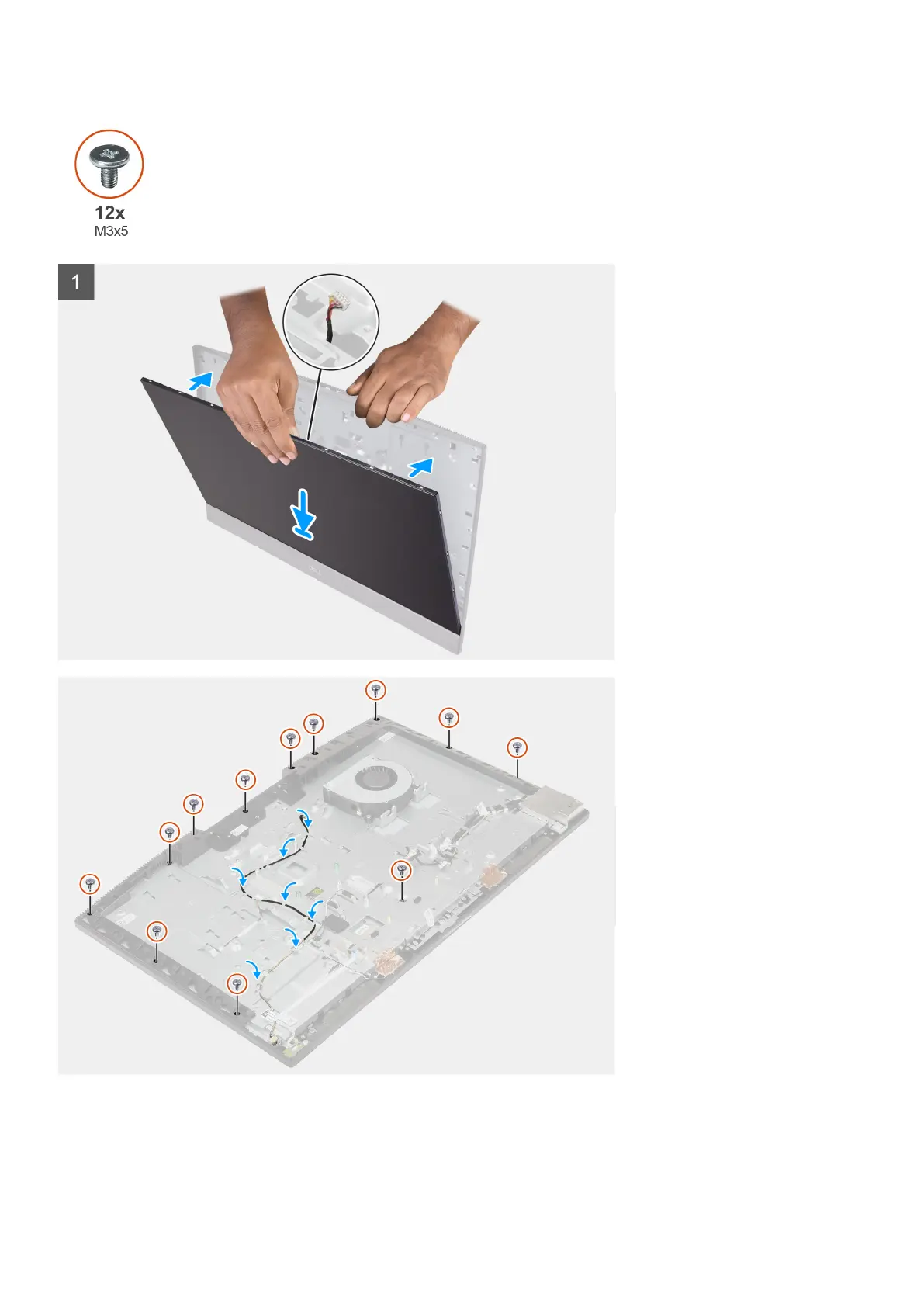
1. Place the system in an upright position, and slide the display panel on the slots of the display-assembly base.
2. Route the display-backlight, touch screen, and display cable through the slots on the display-assembly base.
3. Place the display-assembly base on a clean and flat surface with the display panel facing down.
80
Removing and installing components



 To Next Page