Setting Up Your TV 13
Connecting Your Video Devices
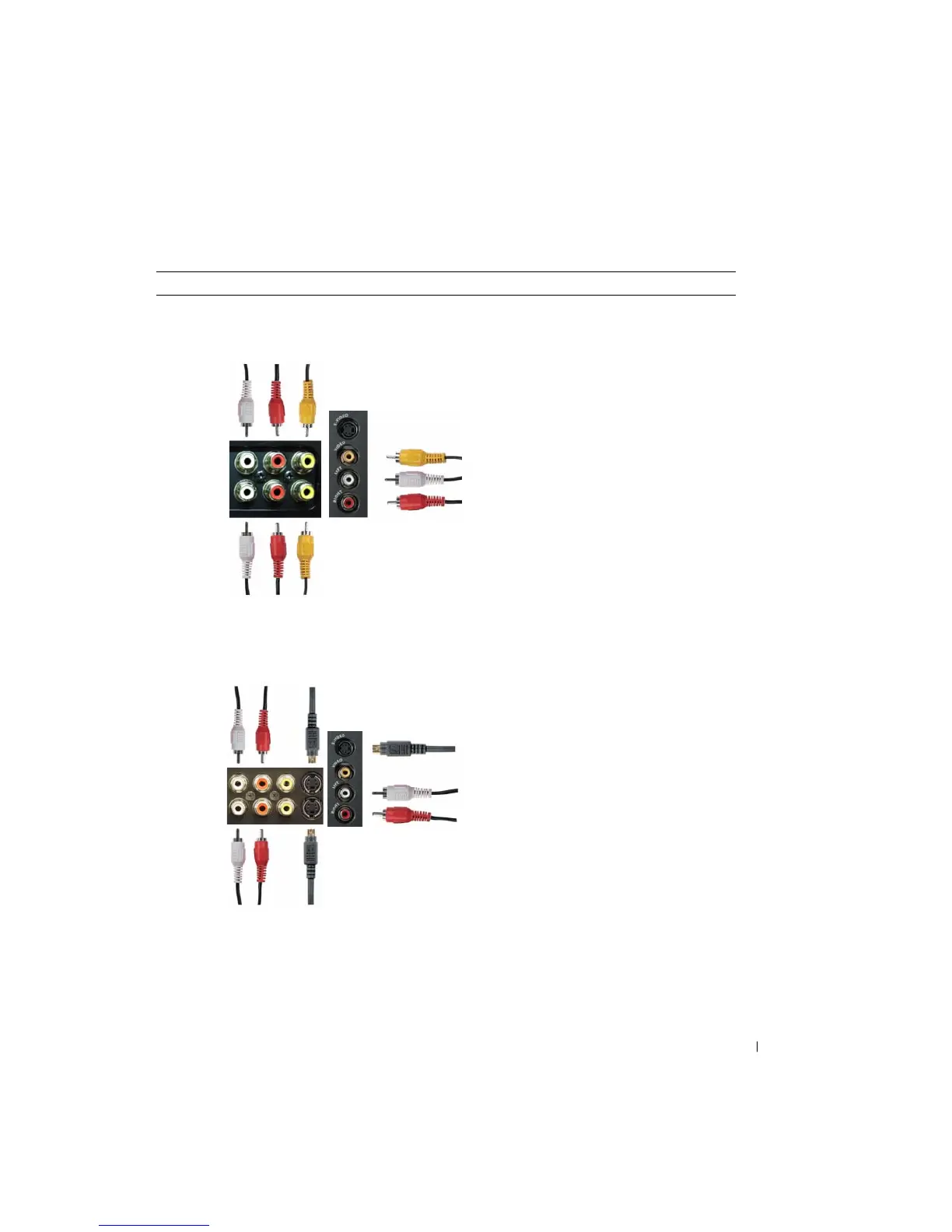
Quality Cable and Connector When to Use
Good Composite cable / AV1,2 IN (Bottom)
Video, Left, Right (Left)
The composite connector carries the video
signal through a single pin. If you are using a
composite video connector, you also need to
connect composite audio cables. To locate the
composite connectors, see "Left View" on
page 6 and "Bottom View" on page 7.
Better S-Video cable / AV1,2 IN (Bottom)
S-Video, Left, Right (Left)
The S-Video connector splits the video signal
into two signals, black-and-white and color. If
you are using the S-Video connector, you also
need to connect the audio cables. To locate the
S-Video connectors, see "Left View" on page 6
and "Bottom View" on page 7.


 To Next Page