Using Your Remote Control 21
3
Using Your Remote Control
Installing Batteries
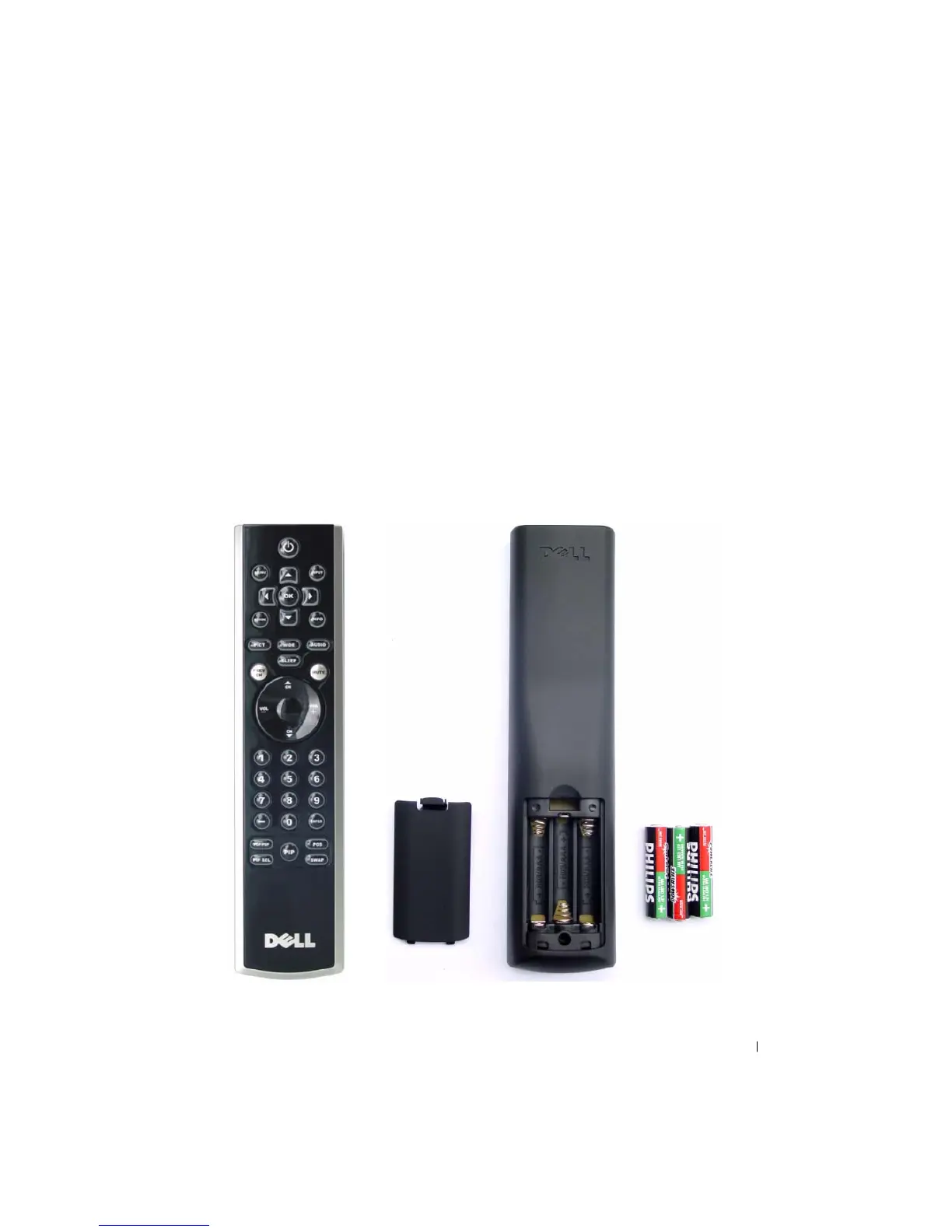
Before you can use your remote control, install three-AAA batteries.
1
Slide open the battery cover.
2
Install the batteries. Make sure that you match the + and - on the batteries with the + and -
symbols in the battery compartment.
3
Replace the battery cover.


 To Next Page