20 Setting Up Your TV
www.dell.com | support.dell.com
Installing Your Speakers to the TV
1
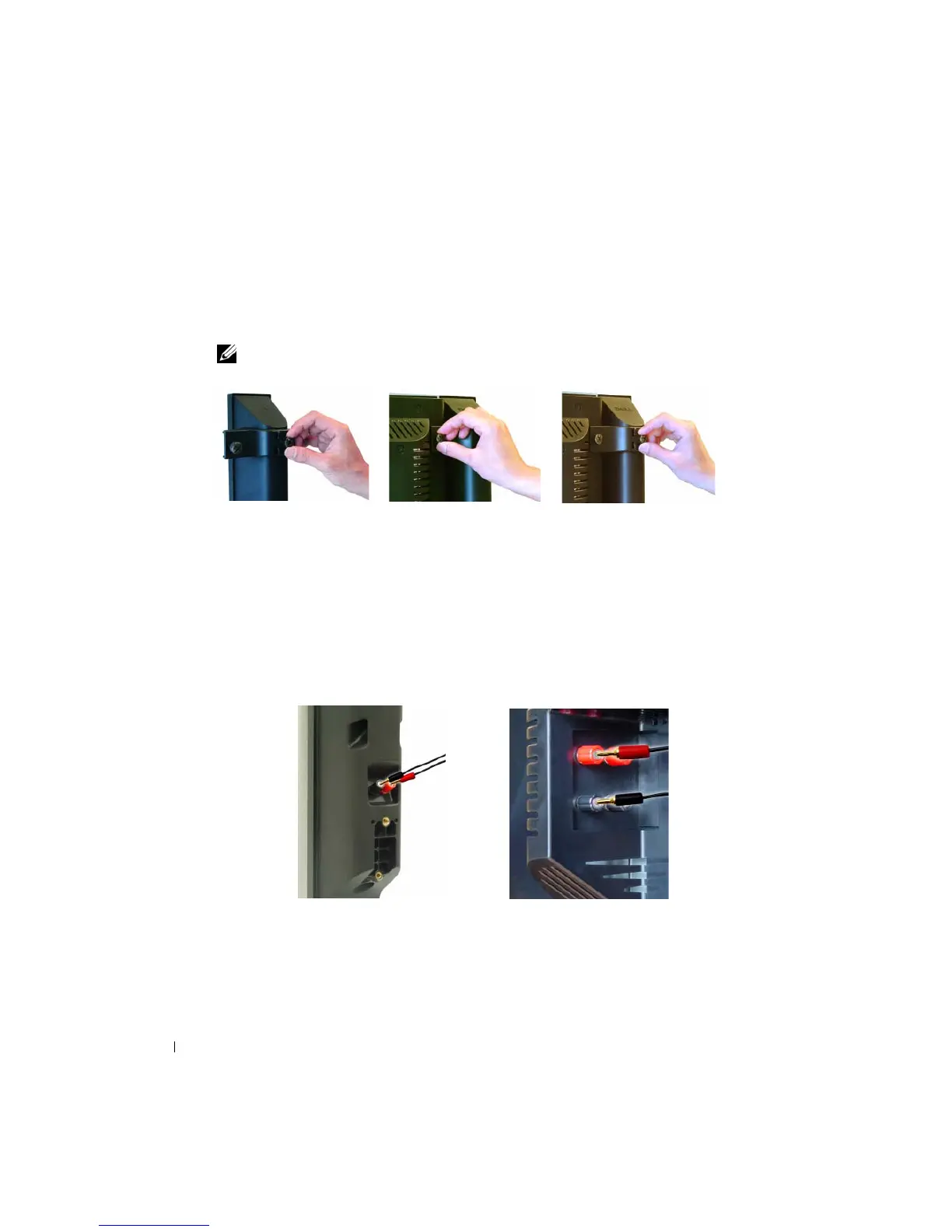
Loosely attach the brackets to the speakers.
2
Attach the brackets to the TV and tighten the screws.
3
Tighten the screws on the speaker.
NOTE: You may use a screwdriver to ensure all screws are completely tightened.
Connecting the Speaker Cables to the Speaker and the TV
1
Connect one end of the speaker cables to the matching connectors on the back of the speaker.
2
Connect the other end of the speaker cables to the matching connectors on the back of the
TV.


 To Next Page