About Your TV 5
1
About Your TV
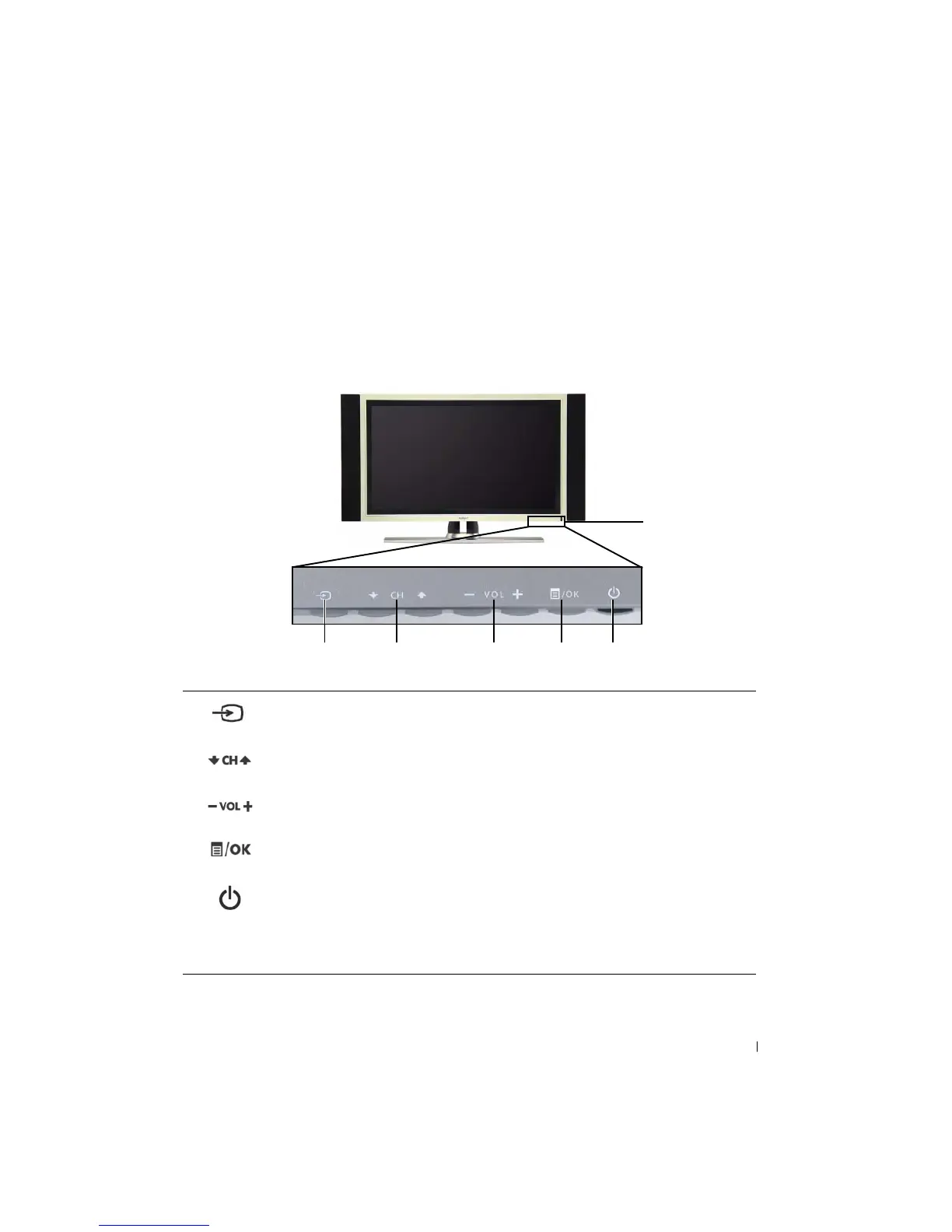
Front View
1 Input Source button Push to display the Input Select menu
2 Channel up/down button
Push to select the previous/next channel or navigate through
the TV Menu
3 Volume up/down button
Push to increase/decrease the volume or to select an TV Menu
option
4 Menu/OK button Push to display the TV Menu or to confirm your selection
5
Power button and light
(LED)
Push to turn the TV on and off
The power light is blue when the TV is on and amber when it is
in power saving mode
6 IR receiver Senses the signal from the remote control
1 2 3 4 5
6


 To Next Page