Using the TV Menu 31
FILE LOCATION: E:\Dell\2006\W3707C_DAO_OM\MC_DAO_proof\W3707C_e40.fm
DELL CONFIDENTIAL – PRELIMINARY 8/10/06 – FOR PROOF ONLY
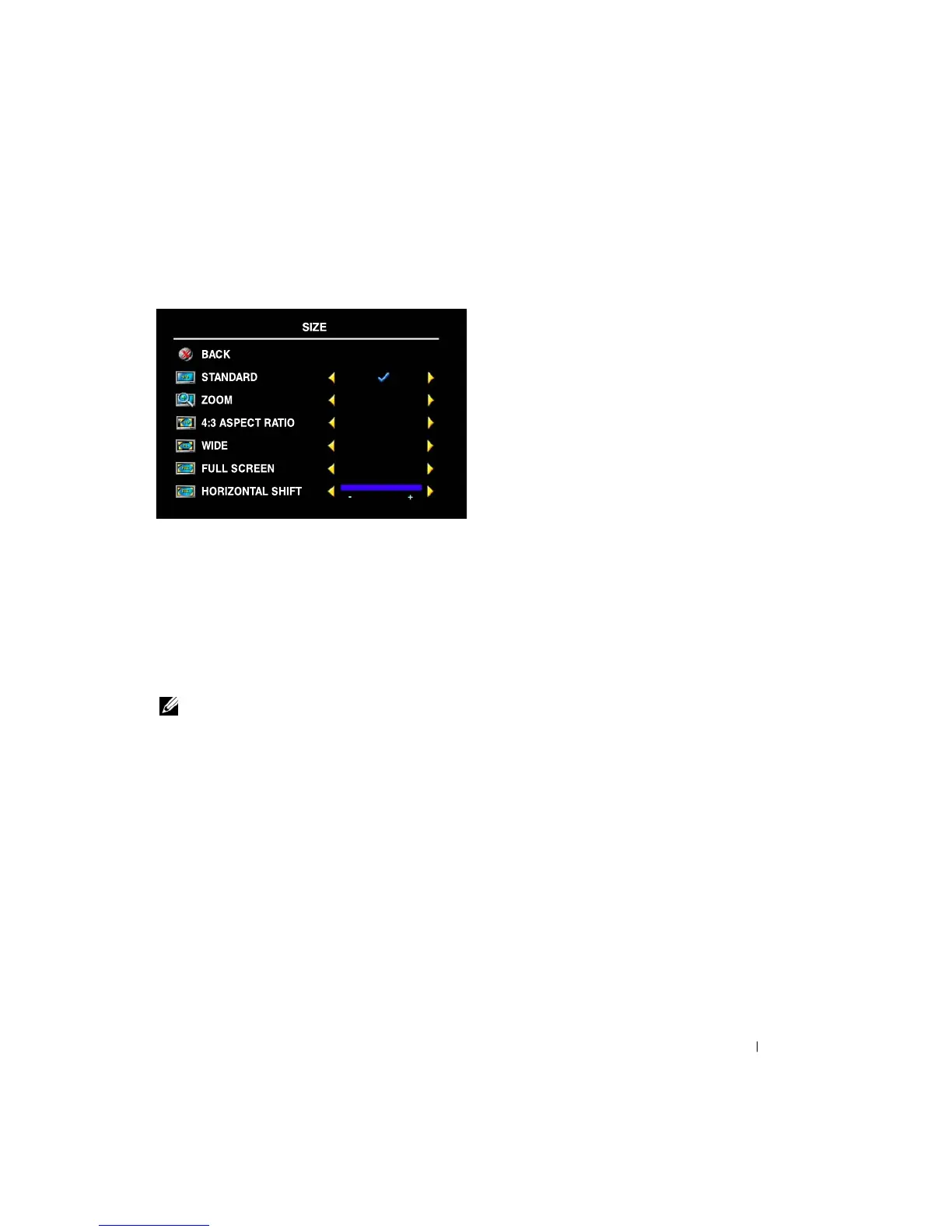
Size
Size
allows you to adjust the appearance of the image.
Use the following settings to adjust the aspect ratio:
Standard
— Best selection for viewing digital HDTV, 16:9 or 22:9 DVD movies.
Zoom
— Best selection for viewing TV, VCR or 4:3 DVD movie.
4:3 Aspect Ratio
— Best selection for viewing TV, VCR or 4:3 DVD movie.
Wide
— Best selection for viewing digital HDTV, 16:9 and 22:9 DVD movies.
Full Screen
— Best selection for viewing digital HDTV or 16:9 DVD movies.
Horizonal Shift
—Adjust the horizontal placement of the image.
NOTE:
Most DVDs have information about the supported aspect ratio on the case.


 To Next Page