32 Using the TV Menu
www.dell.com | support.dell.com
FILE LOCATION: E:\Dell\2006\W3707C_DAO_OM\MC_DAO_proof\W3707C_e40.fm
DELL CONFIDENTIAL – PRELIMINARY 8/10/06 – FOR PROOF ONLY
Parental Controls
Parental Controls
allows you to block certain channels or programs so children cannot view
programs that are not age appropriate.
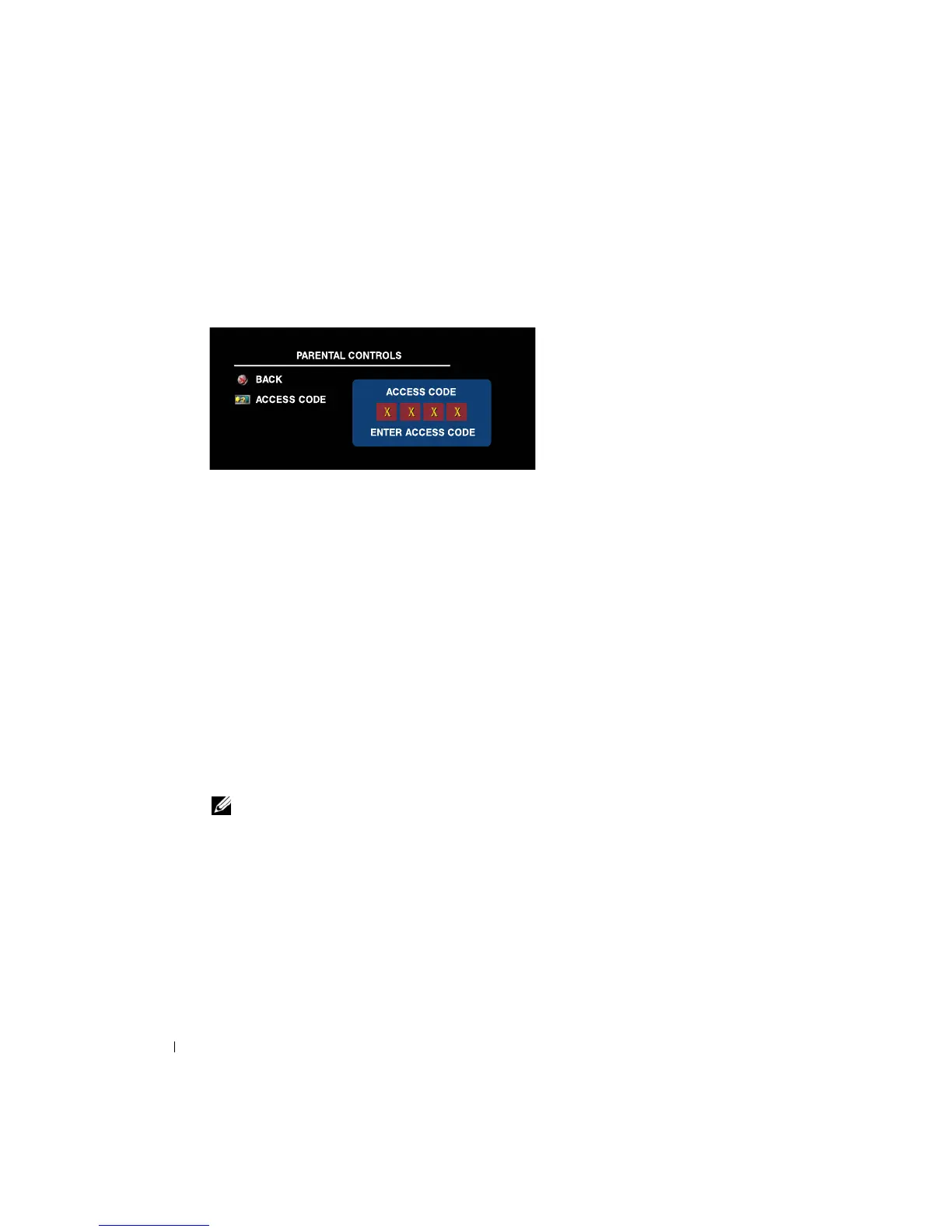
To enter the
Parental Controls
menu, you need an access code. The first time you enter, use access
code
3355
. "
Setting an
Access Code" on
page 32 for information on creating a new access code.
You can set the following options to block content:
•Block Control
—
Turns on or off all your parental control settings
•
Channel Lock
— Blocks selected channels
•
Movie Rating
—
Blocks movies based on their rating (G, PG, PG-13, R, NC-17, X, and
Unrated)
•
TV Rating
—
Blocks TV shows based on their rating (TV-Y, Y7, G, PG, 14, MA,Unrated, and
No rating)
•
Canada English Rating
—
Blocks channels based on their rating (C, C8+, G, PG, 14+, and
18+)
•
Canada French Rating
—
Blocks channels based on their rating (G, 8ANS+, 13ANS+,
16ANS+, and 18ANS+)
•
Region Rating
—
Blocks channels based on the given rating in each region. (The rating value
varies according to each dimension.)
NOTE: You can use C
lear All to unblock the channels and programs that you have set.
Setting an Access Code
After you enter the
Parental Contro
l
s
menu for the first time, you can set your own four-digit
access code.
1
In the
Parental Controls
menu, select
Change Code
.
2
Using the number pad on the remote control, enter a new access code.
3
Select
Exit
.


 To Next Page