6
Headset Setup
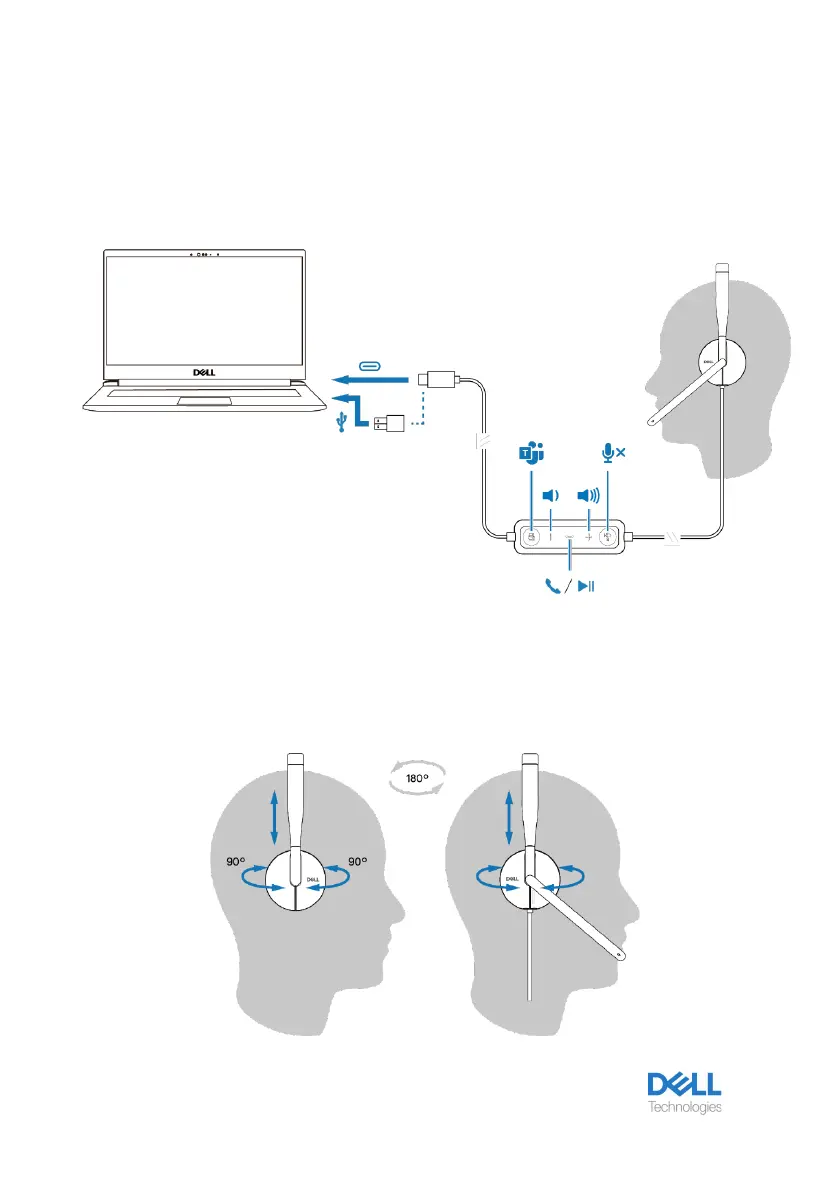
Power and setup
Power on your headset by plugging the cable to the USB-C port on the computer. A USB-
A adapter is also provided as an alternative for connection to the USB-A port.
Adjust the headband
The headset can be worn on both the left and right sides. Lengthen or shorten the band until
it fits comfortably. The ear cup can be adjusted to ±90 degrees at most. The cushions should
sit comfortably over the center of your ears.



 To Next Page