7
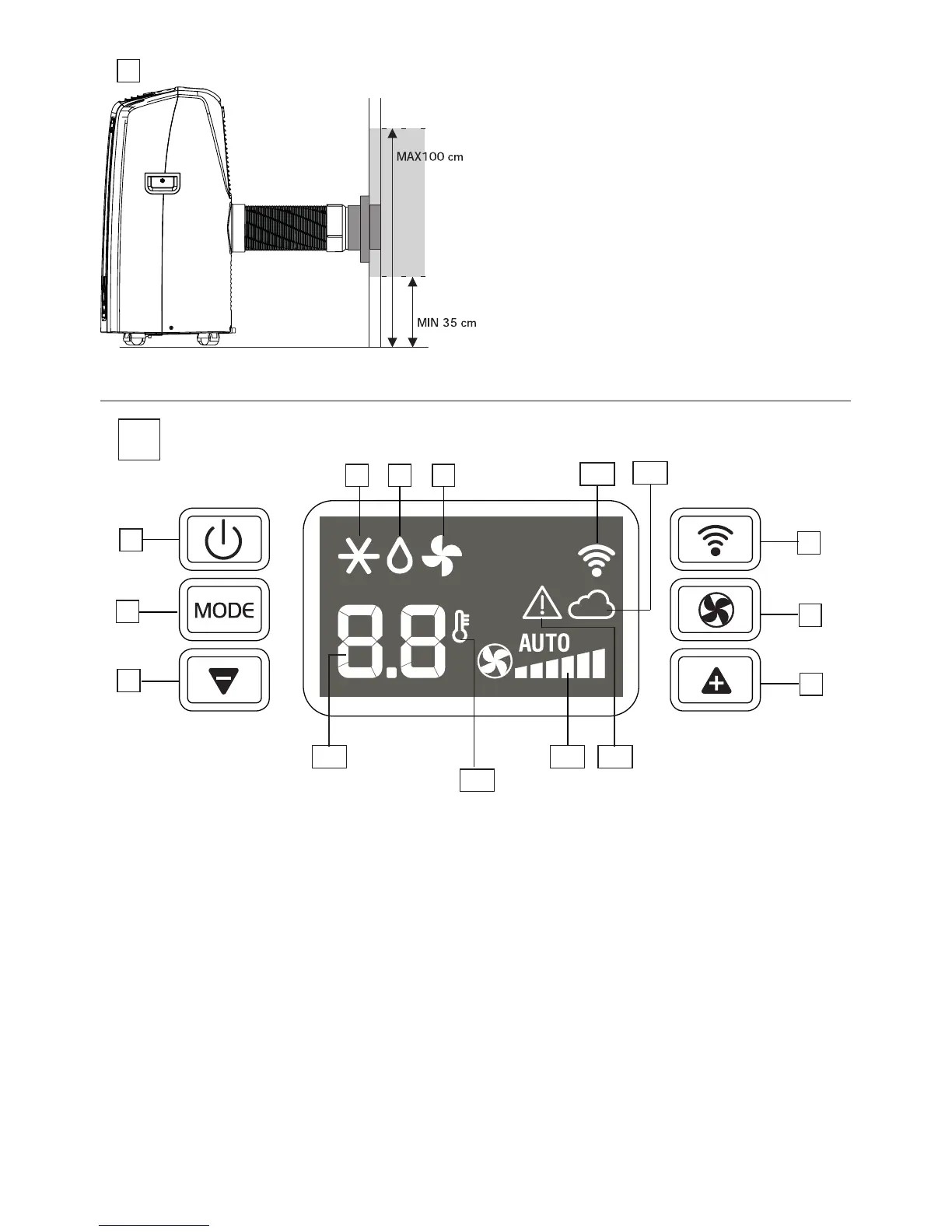
MAX 39 in
MIN 14 in
NOTE: As special tools are required for installation, we
suggest you have the appliance installed by specialized
personnel.
NOTE:
Wheninstalling the airconditioner semi-permanently,
youshouldleaveadoorslightlyopenlittleas1/2“(1cm)to
guaranteecorrectventilationandroompressure.
NOTE:Keeptheairhosesasshortandfreeofcurvesaspossible
toavoidconstrictions.
8
DESCRIPTION OF THE CONTROL PANEL ( Fig. C)
C1 ON/STAND-BYbutton
C2 MODE selectionbutton(conditioning,dehumidifying,fan)
C3 Decreasetemperature
C4 WiFibutton
C5 Fanspeedselectionbutton(LOW/MED/HIGH/AUTO)
C6 Increasetemperature
C7 Air-conditioningsymbol
C8 Dehumidifyingsymbol
C9 Fansymbol
C10 WiFisymbol
C11 Appindicator
C12 Alarmsymbol
C13 Fanspeedindicator
C14 Settemperaturesymbol
C15Temperaturevalueset
Note:
After few seconds of control panel inactivity, the display
brightnesswillbeautomaticallyreduced.
Wheninstand-byafterfewminutesitwillbefurtherreduced.
CONTROL PANEL
C
C1
C10
C2
C12C13
C14
C3
C4
C8 C9
C6
C15
C7
C5
C11





 To Next Page