NOTES:
• If the cooking time is not set (skipping point 2), the display will show the countdown starting from the
default duration of 15 minutes.
• If the START/STOP button (9) is not pressed within 3 minutes from the previous setting, the control will
return to stand-by.
TIPS FOR GOOD RESULTS:
•
The oven should not be preheated.
• Place the food on the broiling rack set in the bake pan as shown in the figure.
Place the wire rack (D) in the upper guide (G).
•Always use the broiling rack.
• For easier clean-up, the bake pan can be lined with foil. Be sure not to cover
the broiling rack or let foil extend beyond the edges of the pan.
•Turn the meat halfway through cooking.
• Be careful when turning food or removing the pan. Use pot holders and avoid
spilling drippings.
• Never cover heating elements with foil.
•To top-brown casseroles with cheese toppings, place the dish directly on the wire rack in the upper guide. Close
the door and watch carefully to avoid burning the toppings.
• The cooking process can be stopped in any moment by pressing the START/STOP button (9).
10
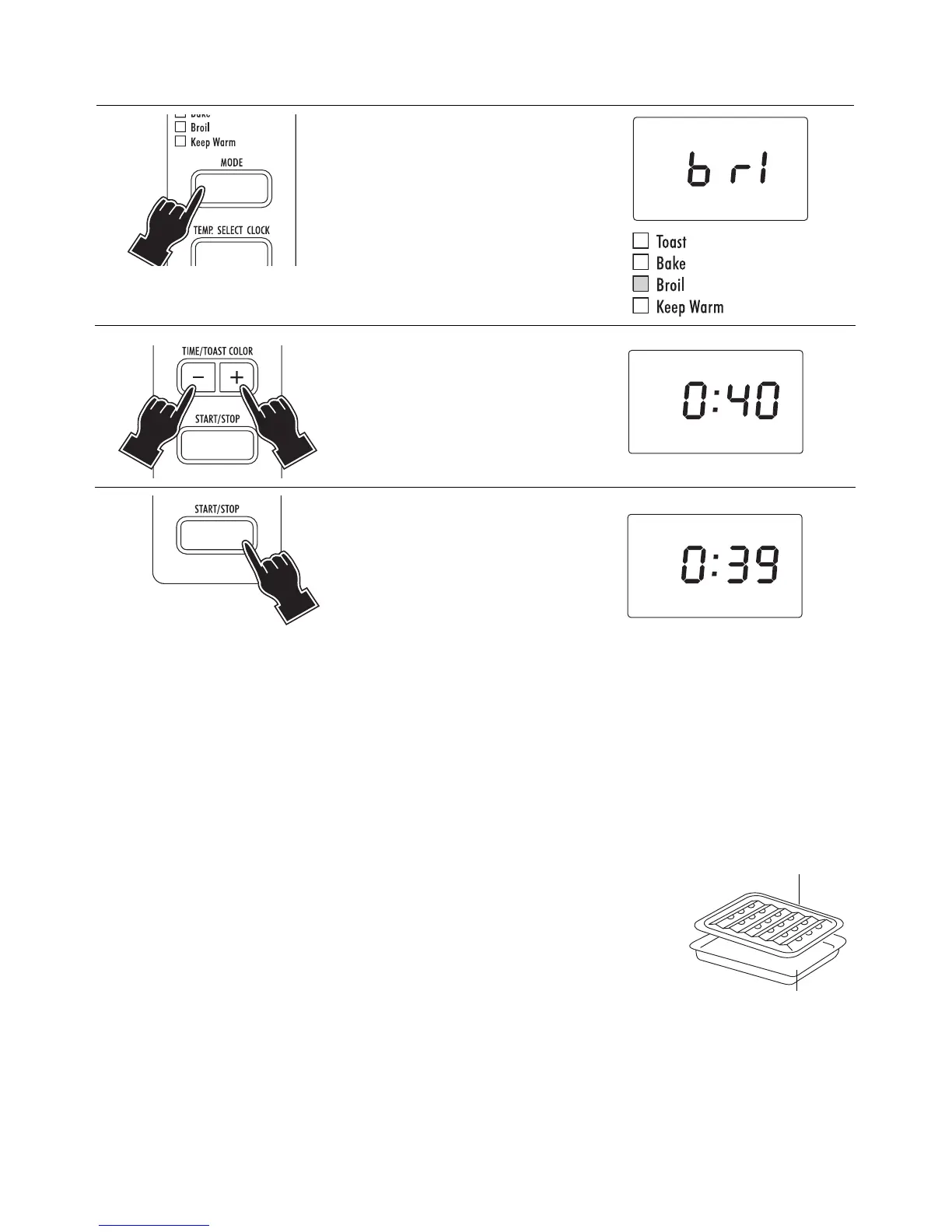
2.3 - BROIL MODE
1Press the MODE button (6)
until the BROIL indicator light
(4) is on. The display will
show the message
bb rr ll
.
2 Set the cooking time (max 1
hour) by pressing the
TIME/TOAST COLOR buttons
(8).
3Press the START/STOP button
(9). The oven will start the
countdown. At the end of the
set time the control will emit 3
“beeps” and the display will
show
ee nn dd
.
BROIL RACK
BAKE PAN



 To Next Page