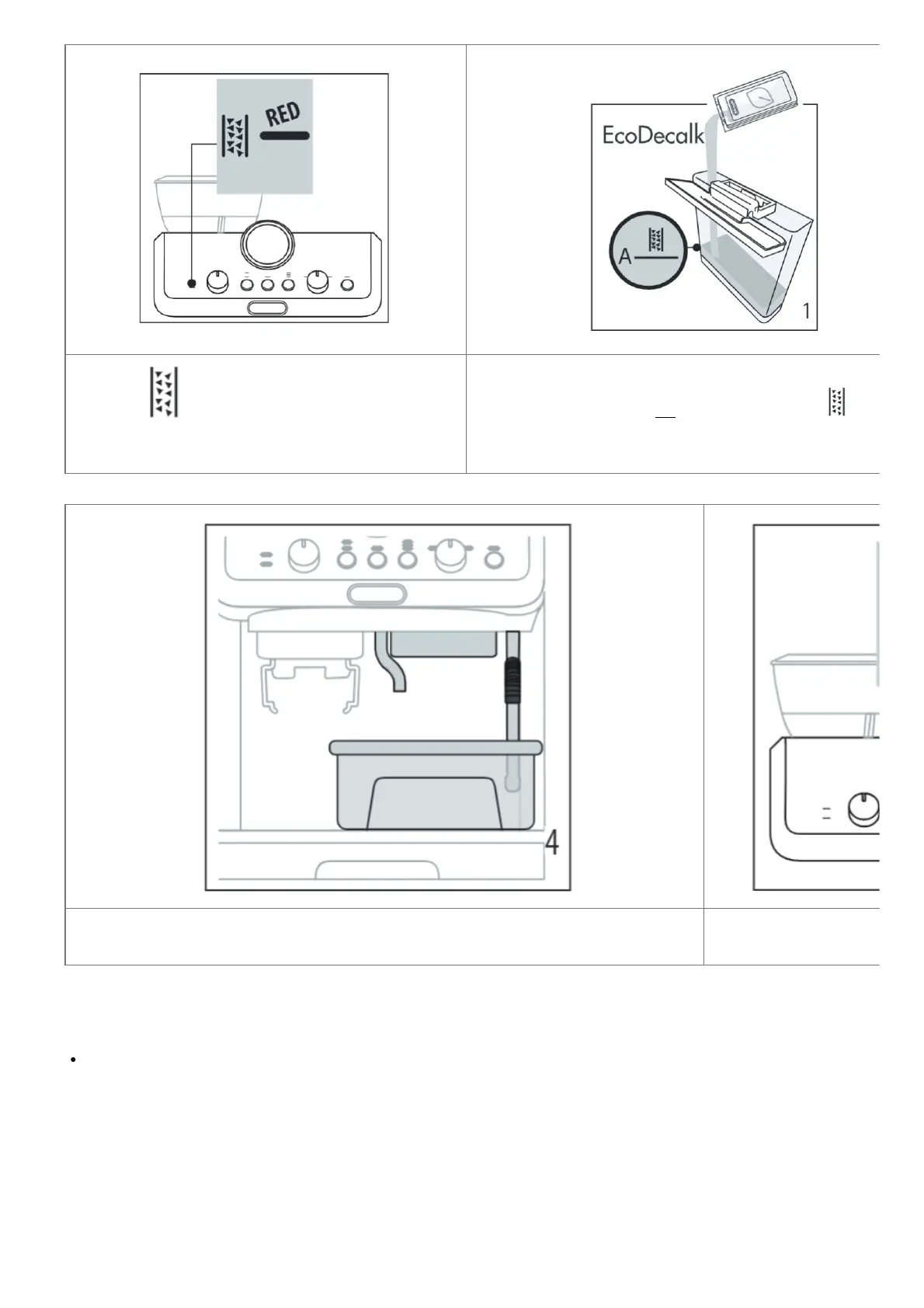
When the light (B3) comes on, it is time to procee
d with descaling the machine. The descaling cycle can
be run at any moment.
1. (IF PRESENT, REMOVE THE WATER SOFTENER DEVICE). P
our the descaler into tank A7 up to the level ones A mark insid
e the tank (equal to one 100ml
packet).
4. Make sure the portafilter is not attached and position a recipient under the coffee outlet
(A10), hot water spout (A11), and steam wand (A9).
5. Keep pressed for at least 3 seconds the OK button: the OK lig
ht begins to flash; descaling starts.
Please note
In case you start the descaling cycle by mistake, you can press the OK button for 10 seconds; the rinsing cycle
can not be stopped (from step 9).
6. The descaling program starts and the descaler liquid comes out of the steam wand and coffee outlet. The
descaling program removes limescale deposits from inside the
appliance by automatically performing a series of rinses and pauses until the tank is empty.
Delivery stops and the OK light turns to white. This indicates that it is necessary to proceed with rinsing: see
next page.




 To Next Page