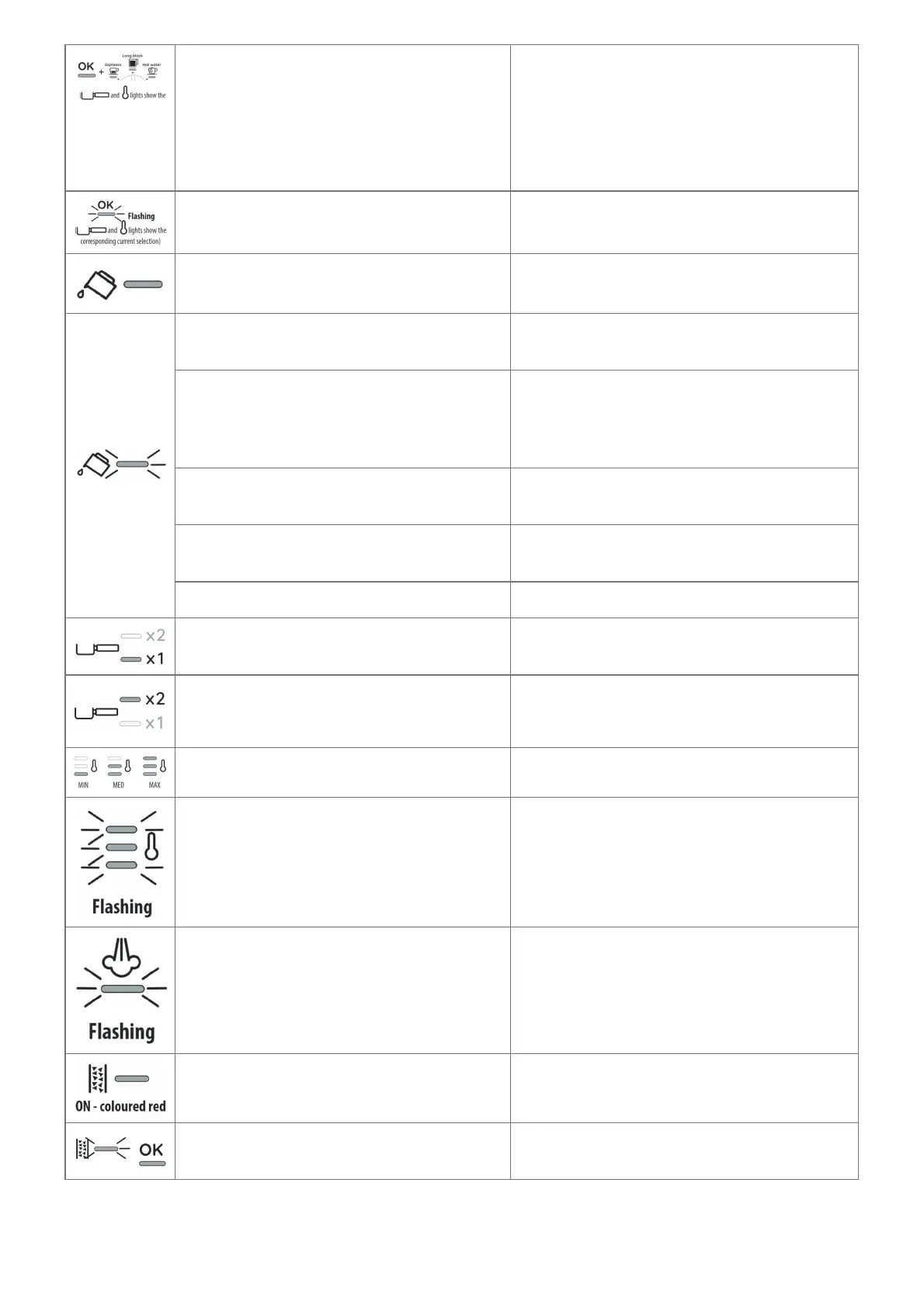
correspondin
g current
selection)
The machine is ready to use
Prepare the machine, select the desired bevera
ge and press OK to start delivery
The machine is setting for ready to use The machine is setting for ready to use
Insufficient water in the tank (A7) or water tan
k not inserted correctly
Fill the tank or extract the tank and put it back c
orrectly
You are trying to deliver a beverage but the w
ater tank (A7) is empty
Fill the tank
The grinding is too fine and the coffee is
delivered too slowly or not at all
Extract the portafilter (C1) and repeat the opera
tions to make the coffee, bearing in mind the in
struction is given in the quick start guide relativ
e to the grinding section
The filter (C3) or (C4) is blocked
Clean as described in section “5. Cleaning and
maintenance”.
The tank (A7) has been inserted incorrectly a
nd the valves on the bottom are not open
Press the tank down lightly to open the
valves on the bottom
Scale in the water circuit Descale as described in section “9. Descaling”
1-dose beverage is selected
All the process (from grinding to delivery) is set
for preparing 1 cup
2-doses beverages are selected
All the process (from grinding to delivery) is set
for preparing 2 cups
Choose 1 of the 3 temperatures available See Quick Guide for tips.
General alarm Contact Customer Service
The steam function is selected and running
In a few seconds, the appliance starts steam
delivery
Descaling must be performed
Descale the appliance as described in section “
9. Descaling”
Descaling is selected
Press OK (B6) to run the descaling cycle or tur
n the selection knot to the beverage desired




 To Next Page