Load Cell Module DVP02LC-SL
DVP-PLC Operation Manual
22
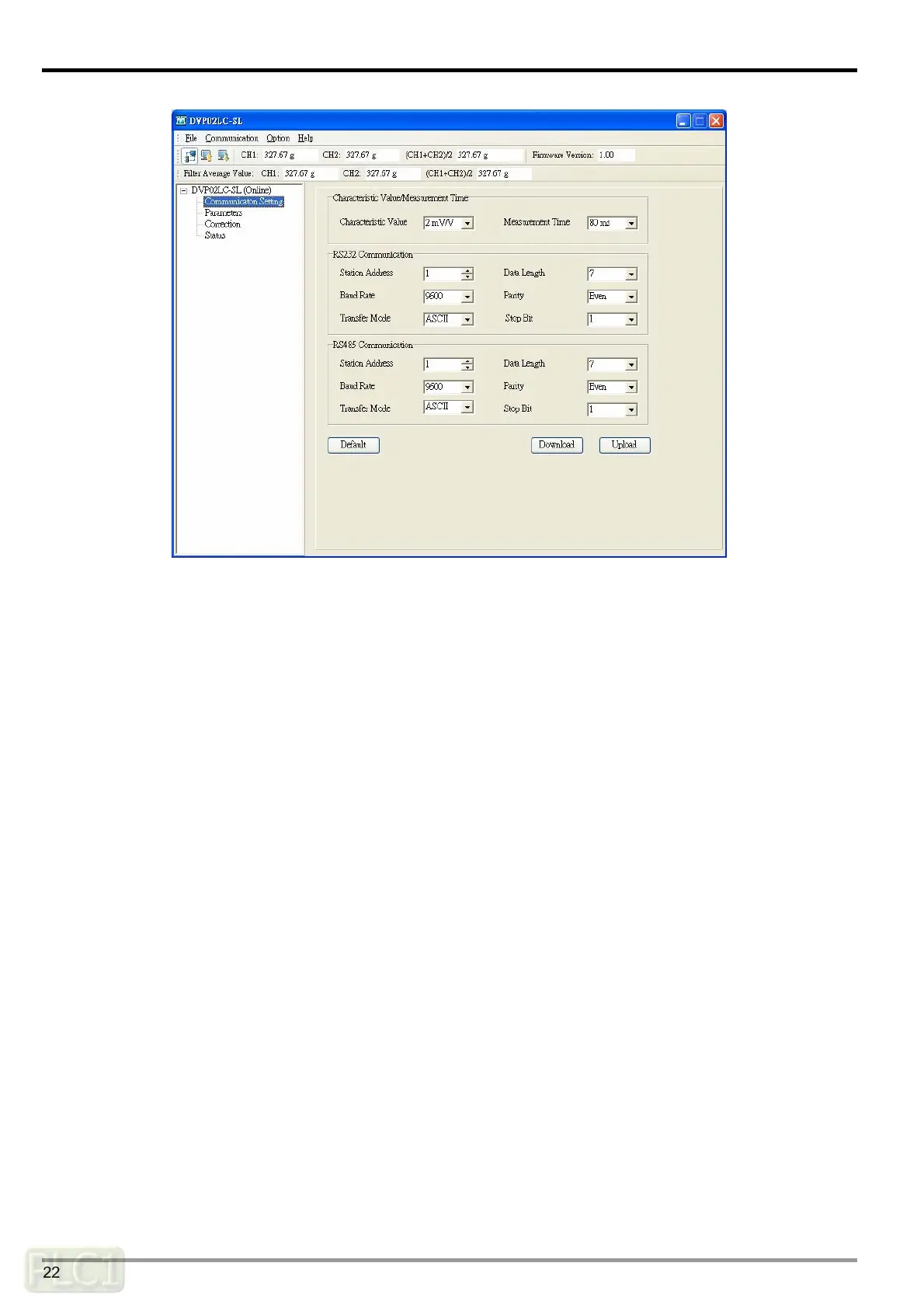
Characteristic Value/Measurement time
y Characteristic value: The eigenvalue, corresponding to the value set in CR#2. Scroll down to
select 1, 2, 4 or 6 mV/V. The default setting is 2 mV/V.
y Measurement time: Corresponds to the value set in CR#3. Scroll down to select 2, 10, 20, 40
or 80 ms. The default setting is 80 ms.
RS-232 Communication
y Station address: The node address, corresponding to the value set in CR#52. The range is 1
to 255, and the default setting is 1.
y Baud rate: Corresponds to bit4 to bit7 of CR#53. Scroll down to select 9600, 19200, 38400,
57600 or 115200. The default setting is 9600.
y Transfer mode: The transmission mode, corresponding to bit15 of CR#53. Scroll down to
select RTU or ASCII. The default setting is ASCII.
y Data length: Corresponds to bit3 of CR#52. Scroll down to select 7 or 8. The default setting is
7. When the transmission mode is set to be RTU, the data length will be automatically set to
8.
y Parity: Corresponds to bit0 to bit1 of CR#53. Scroll down to select none, odd or even. The
default setting is even.
y Stop bit: Corresponds to bit2 of CR#53. Scroll down to select 0 or 1. The default setting is 1.



 To Next Page