Load Cell Module DVP02LC-SL
DVP-PLC Operation Manual
26
6.5 Status Settings
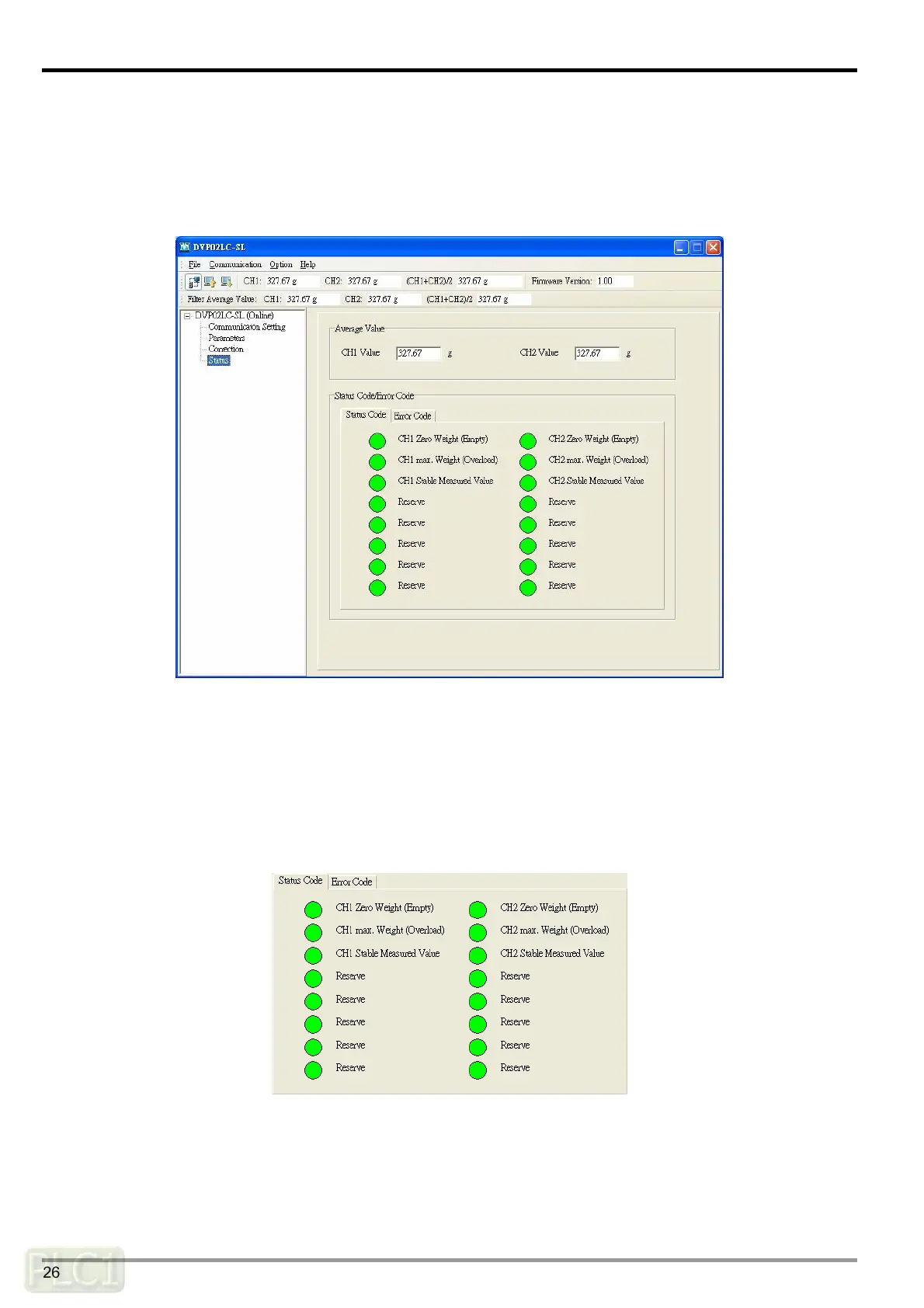
In the status setting window, you can view the measuring results and the operation status of
DVP02LC-SL, including the present average value in CH1 and CH2, the unit of measurement, status
codes and error codes.
Average value:
The average weights at CH1 and CH2, corresponding to the values in CR#12 and CR#13. The
unit after the figure is the previously set unit for measurement.
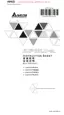
Status code:
Corresponds to the value set in CR#50, indicating the measuring statuses at CH1 and CH2,
including the empty load, overload and whether the measured values are stable.
y CH1 zero weight (empty): Corresponds to bit0 of CR#50. When the value measured at CH1
equals 0, the indicator will turn red.
y CH1 max. weight (overload): Corresponds to bit2 of CR#50. When the value measured at
CH1 exceeds the maximum weight set, the indicator will turn red.



 To Next Page