Load Cell Module DVP02LC-SL
DVP-PLC Operation Manual
21
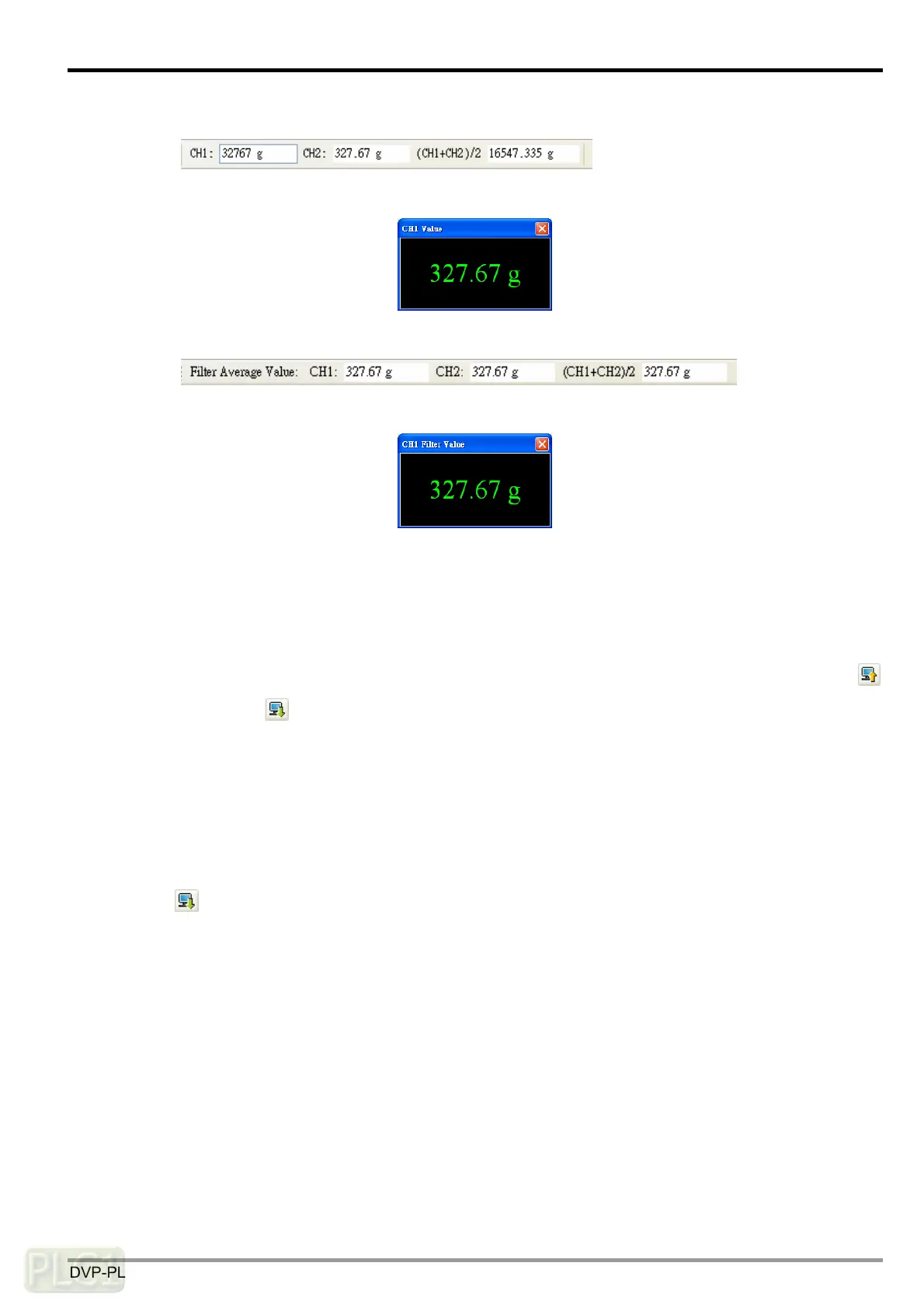
The average values
Click on a value, and the enlarged characters of the value will appear.
The filter average values
Click on a value, and the enlarged characters of the value will appear.
Note: When the filtering function is not enabled, the window for the filter average value will display
“32767”. Once the filtering function is enabled, the average times have to be > 30, and the filter
percentage has to be set.
7. In the connection, if you would like to upload the data in DVP02LC-SL to software, click the icon
.
Or click the icon
if you would like to download all the parameters set in the software to
DVP02LC-SL.
6.2 Communication Settings
The communication setting window allows you to set up the communication formats for RS-232 and
RS-485, the characteristic value (eigenvalue) and measuring time. When all the settings are done, click
the icon
to download the parameters to DVP02LC-SL, or click “Upload” to display the parameters
of DVP02LC-SL in the software. Click “Default” and all the parameters set will return to the default
settings.



 To Next Page