English-2
Maintenance and Inspection
While power is being supplied, do not disassemble the controller panel or
touch the internal parts, otherwise electric shock may occur.
Do not touch the ground terminal within 10 minutes after turning off the
power, as the residual voltage may cause electric shock.
Turn OFF the power first before replacing backup battery, and recheck the
system settings afterwards.
Do not block the vent holes during operation, as malfunction may easily
occur due to poor ventilation.
Wiring
Power supply: In order to avoid danger, use a 24 V
DC
power supply for the
controller and comply with the wire specification when wiring.
Wiring materials: Use multi-stranded twisted-pair wires or multi-core
shielded-pair wires to isolate all cables.
Wiring length: The maximum cable length for remote I/O signals and
DMCNET communication is 20 m, and the maximum cable length for
other signal cables is 10 m.
To control input and output signals, 24 V
DC
power is required for the
controller I/O and remote I/O.
Wiring of Communication Circuit
DMCNET wiring: The wiring materials should be in compliance with the
standard specification.
Please make sure the wiring between the controller and servo drive is
tight and secure, as loose cables may cause abnormal operation.
Inspection
In order to prevent the negligence during purchasing and delivery, please carefully inspect
the items listed below:
Check Item Content
Check if the product is what you
have purchased.
Check the model specified on the controller’s name plate,
referring to Model explanation.
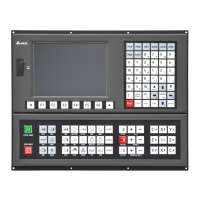
Keys and buttons Press each key and button, which should feel smooth to touch.
Appearance
Visually check if there is any damage or scrape in the product’s
appearance.
Connectors Check if there is any loose or un-tightened connector.
If any of the above situations happens, please contact the distributors to solve the
problems.


 To Next Page