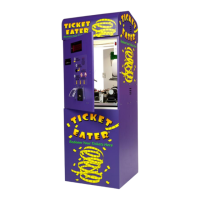
TT-2000, TTD-2000, TT-4000 Ticket Eaters™ by Deltronic Labs June 2019
Points value for barcode #1
Points value for barcode #2
Points value for barcode #3
Points value for barcode #4
Points value for barcode #5
Points value for barcode #6
Points value for barcode #7
Points value for barcode #8
Group 99 4 sets the points value for barcoded tickets. When using barcoded tickets,
the Ticket Eater accepts only tickets that have the correct barcode. To do this it must
first learn the barcode pattern on the tickets. It can learn eight different barcodes,
each with its own point value.
To teach the Ticket Eater a barcode:
1. Go to one of the option numbers in group 99 4.
2. Use the black and red buttons to adjust the point value.
3. Feed the Ticket Eater a strip of seven tickets.
4. After reading the tickets the ticket eater will stop and display a series of
numbers which represent the barcode pattern. (If these numbers are all zeros,
the reading failed.)
5. To accept and record the reading, press both buttons together and advance to the
99 level. To reject the reading turn off the machine without pressing both
buttons.
Group 99 5 performs the special function of clearing the audit counters. When you
select 99 5, the display continues to show 99 5, but it blinks. At this point you can
press the red button to clear the audit counters, or the black button to cancel clearing.
Refer to the next page for instructions on printing an audit report.
Group 99 6 exits the options mode.


 To Next Page