TT-2000, TTD-2000, TT-4000 Ticket Eaters™ by Deltronic Labs June 2019
Blade Adjustment & Replacement
Stationary Blade Adjustment
The Ticket Eater blade is adjusted at the factory. As the blade wears, adjusting it so that
it is closer to the cutter will extend its life. To adjust the blade, follow these steps:
1. Make sure the POWER IS OFF and the cutter is not rotating.
2. Pull straight up to remove the cutter assembly from guide housing assembly
3. Set the cutter assembly on a spacer or the edge of your workbench so that you can
access the blade screws and turn the flywheel.
CAUTION: Even a dull blade is sharp enough to cut your fingers. Keep them
away from the cutter and the blade.
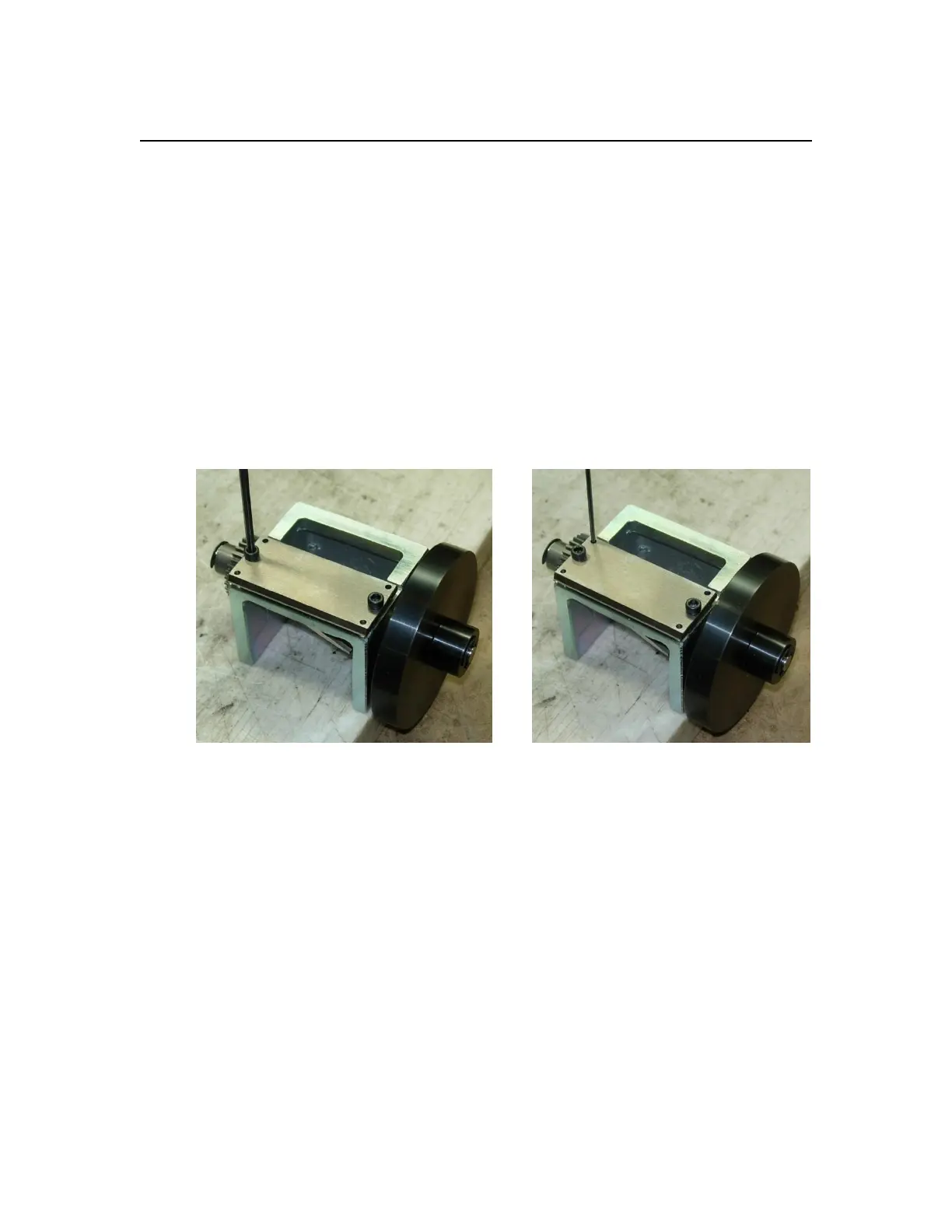
4. Use a 7/64 inch hex wrench to loosen the socket head attachment screws that hold
the stationary blade. Loosen them so that they can be turned with your bare
fingers, but do not remove them.
Socket Head Attachment Screw
Adjustment Set Screw
5. Insert a 1/16 inch hex wrench through the top clearance hole of the stationary
blade into the set screw.
6. Turning the set screw clockwise will move the blade closer to the cutter. Slowly
spin the flywheel while turning the set screw clockwise. As the blade nears the
cutter edge you will start to hear and feel the blade touch the cutter as you rotate
it. If you go too far the cutter will not turn freely. Adjust both the left and right
sides so that you get no contact and can see no light between the cutter and the
blade.
7. Slowly tighten the screws that hold the stationary blade while rotating the cutter
and checking the contact adjustment. As the screws are tightened they will pull
the blade away from the cutter. Use the adjustment screws to compensate.


 To Next Page