33
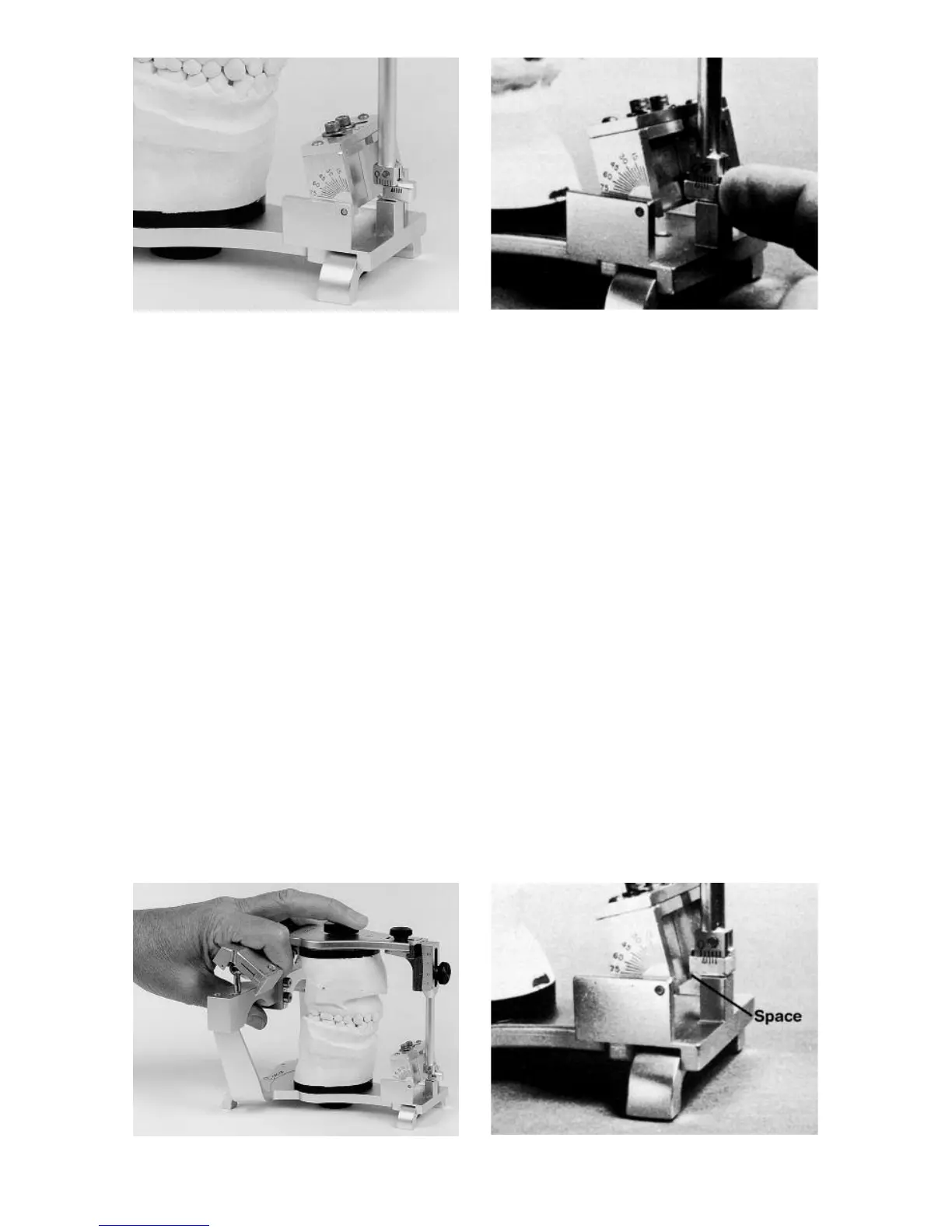
With the right index finger, push the foot
of the incisal pin back until it just con-
tacts the inclined platform of the incisal
table, and tighten the incisal pin foot
lockscrew in that position (fig. 67). By
allowing the incisal pin to come forward
into the centric related position again, a
space will be noticeable between the
foot of the pin and the incisal table
__
this space is equal to the horizontal
overlap of the anterior teeth. (fig. 68).
Protrusive Adjustment
To adjust the incisal table for the inclina-
tion of the lingual bearing surfaces of
the anterior teeth, first loosen the incisal
platform and set it back to zero. Do not
tighten the lockscrew. Then, move the
upper bow posteriorly until the incisal
edges of the lower anterior teeth con-
tact the lingual surface of the upper
anterior teeth just lingual to their incisal
edges. Note that the incisal pin does not
touch the incisal table now (fig. 69).
Increase the angle of the table until it
touches the foot and lock the table in
that position (fig. 70).
Lateral Wing Adjustment
The lateral wings of the incisal table are
adjusted to complement the lateral rela-
tionships of the anterior teeth
__
most
frequently the vertical and horizontal
overlap relationships of the cuspid
teeth. To make this adjustment, first
remove the incisal table and loosen the
lateral wing lockscrews (fig. 71). Then
replace the incisal table on the articula-
tor to observe visually the angle to which
the lateral wings must be adjusted to
fig. 67fig. 65
fig. 68fig. 66


 To Next Page