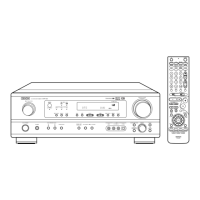
q
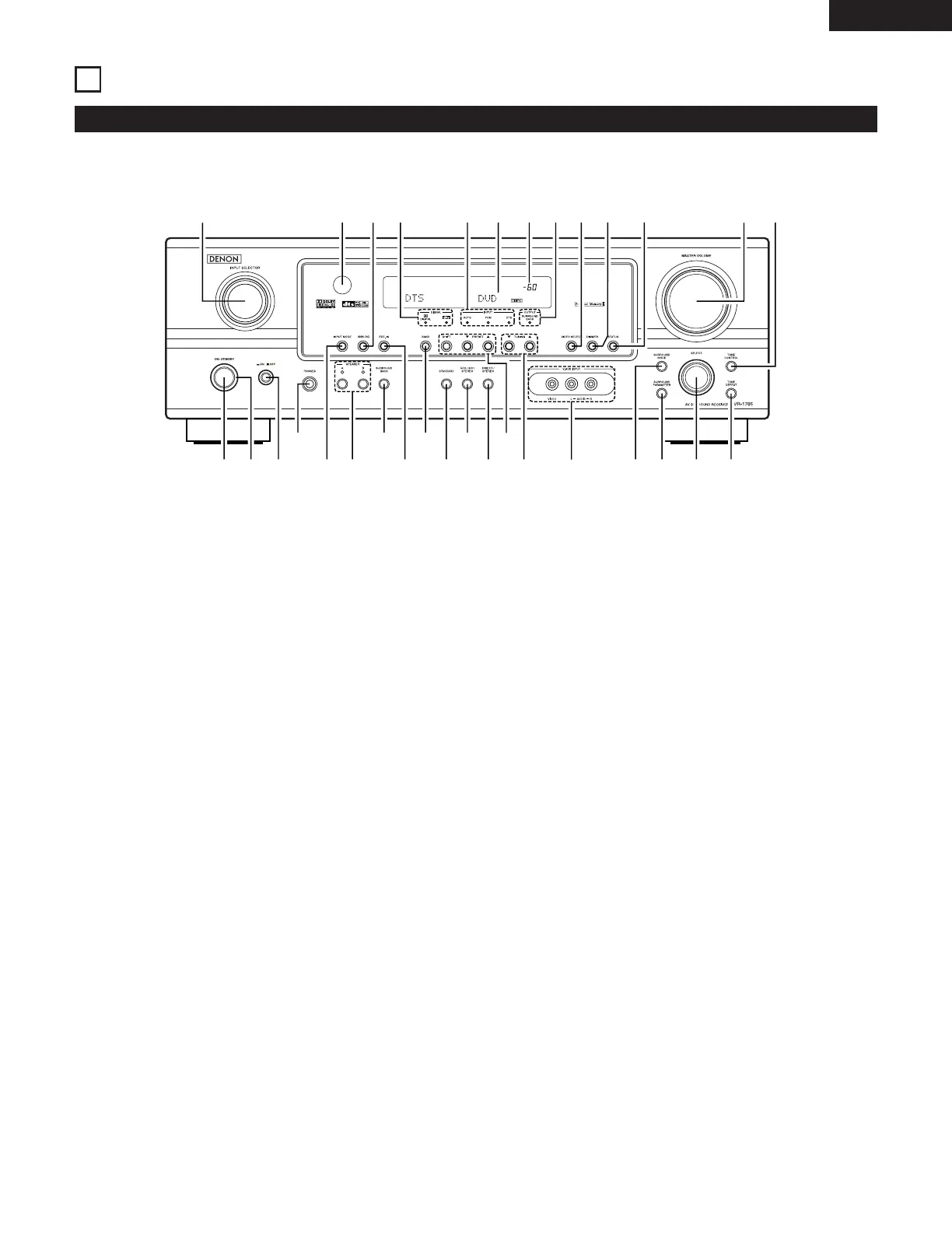
Power ON/STANDBY switch.......................................(19, 34, 53)
w
POWER indicator...............................................................(19, 34)
e
Power switch.....................................................................(19, 34)
r
Headphone jack (PHONES) .....................................................(37)
t
INPUT MODE button ........................................................(35, 38)
y
SPEAKER A/B buttons.......................................................(34, 56)
u
SURROUNDBACK button........................................................(45)
i
EXT. IN button ...................................................................(35, 38)
o
BAND button ...........................................................................(54)
!0
STANDARD button ................................................(39, 41, 43, 45)
!1
5CH/6CH STEREO button .......................................................(49)
!2
DIRECT/STEREO button..........................................................(48)
!3
Preset station select buttons...................................................(55)
!4
TUNING • (up) / ª (down) buttons..........................................(54)
!5
V. AUX INPUT terminals .....................................................(4, 12)
!6
SURROUND MODE button .....................................................(36)
!7
SURROUND PARAMETER button.....................................(41, 49)
!8
SELECT knob...............................................................(36, 41, 51)
!9
TONE DEFEAT button .............................................................(36)
@0
TONE CONTROL button..........................................................(36)
@1
MASTER VOLUME control......................................................(36)
@2
STATUS button ........................................................................(37)
@3
DIMMER button ......................................................................(37)
@4
VIDEO SELECT button ............................................................(37)
@5
SURROUND BACK indicator ...................................................(45)
@6
MASTER VOLUME indicator ...................................................(36)
@7
Display
@8
INPUT mode indicators............................................................(36)
@9
SIGNAL indicators....................................................................(36)
#0
ANALOG button ................................................................(35, 38)
#1
Remote control sensor (REMOTE SENSOR) ..........................(17)
#2
INPUT SELECTOR knob ..........................................................(35)
ENGLISH


 To Next Page