EasyManua.ls Logo

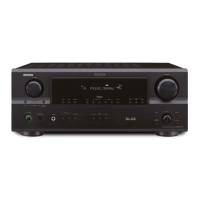
Denon 685 - User Manual

Denon 685
75 pages
Print Icon
To Next Page IconTo Next Page
Loading...
2
We greatly appreciate your purchase of this unit.
2
To be sure you take maximum advantage of all the
features this unit has to offer, read these instructions
carefully and use the set properly. Be sure to keep this
manual for future reference should any questions or
problems arise.
“SERIAL NO.
PLEASE RECORD UNIT SERIAL NUMBER ATTACHED TO
THE REAR OF THE CABINET FOR FUTURE REFERENCE”
“NO. DE SERIE
PRIERE DE NOTER LE NUMERO DE SERIE DE L’APPAREIL
INSCRIT A L’ARRIERE DU COFFRET DE FAÇON A POUVOIR
LE CONSULTER EN CAS DE PROBLEME.”
2
Nous vous remercions pour l’achat de cet appareil.
2
Pour être sûr de profiter au maximum de toutes les
caractéristiques qu’offre cet appareil, lire avec soin ces
instructions et bien utiliser l’appareil. Toujours
conserver ce mode d’emploi pour s’y référer
ultérieurement en cas de question ou de problème.
FOR ENGLISH READERS PAGE 2 ~ PAGE 65, 128 ~ 132 POUR LES LECTEURS FRANCAIS PAGE 2, 66 ~ PAGE 132
AV SURROUND RECEIVER
RÉCEPTEUR AUDIO-VIDÉO
AVR-1705/685
OPERATING INSTRUCTIONS
MODE D’EMPLOI

Questions and Answers

  • M
    morgan16Jul 25, 2025
    Why is there no sound coming from my Denon Stereo Receiver even though the display is on?
    • K
      Kelly DickersonJul 26, 2025
      There might be several reasons why your Denon Stereo Receiver display is lit but no sound is produced: * The speaker cords might not be securely connected, so ensure they are properly connected. * The audio function button may be in an incorrect position; adjust it to a suitable setting. * The volume control might be set to the minimum; increase the volume to an audible level. * MUTING might be activated; switch MUTING off. * If you've selected a digital input, ensure digital signals are being input or select the correct input jacks.
  • C
    Christopher BallardJul 31, 2025
    How to fix a Denon 685 when the display is off and there is no sound when the power switch is on?
    • G
      Gabriel JacksonJul 31, 2025
      If the display is not lit and no sound is produced when the power switch is set to on, check that the power cord is securely plugged in. If this doesn't solve the issue, turn the power off with the remote control unit after turning the POWER operation switch on.
  • S
    sharon78Aug 4, 2025
    What to do if my Denon 685 Stereo Receiver isn't responding to the remote control?
    • A
      Anthony BrownAug 5, 2025
      If your Denon Stereo Receiver isn't responding to the remote control, consider these potential solutions: 1. The batteries in the remote might be dead. Replace them with new ones. 2. You might be too far from the unit. Move closer to the receiver. 3. There could be an obstacle blocking the signal. Remove any obstructions between the remote and the receiver. 4. You might be pressing the wrong button. Ensure you're pressing the correct button for the desired function. 5. The batteries might be inserted incorrectly. Check that the + and - ends of the batteries are properly aligned.
  • K
    Kevin HopkinsAug 10, 2025
    Why is the 'ON/STANDBY' LED flashing rapidly and the display not showing on my Denon 685 Stereo Receiver?
    • U
      uwhiteAug 10, 2025
      If the display isn't showing and the 'ON/STANDBY' LED is flashing rapidly on your Denon Stereo Receiver, it could be due to a few reasons: * The speaker terminals may be short-circuited. Turn off the power, properly connect the speakers, and then turn the power back on. * The ventilation holes of the set might be blocked. Turn off the power, ensure adequate ventilation to cool it down, and then turn the power back on. * The unit might be operating at continuous high power with inadequate ventilation. Turn off the power, ventilate well to cool it down, and then turn the power back on.
  • S
    Samuel WoodAug 14, 2025
    What to do if sound is only coming from one channel on my Denon 685 Stereo Receiver?
    • J
      Jacob KnightAug 14, 2025
      If sound is only coming from one channel on your Denon Stereo Receiver, it may be caused by: * Incomplete connection of speaker cords. Connect them securely. * Incomplete connection of input/output cords. Ensure they are securely connected.
  • D
    Danielle KeyAug 19, 2025
    Why are the instruments reversed during stereo playback on my Denon Stereo Receiver?
    • D
      Douglas SuarezAug 19, 2025
      If the positions of instruments are reversed during stereo playback on your Denon Stereo Receiver, the left and right speakers, or the left and right input/output cords, might be connected in reverse. Check the left and right connections to resolve this.

Summary

Safety Precautions

Electrical, Fire, and General Usage Warnings

Covers shock risk, no opening, fire/moisture, Canadian plug, and general handling advice.

Detailed Safety Instructions

Operation, Cleaning, and Environmental Safety

Guidelines for reading manuals, cleaning, water, ventilation, and power source safety.

Audio and Power Connections

Connecting Audio Sources and Subwoofer

Details connections for CD players, tape decks, and the subwoofer.

Component Video Connections

Component Video Setup and Cautions

Details connecting component video sources and display, including conversion cautions.

Speaker Wiring and Impedance

Speaker Wiring and Banana Plugs

Guides on connecting speakers, using banana plugs, and matching polarities.

Speaker Impedance and Protection

Information on compatible speaker impedance and protector circuit precautions.

Speaker Protection and Impedance Notes

Protector Circuit Operation

Explains the protector circuit and steps to take when it activates.

Speaker Impedance Notes

Details how speaker impedance affects the protector circuit.

System Configuration Setup

System Setup Parameters and Defaults

Lists system setup items and their default factory settings.

System Setup Procedure

Speaker Configuration Setup

Instructions for selecting front and center speaker types.

Speaker Configuration Setup (Continued)

Surround and Subwoofer Setup

Instructions for configuring surround, surround back, and subwoofer.

Speaker Delay Time Setup

Speaker Distance Settings

Guides on measuring and setting speaker distances for optimal timing.

Speaker Delay Time Setup (Continued)

Surround and Subwoofer Distance Settings

Instructions for setting delay times for surround, back, and subwoofer speakers.

Subwoofer and Crossover Settings

Subwoofer and Crossover Configuration

Instructions for setting subwoofer mode and crossover frequency.

Test Tone Level Calibration

Test Tone Mode and Level Adjustment

Guides on selecting test tone modes and adjusting front/center/front R levels.

Test Tone Level Calibration (Continued)

Surround and Subwoofer Level Adjustment

Instructions for adjusting surround R/Back/L and subwoofer levels.

Digital Input Assignment

Digital Input Source Assignment

Details assigning sources to COAXIAL and OPTICAL digital inputs.

Video Input Mode Selection

Video Input Mode Configuration

Explains setting video input modes for monitor output.

Surround Sound Functionality

Surround Sound Setup and Test Tones

Guides on setting surround modes and using test tones for adjustment.

Dolby Pro Logic IIx Mode Operation

Dolby Pro Logic IIx Mode Configuration

Guides on selecting Dolby Pro Logic IIx modes and parameters.

Surround Parameter Adjustment

Surround Parameter Settings (Mode-Specific)

Instructions for setting mode-specific surround parameters.

Detailed Surround Parameter Adjustments

Explains parameters like Cinema EQ, D. COMP, LFE, etc.

DTS Neo:6 Mode Operation

DTS Neo:6 Mode Configuration

Guides on selecting DTS Neo:6 modes and parameters.

Surround Parameter Details

Specific Surround Parameter Details

Detailed explanation of parameters like Center Image, Tone Defeat, Surround Back.

Surround Parameter Function Explanations

Explains the functions of Panorama, Dimension, and DTS Neo:6 modes.

Digital Audio Modes

Digital Audio Mode Setup

Guides on setting Dolby Digital and DTS surround modes.

Surround Parameter Configuration

Source-Specific Surround Parameter Settings

Instructions for setting parameters based on source.

Surround Parameter Options

Lists available surround parameter options.

Surround Mode Compatibility and Parameters

Surround Mode Compatibility Table

A table detailing signal compatibility across surround modes.

Digital Signal Surround Adjustability

Details adjustability for Dolby Digital and DTS signals.

Surround Back Speaker Setup

Surround Sound Formats

Dolby Pro Logic II and DTS Surround

Advanced DTS Formats

DTS 96;24 High-Quality Surround

Troubleshooting Common Issues

Troubleshooting Common Issues and Solutions

Provides a table of common problems, causes, and solutions.

Denon 685 Specifications

General IconGeneral
BrandDenon
Model685
CategoryStereo Receiver
LanguageEnglish

Related product manuals