MODE CINEMA
SURROUND BACK
DEFAULT
MODE MUSIC
SURROUND BACK
DEFAULT
CINEMA EQ CENTER IMAGE
TONE DEFEAT TONE DEFEAT
or or
MODE musicMODE cinema
5
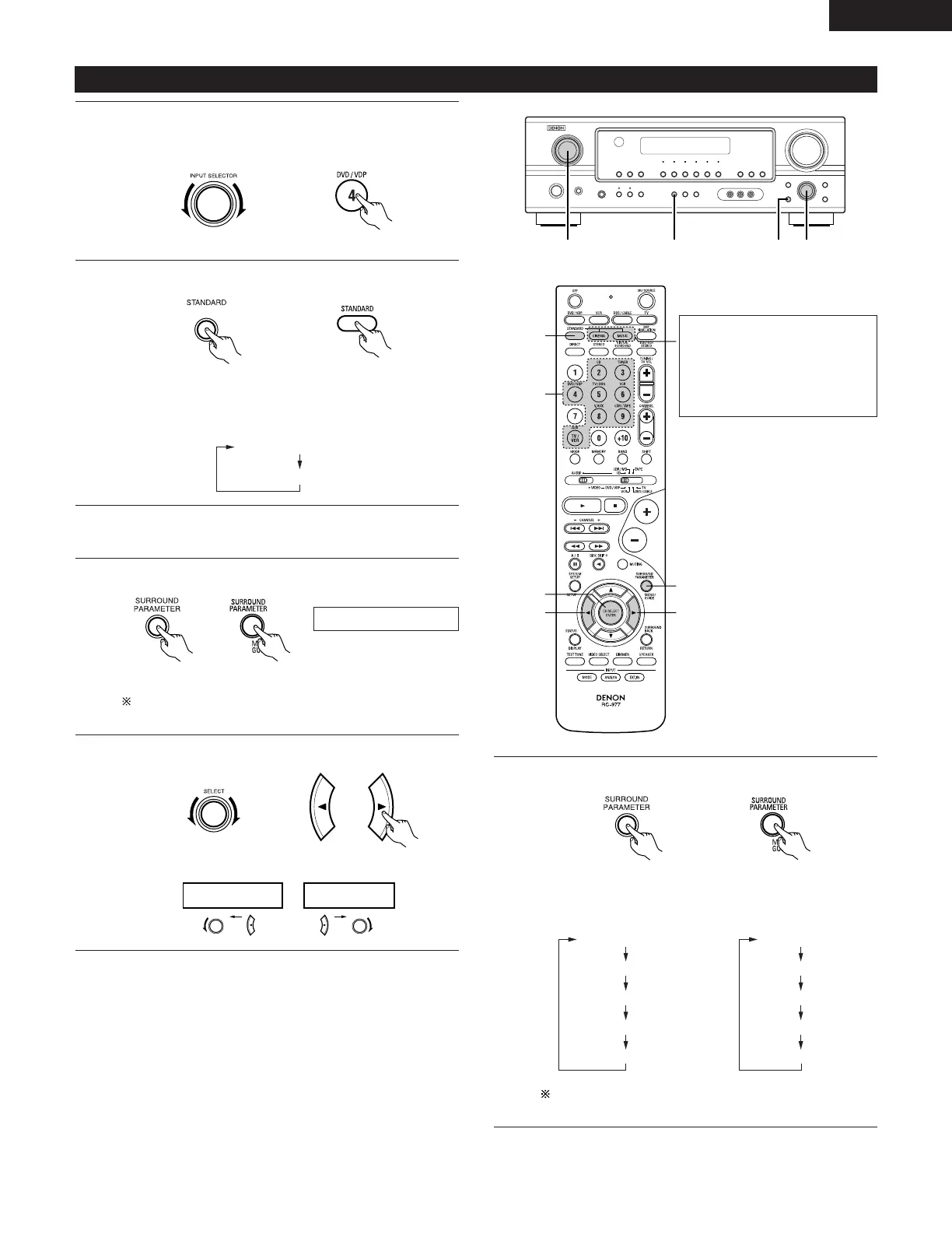
Select the optimum mode for the source.
(Main unit) (Remote control unit)
6
Set the surround parameters according to the mode.
(Main unit) (Remote control unit)
• The mode switches as shown below each time the button
is pressed.
If you do want the bass and trable to be adjusted, turn off
the tone defeat mode.
DTS NEO:6 mode
1
Select the function to which the component you want to play
is connected.
Example: DVD
(Main unit) (Remote control unit)
The DTS NEO:6 Cinema or
Music mode can be chosen
directly by pressing the CINEMA
or MUSIC button on the remote
control unit during playback in
the DTS NEO:6 mode.
3
Play a program source.
4
Select the surround parameter mode.
(Main unit) (Remote control unit)
To perform this operation from the remote control unit,
check that the mode selector switch is set to “AUDIO”.
Display
• The mode switches as shown below each time the button
is pressed.
DOLBY PLIIx cinema
DTS NEO:6
2
Select the DTS NEO:6 mode.
(Main unit)
(Remote control unit)
MODE cinema
ENGLISH


 To Next Page