42
7
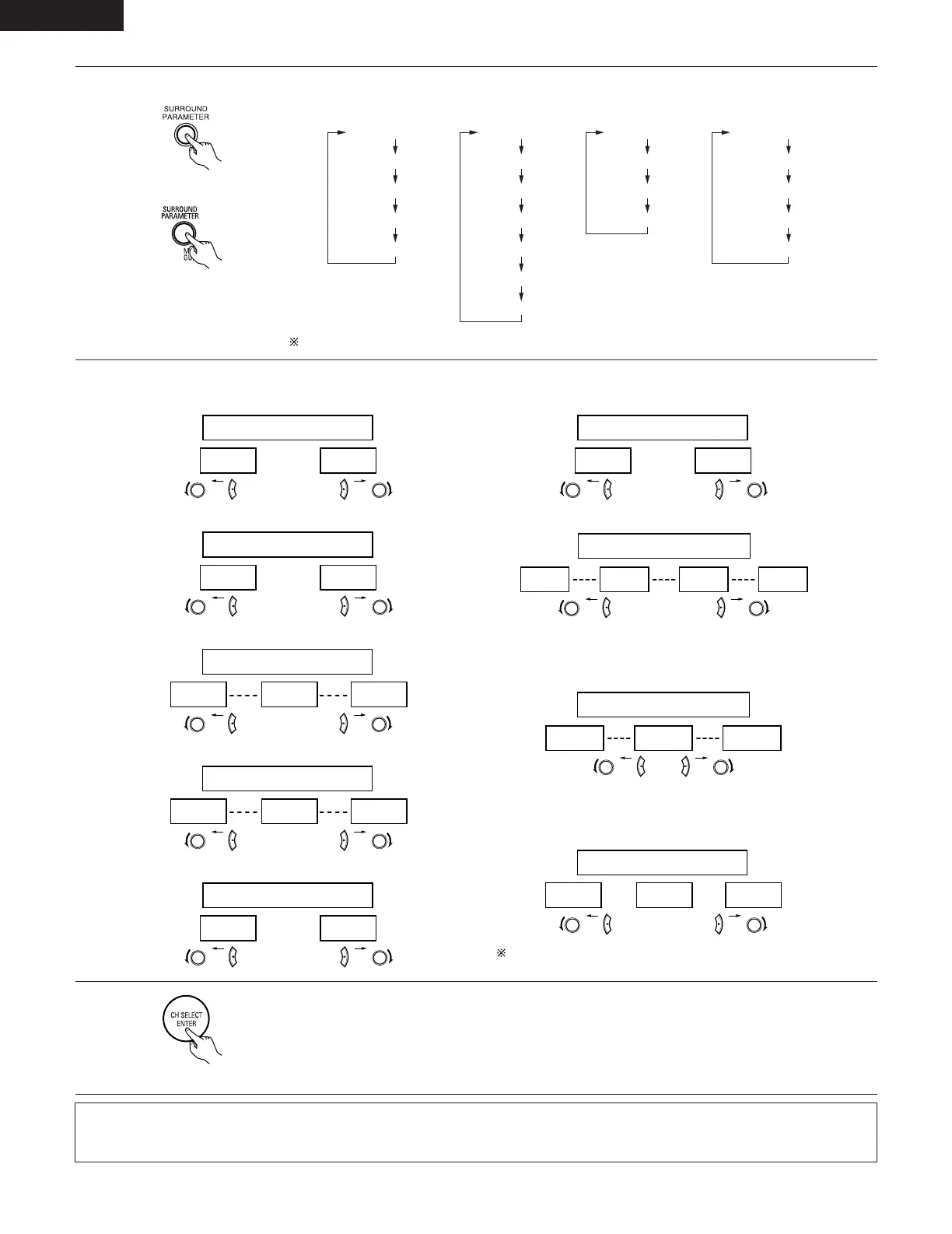
Set the various surround parameters.
• CINEMA EQ setting
ON OFF
or or
CINEMA EQ OFF
YES Y/N NO
or or
DEFAULT Y/N
Select “Yes” to reset to the factory defaults.
• CENTER WIDTH setting
• SURROUND BACK SPEAKER setting
MODE CINEMA
CINEMA EQ
TONE DEFEAT
DEFAULT
MODE MUSIC
TONE DEFEAT
SURROUND BACK
PANORAMA
DEFAULT
DIMENSION
MODE Dolby PL
CINEMA EQ
TONE DEFEAT
SURROUND BACK
DEFAULT
SURROUND BACK
CENTER WIDTH
MODE GAME
TONE DEFEAT
SURROUND BACK
DEFAULT
6
Set the surround parameters according to the mode.
(Main unit)
(Remote control unit)
• The mode switches as shown below each time the button is pressed.
If you do want the bass and trable to be adjusted, turn off the tone defeat mode.
ENGLISH
• D. COMP. setting
OFF
LOW MID HIGH
oror
D.COMP. OFF
-10dB
-5dB 0dB
oror
LFE 0dB
NOTE:
This parameter is displayed during DOLBY DIGITAL playback.
NOTE:
This parameter is displayed during DOLBY DIGITAL playback.
NOTE:
• When making parameter settings, the display will return to the regular condition several seconds after the last button was pressed and
the setting will be completed.
8
Press the ENTER button to finish surround parameter mode.
(Remote control unit)


 To Next Page