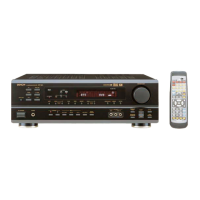
(3) Connecting a video component equipped with S-Video jacks
• When making connections, also refer to the operating instructions of the other components.
• A note on the S input jacks
The input selectors for the S inputs and pin jack inputs work in conjunction with each other.
• Precaution when using S-jacks
This unit’s S-jacks (input and output) and video pin jacks (input and output) have independent circuit structures, so that video signals input from
the S-jacks are only output from the S-jack outputs and video signals input from the pin jacks are only output from the pin jack outputs.
When connecting this unit with equipment that is equipped with S-jacks, keep the above point in mind and make connections according to the
equipment’s instruction manuals.
Connecting a monitor TV
MONITOR OUT
• Connect the TV’s S video input (S-VIDEO
INPUT) to the MONITOR OUT
jack using a S jack connection cord.
S-VIDEO
Monitor TV
Connecting a TV/DBS tuner
• Connect the TV’s or DBS tuner’s
S video output jack (S-VIDEO
OUTPUT) to the
TV/DBS IN jack using an S jack
connection cord.
S-VIDEO
Connecting a CS tuner
• Connect the CS tuner’s S video output
jack (S-VIDEO OUTPUT) to the
V.AUX. IN jack using an S jack connection
cord.
S-VIDEO
TV or DBS tuner
Connecting the video decks
• Connect the video deck’s S output jack (S-OUT) to the
VCR IN jack and the video deck’s S input jack (S-
IN) to the VCR OUT jack using S jack connection
cords.
S-VIDEO
S-VIDEO
Video deck
Connect the components’ audio inputs
and outputs as described on page 9.
• Connect this unit video outputs to the TV either directly. Do
not connect it via a VCR (video cassette recorder). Some
discs contain copy prohibit signals. If such discs are played
via a VCR, the copy prohibit system may cause disturbance
in the picture.
• Set the “TV TYPE” in “VIDEO SETUP” in “DVD SETUP” to
comply with your TV’s video format. When the TV is NTSC
formated set to NTSC.
NOTES:
CS tuner



 To Next Page
 Loading...