4
ENGliShFrANçAiSESpAñolportuGuÊSESpAñolNEDErlANDSSVENSKA
Setup PlaybackPreparationConnect
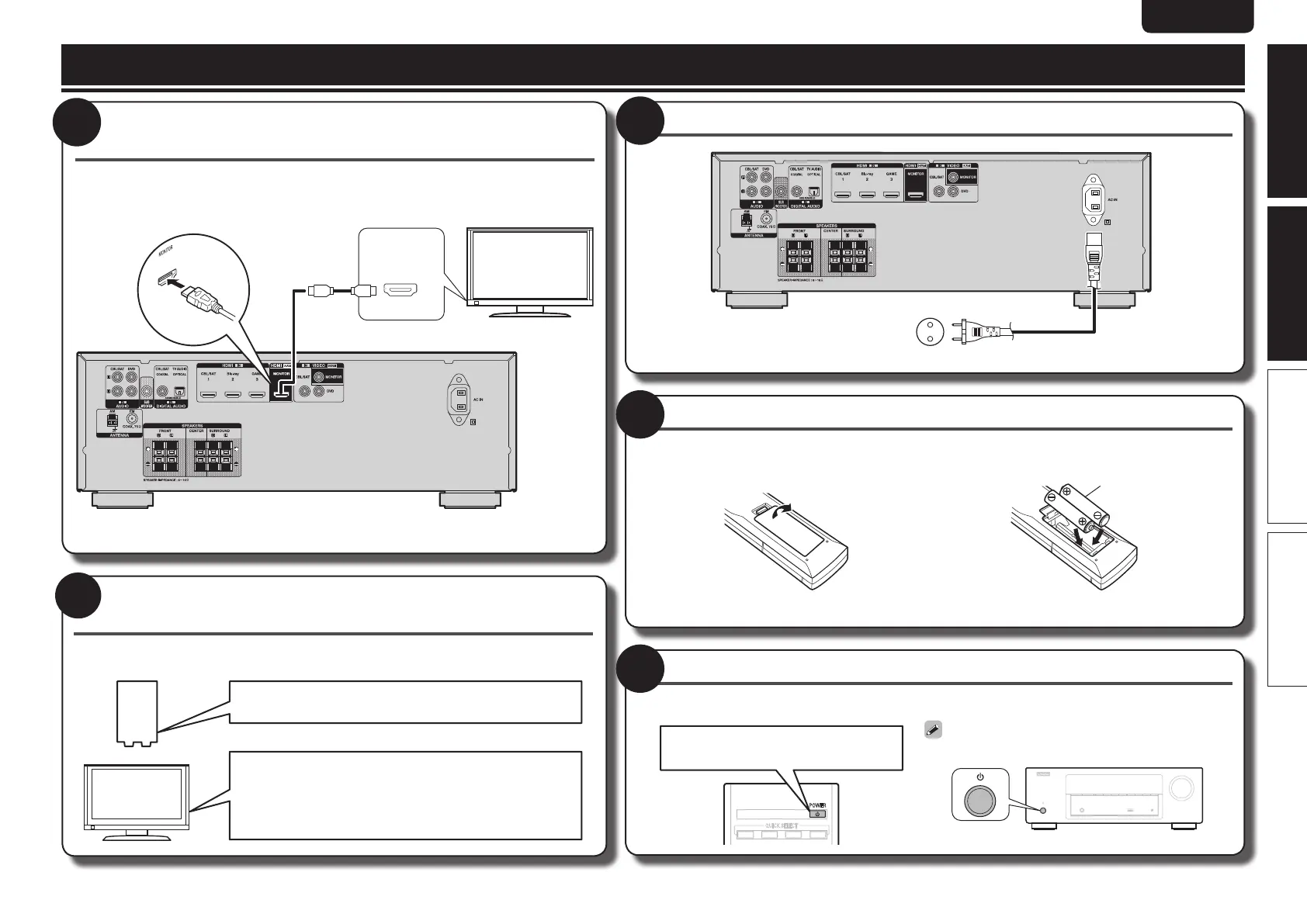
Connect this unit to the television using an HDMI cable
(sold separately)
When a device supporting Deep Color signal transfer is connected, use a cable compatible
“High Speed HDMI cable” or “High Speed HDMI cable with Ethernet”.
HDMI IN
1
Turn the television and subwoofer power on, and
switch the video input to this unit (HDMI input)
For details on how to operate the television and subwoofer , see the television and subwoofer
instruction manual.
q Power on
w Power on
e Switch the input to this unit (HDMI input)
2
Insert the main unit power plug into the wall socket
To household power outlet
(AC 230 V, 50/60 Hz)
Power cord (supplied)
3
Insert the provided batteries into the remote control unit
q Remove the rear lid in the direction of the
arrow and remove it.
w Load the two batteries properly as indicated by
the marks in the battery compartment.
R03/AAA
e Put the rear cover back on.
4
Turn on power to the unit
The power indicator flashes green and the power turns on.
POWER
QUICK SELECT
21 3 4
Press POWER X
You can also switch the power to standby by
pressing X on the main unit.
5
Before setting up the speakers


 To Next Page
 Loading...