EasyManua.ls Logo

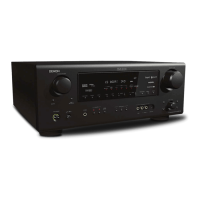
Denon AVR 4308CI - AV Network Receiver - User Manual

Denon AVR 4308CI - AV Network Receiver
113 pages
Print Icon
To Next Page IconTo Next Page
Loading...
AV SURROUND RECEIVER
AVR-4308CI
Owners Manual
GraphicalUserInterface
Use this manual in combination with the operating
guide displayed on the GUI screen.
GUI Menu Operation (vpage 23)
GUI Menu Map (vpage 24)

Table of Contents

Other manuals for Denon AVR 4308CI - AV Network Receiver

Questions and Answers

  • R
    Ryan JonesAug 18, 2025
    Why does my Denon Receiver power turn off suddenly?
    • K
      Karen DavidsonAug 18, 2025
      The Denon Receiver might be shutting down due to a protection circuit being activated. This can happen if the internal temperature rises too high. To resolve this, turn off the receiver, let it cool down completely, and then turn it back on. Another cause could be that the speaker wires are touching each other or the rear panel of the receiver. Unplug the power cord, twist the core wires tightly or terminate the speaker cables, and reconnect them. Also, ensure you are using speakers with the specified impedance. If the issue persists, the receiver might be damaged, in which case you should turn it off.
  • M
    Mary ScottAug 21, 2025
    What to do if Denon Receiver remote control not working?
    • S
      Sarah Hebert MDAug 21, 2025
      If your Denon Receiver isn't responding to the remote, first replace the batteries with new ones. Ensure you're operating the remote within its specified range and that there are no obstructions between the remote and the receiver. Check that the batteries are inserted correctly, matching the polarity marks in the battery compartment. Strong light, like direct sunlight, can interfere with the remote sensor, so move the unit to a less brightly lit area. Finally, verify that the remote ID of the main unit and remote control unit match and set them to be the same.
  • N
    Nicholas LarsonAug 23, 2025
    Why is there no sound from my Denon Receiver speakers?
    • A
      Adam JonesAug 23, 2025
      If you're not getting any sound from your Denon Receiver speakers, start by checking the connections to your input devices and speaker cables. Make sure the input source selected on the receiver matches the device you're trying to play. Ensure the master volume isn't turned too low and that mute mode is not activated. Disconnect any headphones that may be connected. If you're using digital signals, verify that the input source is correctly set up for digital input and that the input modes match the assigned connectors.
  • H
    Heather SmithAug 26, 2025
    How to fix Denon Receiver not connecting to network?
    • J
      jamie14Aug 26, 2025
      If your Denon Receiver is failing to connect to the network, verify that the SSID and network key (WEP) settings are correct and match the receiver's settings. If the reception is poor, try shortening the distance to the wireless LAN access point, removing obstacles, and keeping it away from microwave ovens and other networks' access points. If there are overlapping networks, adjust the access point's channel settings or try connecting with a network cable.
  • J
    Jose JonesAug 27, 2025
    Why is there no sound from the subwoofer on my Denon Receiver?
    • M
      Matthew TaylorAug 28, 2025
      If your Denon Receiver's subwoofer isn't producing sound, first, ensure the subwoofer's power is turned on. Check that the “Subwoofer” setting at “Speaker configuration” is set to “Yes”. Verify the connections to the subwoofer are correct. Finally, adjust the subwoofer’s volume to an appropriate level, ensuring it isn't turned off.
  • M
    Maria JohnsonAug 30, 2025
    How to restore picture on Denon Receiver with HDMI connections?
    • J
      James RyanAug 30, 2025
      If you're not getting a picture with HDMI connections on your Denon Receiver, first check all the connections to the HDMI connectors. Then, verify the HDMI input setting is correct. If the monitor isn't compatible with copyright protection (HDCP), connect one that is. Ensure the HDMI format of the player and monitor match. If you have set the monitor to “Auto (Dual)”, try setting it to either “Monitor 1” or “Monitor 2”.
  • Z
    zmayerSep 1, 2025
    Why is there no picture on my Denon Receiver?
    • D
      Dr. Gabriel DoughertySep 1, 2025
      If you're not seeing a picture on your Denon Receiver, begin by checking the connections between the receiver and the monitor. Ensure the monitor's input setting is correct. If PURE DIRECT mode is enabled, disable it. If you're using component input connectors for the player and video or S-Video output connectors for the monitor, note that high definition (1080i/720p) and progressive (480p/576p) video signals are not down-converted; set the player to interlace (480i/576i) signals.
  • P
    Patrick HallSep 3, 2025
    Why does my Denon Receiver display turn off?
    • S
      Sarah WalkerSep 3, 2025
      If the display on your Denon Receiver is off, check the “Dimmer” setting and ensure it's set to something other than “OFF”. Also, if the PURE DIRECT mode is active, switch to a different surround mode.
  • J
    Joseph McneilSep 6, 2025
    How do I fix no sound from monitor connected with HDMI on my Denon Receiver?
    • D
      Derrick MartinSep 6, 2025
      If you're not getting sound from a monitor connected via HDMI to your Denon Receiver, check the “Manual Setup” – “HDMI Setup” – “Audio” setting and make sure it is set to “TV” and not “Amp”.
  • M
    Mikayla HatfieldSep 8, 2025
    How do I get HDMI audio signals output from speakers on my Denon Receiver?
    • D
      davidtoddSep 8, 2025
      If HDMI audio signals aren't being output from the speakers on your Denon Receiver, check the “Manual Setup” – “HDMI Setup” – “Audio” setting and ensure it is set to “Amp” and not “TV”.

Summary

Safety and Compliance

Safety Instructions

All safety and operating instructions should be read before the product is operated.

FCC and IC Compliance

Details compliance with FCC Rules and Industry Canada standards.

Getting Started and Initial Setup

Unit Overview and Handling

Covers unit handling, installation, remote control, and part identification.

Connection Procedures

Guides on making audio, video, and component connections using various cables.

Speaker and Video Connections

Guides on connecting speakers, video conversion, and HDMI interfaces.

Playback and Recording Component Connections

Details connections for playback devices, recording components, and other peripherals.

Network, USB, Antenna, and Multi-Zone Setup

Covers connecting USB, XM, antennas, network, and multi-zone audio setup.

Power Connection and First Power On

Instructions for connecting the power cord and performing the initial power-on sequence.

GUI Operations and Manual Setup

GUI Menu Navigation and Operations

Explains how to navigate and use the Graphical User Interface menus.

Auto Setup Procedure

Guides on preparing for and executing the Auto Setup for speaker optimization.

Manual Setup Configuration

Details manual settings for speakers, HDMI, audio, network, and options.

Source Select and Parameter Adjustments

Selecting input sources, playback settings, surround modes, and audio/picture parameters.

Playback Features and Remote Control

Basic Playback and Source Operations

Covers basic playback of video/audio equipment, tuner, XM, HD Radio, and iPod.

Network, USB, and Browser Control

Explains playback from network/USB devices and web browser control.

Remote Control Operations and Functions

Details operations of main and sub remotes, system calls, and convenient functions.

Multi-Zone Operations and Settings

Covers multi-zone operations, amp assign, zone switching, and remote ID settings.

Troubleshooting and Specifications

Troubleshooting Common Issues

Provides solutions for common problems with power, sound, display, and remote control.

Technical Specifications

Lists detailed technical specifications for tuner, LAN, audio, video, and remote controls.

Denon AVR 4308CI - AV Network Receiver Specifications

General IconGeneral
BrandDenon
ModelAVR 4308CI - AV Network Receiver
CategoryStereo Receiver
LanguageEnglish

Related product manuals