EasyManua.ls Logo

Denon AVR-4311CI - User Manual

Denon AVR-4311CI
145 pages
Print Icon
To Next Page IconTo Next Page
Loading...
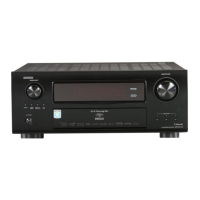
AV SURROUND RECEIVER
AVR-4311CI
Owners Manual
Simple
version
v
4
Basic
version
v
14
Advanced
version
v
53
Information
“Part names and functions”
(vpage120)
v
119
1.AVR4311CIEU_ENG_108.indd 1 2010/08/30 20:10:17

Table of Contents

Other manuals for Denon AVR-4311CI

Questions and Answers

  • A
    April CampbellSep 23, 2025
    Why Files on a USB memory device cannot be played on my Denon Stereo Receiver?
    • D
      Darlene EvansSep 23, 2025
      The USB memory device might be in a format other than FAT16 or FAT32; set the format to FAT16 or FAT32. If the USB memory device is divided into multiple partitions, only files stored in the top partition can be played. The files might be stored in a non-compatible format, or you may be attempting to play a file that is copyright protected, which this unit cannot play.
  • H
    hshawAug 23, 2025
    What to do if Dolby TrueHD, DTS- HD, Dolby Digital Plus audio is not output on Denon Stereo Receiver?
    • A
      ambermoyerAug 25, 2025
      Make HDMI connections to enable Dolby TrueHD, DTS-HD, and Dolby Digital Plus audio output.
  • J
    James LeeAug 25, 2025
    Why is no sound produced from my Denon Stereo Receiver's subwoofer?
    • K
      Kimberly HeathAug 26, 2025
      If no sound is coming from the subwoofer, check the subwoofer connections and ensure the subwoofer is powered on. In the menu, set “Speaker Config.” – “Subwoofer” to “1spkr” or “2spkrs”. If “Front” and “Center” for “Speaker Config.” are set to “Large”, and “Subwoofer Mode” is set to “LFE”, no sound may be output from the subwoofers, depending on the input signal or selected surround mode.
  • H
    Hannah MilesAug 27, 2025
    Why is no audio output with HDMI connection on my Denon AVR-4311CI Stereo Receiver?
    • R
      Robert JonesAug 27, 2025
      Check the connection of the HDMI connectors. To output HDMI audio from the speakers, set “HDMI Audio Out” on the menu to “AMP”. To output HDMI audio from a TV, set “HDMI Audio Out” on the menu to “TV.”
  • L
    Louis WashingtonAug 27, 2025
    Why is DTS sound not output on my Denon AVR-4311CI Stereo Receiver?
    • J
      Jessica ThomasAug 27, 2025
      Set “Decode Mode” on the menu to “Auto” or “DTS.”
  • S
    Susan DominguezSep 14, 2025
    Why is the power indicator blinking red on my Denon AVR-4311CI?
    • R
      Robert MorrisSep 14, 2025
      The temperature inside the unit has risen. Turn off the power, and re-apply it after the temperature has fallen sufficiently. Re-install this unit in a place having good ventilation.
  • L
    Laura GoodwinSep 12, 2025
    Why is Audyssey DSX™ cannot be selected on my Denon AVR-4311CI Stereo Receiver?
    • E
      Elizabeth ReyesSep 12, 2025
      Check that “Speaker Config.” – “Front Height” or “Front Wide” is set to other than “None”. Also, ensure that “Speaker Config.” – “Center” is set to other than “None”. Switch the surround mode to STANDARD. Verify that “Input Mode” is set to other than “EXT.IN”. Note that Audyssey DSX cannot be selected when headphones are in use.
  • R
    Rebecca AyersSep 13, 2025
    Why is no picture appears on my Denon Stereo Receiver?
    • L
      Laura KennedySep 13, 2025
      Check the TV connection and ensure the TV input is set correctly.
  • D
    Dave RamirezSep 4, 2025
    What to do if my Denon Stereo Receiver set does not operate properly?
    • D
      Daniel McgrathSep 4, 2025
      Reset the microprocessor.
  • A
    Adrian BondSep 2, 2025
    What to do if no video is output with HDMI connection on my Denon Stereo Receiver?
    • R
      Rebecca PhillipsSep 2, 2025
      First, check the connection of the HDMI connectors. Ensure the input source matches the connected HDMI connector. Verify that your TV is compatible with copyright protection (HDCP), as incompatible devices may prevent correct video output.

Summary

IMPORTANT SAFETY INSTRUCTIONS

NOTES ON USE; OBSERVATIONS RELATIVES A L’UTILISATION

CAUTIONS ON INSTALLATION; PRÉCAUTIONS D’INSTALLATION

Provides precautions for installing the unit to ensure proper heat dissipation.

Simple version

Simple version (Simple setup guide)

Explains the entire setup procedure, from unboxing to home theater use.

Basic version

Connections

Details connecting various media and external devices.

Playback (Basic operation)

Explains basic playback operations and input source selection.

Selecting a listening mode (Surround Mode)

Guides on selecting surround modes for multi-channel or stereo playback.

Advanced version

Speaker installation;connection (Advanced connection)

Covers installation, connection, and setup for advanced speaker systems.

Playback (Advanced operation)

Explains advanced playback functions like HDMI control and speaker volume.

How to make detailed settings

Provides a menu map for detailed settings and configuration options.

Operating the connected devices by remote control unit

Explains how to operate other devices using the remote control unit.

Information

Part names and functions

Identifies and explains the functions of the front panel parts.

Other information

Lists additional information such as trademarks and explanations of terms.

Troubleshooting

Lists common symptoms and their causes/solutions for common problems.

Specifications

Provides technical specifications for the unit and accessories.

Denon AVR-4311CI Specifications

General IconGeneral
Channels9.2
HDMI Outputs2
Network ConnectivityEthernet, Wi-Fi
Response Bandwidth10 Hz - 100 kHz
Signal-To-Noise Ratio102 dB
THD0.05 %
Total Harmonic Distortion0.05 %
Input Impedance47 kOhms
Input Sensitivity200 mV
Tuner TypeAM/FM
Tuner BandsAM, FM
Preset Station Qty40
HDMI SwitchingYes
3D TechnologyYes
DLNAYes
USB Port1
Frequency Response10 Hz - 100 kHz
Audio Formats SupportedAAC, MP3, WMA, WAV, FLAC
Dimensions (W x H x D)17.1 x 7.6 x 17.1 inches
Dimensions17.1 in x 7.7 in x 16.7 in
Weight38.1 lbs
Internet Streaming ServicesvTuner
ConnectivityEthernet, Wi-Fi, Bluetooth
Video Inputs6 HDMI, 3 component, 4 composite
Video Outputscomponent video, composite video, HDMI
Supported Video Formats1080p
Network Connectivity (Optional)Wi-Fi
Power Output (Detailed)140W per channel (8 ohms, 20Hz-20kHz, 0.05% THD), 190W per channel (6 ohms, 1kHz, 0.7% THD)
Audio Inputs7

Related product manuals