EasyManua.ls Logo

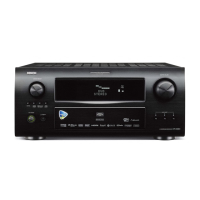
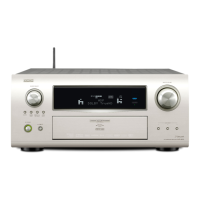
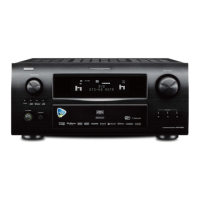
Denon AVR-4308 - User Manual

Denon AVR-4308
115 pages
Print Icon
To Next Page IconTo Next Page
Loading...
AV SURROUND RECEIVER
AVR-4308
GraphicalUserInterface
English
Use this manual in combination with the operating
guide displayed on the GUI screen.
GUI Menu Operation (vpage 24)
GUI Menu Map (vpage 25)
Language (vpage 38)
Remote Control Unit Operations (vpage 64)
Deutsch
Verwenden Sie dieses Handbuch zusammen
mit den Bedienungsanweisungen auf dem GUI-
Bildschirm.
GUI/OSD-Menübedienung (vSeite 24)
GUI/OSD-Menüplan (vSeite 25)
Sprache (vpage 38)
Bedienung mit der Fernbedienung (vpage 64)
Français
Utilisez ce manuel en même temps que le guide
d’utilisation affi ché sur l’écran GUI (Interface
graphique).
Fonctionnement du menu de l’interface graphique GUI
(vpage 24)
Plan du menu de l’interface graphique GUI
(vpage 25)
Langue (vpage 38)
Fonctionnement de la télécommande (vpage 64)
Owners Manual
Bedienungsanleitung
Manuel de l’Utilisateur
Italiano
Español
Nederlands
Svenska
Book 2
v
English
Deutsch
Français
PRESET CODE
Book 1
1.AVR4308E2_ENG_3.indd 1 2007/10/26 11:40:52

Table of Contents

Other manuals for Denon AVR-4308

Questions and Answers

  • H
    Hannah LuceroSep 16, 2025
    How to fix no picture with HDMI connections on Denon Stereo Receiver?
    • P
      Preston HoweSep 16, 2025
      If you're experiencing a 'no picture' issue with HDMI connections on your Denon Stereo Receiver, begin by checking the connections to the HDMI connectors. Ensure the HDMI input setting is correct. Verify that your monitor is compatible with copyright protection (HDCP). Lastly, confirm that the HDMI format of the player and monitor match.
  • M
    Maria JohnsonAug 25, 2025
    Why is there no sound coming from the speakers on my Denon Receiver?
    • S
      Sharon MarshAug 26, 2025
      If your Denon Receiver isn't producing any sound from the speakers, there are several potential causes. It could be due to faulty connections with the input devices or speaker cables, so you should check all connections. Also, ensure that the device you want to play and the set input source match by selecting the appropriate input source. Make sure the master volume isn't too low by adjusting it to an appropriate level. Check if mute mode is enabled and, if so, cancel it. If headphones are connected, disconnect them. If no digital signals are being input, select an input source for which the digital input setting has been made. Finally, ensure that the connectors to which the digital inputs are assigned and the settable input modes match by setting the input mode correctly.
  • P
    Patrick BrownAug 26, 2025
    What to do if the Denon Receiver does not work properly when using the remote control?
    • B
      bellkaylaAug 26, 2025
      If you're experiencing issues operating your Denon Receiver with the remote control, several factors could be at play. The batteries might be worn, so try replacing them with new ones. You might be operating outside the specified range, so move closer to the unit. An obstacle could be blocking the signal between the unit and the remote, so remove any obstructions. Ensure the batteries are inserted correctly, following the polarity marks in the battery compartment. Strong light, such as direct sunlight or fluorescent bulbs, might be interfering with the remote control sensor, so move the set to a location where the sensor isn't exposed to strong light. Lastly, the remote ID of the main unit and remote might not match, so set the same remote IDs for both.
  • M
    Michelle RomeroAug 27, 2025
    How to fix HDMI audio signals not outputting from speakers on Denon Receiver?
    • A
      alexanderdianeAug 27, 2025
      If your Denon Receiver isn't outputting HDMI audio signals from the speakers, the “Manual Setup” – “HDMI Setup” – “Audio” setting might be set to “TV”. Change this setting to “Amp.”
  • M
    Megan YoungSep 17, 2025
    Why does Denon Stereo Receiver power not turn on?
    • M
      Mary AndradeSep 17, 2025
      If your Denon Stereo Receiver power does not turn on, or turns off directly after it was turned on, check that the power plugs are securely inserted into the AVR-4308’s AC inlet and the wall power outlet.
  • V
    vbrownNov 22, 2025
    Why does my Denon Receiver power turn off suddenly and the power indicator flashes red?
    • D
      Danielle TateNov 22, 2025
      If the power of your Denon Receiver turns off suddenly and the power indicator flashes red, this could be due to several reasons. First, the protection circuit might have been activated because of a rise in internal temperature; in this case, turn off the power, allow the unit to cool down completely, and then turn it back on. Second, core wires of two speakers might be touching, or a core wire might be sticking out and touching the rear panel, which also activates the protection circuit; ensure the set is in a well-ventilated area. Third, the issue might be due to using speakers with an impedance other than what is specified; make sure to use speakers with the correct impedance. Lastly, the set itself might be damaged; if this is the case, turn off the power and contact a DENON service ce...
  • R
    Robin MillerSep 8, 2025
    Why no picture appears with HDMI connections on my Denon Receiver?
    • J
      Jaclyn MartinezSep 8, 2025
      If no picture appears when using HDMI connections on your Denon Receiver, it could be due to several reasons. First, check the connections to the HDMI connectors to ensure they are properly connected. Second, verify the HDMI input setting to make sure it is correctly configured. Third, the monitor might not be compatible with copyright protection (HDCP), so try connecting a monitor that supports HDCP. Finally, the HDMI format of the player and monitor might not match, so ensure they are compatible.
  • E
    Edward MorganSep 9, 2025
    Why no picture appears on my Denon Receiver?
    • V
      victoriabishopSep 10, 2025
      If you're not getting any picture on your Denon Receiver, there are several things to check. Make sure the connections between the receiver and the monitor are secure. Verify that the monitor’s input setting is correct. If PURE DIRECT mode is enabled, cancel it. If the player is connected using component input connectors and the monitor is connected using video (yellow) or S-Video output connectors, high definition (1080i/720p) and progressive (480p/576p) video signals are not down-converted; in this case, set the player to interlace (480i/576i) signals.
  • K
    Kayla GordonSep 3, 2025
    Why is there no sound from my Denon Stereo Receiver subwoofer?
    • J
      Jamie WatsonSep 3, 2025
      If your subwoofer isn't producing sound, first ensure that the subwoofer's power is turned on. Check that the “Subwoofer” setting at “Speaker configuration” is set to “Yes.” Verify that the subwoofer is properly connected. Finally, adjust the subwoofer’s volume to an appropriate level, as it may be turned off.
  • L
    Leroy CrawfordSep 1, 2025
    How to fix the on-screen display not appearing on my Denon Receiver?
    • A
      Alexander PetersonSep 1, 2025
      If the on-screen display does not appear on your Denon Receiver, it means that the format of the GUI and TV (PAL or NTSC) do not match. You should match the format of the GUI and TV.

Summary

Safety Precautions

R&TTE Directive Compliance Statements

Official compliance statements for R&TTE Directive 1999/5/EC in various languages.

Cautions on Handling

Cautions on Installation

Part Names and Functions - Front Panel

Front Panel Buttons and Indicators

Explanation of buttons, indicators, and connectors on the front panel.

Rear Panel Connections Overview

Remote Control Unit Overview

Main and Sub Remote Control Diagrams

Diagrams and button functions for the primary and secondary remotes.

Speaker Connections and Installation Guide

Speaker Layout Examples and Table

Diagrams and table detailing speaker setup options for different channel configurations.

Connecting Speaker Cables

Speaker Cable Connection Steps

Step-by-step guide for connecting speaker wires to terminals.

Protection Circuit Information

Information on the protection circuit activation and troubleshooting.

Connecting with HDMI Connectors

HDMI Connection Compatibility

Explains HDMI version, Deep Color, and HDCP compatibility for digital content playback.

Network Audio Setup

Network Requirements and Wired LAN

Details on network requirements and setting up a wired connection.

Wireless LAN Setup

Guidance on setting up a wireless network connection.

Multi Zone Connections and External Controller

ZONE2;3 Pre-out Connections

How to connect amplifiers for multi-zone audio output.

External Controller Connections

Connecting external controllers via RS-232C or trigger jacks.

Auto Setup Procedure Overview

Auto Setup Preparations and Listening Position

Steps to connect the microphone and identify the main listening position for calibration.

Auto Setup Process Steps

Configuration, Detection, and Measurement

Setting up configuration and the first steps of speaker detection and measurement.

Calculation, Check, and Store Results

Steps for analyzing measurements, verifying results, and saving settings.

Auto Setup Error Messages and Options

Troubleshooting Auto Setup Errors

Resolving issues with microphone detection, noise, and phase errors.

Auto Setup Options Selection

Selecting Room EQ, Direct Mode, Mic Type, and checking parameters.

Manual Setup - Speaker Configuration

Speaker Size, Mode, and Distance Settings

Adjusting speaker size, subwoofer mode, and distance to listening position.

Channel Level and Crossover Frequency

Setting speaker channel levels and crossover frequency for subwoofer.

Manual Setup - Surround and Speaker Settings

Crossover Frequency and Surround Speaker Selection

Setting crossover frequency and choosing surround speakers for different modes.

Manual Setup - HDMI Configuration

HDMI Signal Processing Settings

Adjusting i/p Scaler, Resolution, Progressive Mode, Aspect, Color Space, RGB Range.

HDMI Audio, Sync, and Monitor Output

Configuring HDMI audio output, Auto Lip Sync, and monitor output settings.

Manual Setup - Audio Configuration

EXT. IN, 2 ch Direct;Stereo, and Downmix

Speaker settings for EXT. IN, 2-channel modes, and downmix options.

Auto Surround and Manual EQ

Settings for automatic surround mode memorization and manual equalizer adjustments.

Manual Setup - Network Configuration

Wired LAN Setup Process

Steps to configure a wired network connection using DHCP or manual IP settings.

Wireless LAN Setup Process

Steps to configure a wireless network connection via search or manual settings.

Manual Setup - Wireless LAN Settings

Network Search and Access Point Configuration

How to search for networks, set SSID, and encryption methods.

IP Address and Proxy Server Configuration

Configuring IP address manually and setting up proxy servers for network access.

Manual Setup - Other and Zone Settings

Zone 2 and Zone 3 Audio Settings

Adjusting bass, treble, HPF, levels, and volume for multi-zone audio.

Manual Setup - Option and Source Select Settings

Option Settings (Amp Assign, Volume, GUI)

Configuring amp assignments, volume, GUI appearance, and format.

Source Select and Playback Modes

Selecting input sources and related playback settings for various devices.

Input Source Assignment and Playback Settings

Assigning Input Sources to Connectors

Mapping sources to HDMI, Digital, Component, and iPod dock connectors.

Settings Related to Playing Input Sources

TUNER Settings

Playback, auto preset, preset skip, preset name, and input mode for TUNER.

NET;USB and DAB Settings

Playback, auto tune, preset skip, and input mode for NET/USB and DAB.

iPod Playback Settings

Playback mode, repeat, shuffle, and viewing settings for iPod.

Surround Modes Overview

Standard and DSP Simulation Playback

Descriptions of standard playback and 10 DENON DSP surround modes.

Multi-channel and 2-channel Surround Playback

Modes for playing Dolby Digital, DTS, and 2-channel sources with surround effects.

Playback Parameter Settings

Surround Parameters

Adjusting surround sound parameters based on playback source and mode.

Parameter Adjustments - Sound Quality

Cinema EQ, DRC, LFE, and Center Image

Adjustments for movie sound quality, dynamic range, low-frequency effects, and center image.

Dimension, Delay, Effect, and Room Size

Settings for soundstage, delay, effects, and acoustic environment simulation.

AFDM and Surround Back Settings

Automatic surround mode selection and surround back channel output configuration.

Parameter Adjustments - Room EQ and Restorer

Room EQ and Tone Settings

Selecting room equalization modes and adjusting bass/treble tone controls.

Restorer Function

Restoring compressed audio quality and adjusting bass/treble for richer sound.

Playback Operations

Power Management

Instructions for turning the unit on, off, and to standby mode.

Listening to FM;AM Broadcasts

RDS Features and Search Functions

iPod Playback

iPod Playback Controls

Listening to Music and Browsing Files

Network Audio and USB Memory Devices

Network Audio;USB Basic Operation

Internet Radio Operations

Playing Files from Computer or USB

Other Operations and Functions

Remote Control Unit Operations

Remote Control Functions by Component

Remote Control Settings

Remote Control System Call and Punch-Through

Remote Control Resetting and Adjustments

Multi-Zone Operations - Power and Source

Amp Assign and Multi-Zone Connections

Amp Assign Mode Settings

Amp Assign Mode Settings for Multi-Zone

Amp Assign for Multi-Zone Pre-out Output

Multi-Zone Operations - Power, Source, and Volume

Speaker Installation Guide

Surround Mode Parameter Compatibility

Detailed Parameter Compatibility Table

A detailed table showing parameter adjustability across different surround modes and input signals.

Troubleshooting Guide

General Troubleshooting

Common issues with power, sound, display, and indicators, with countermeasures.

Remote Control Troubleshooting

Troubleshooting remote control operation issues like non-response or incorrect range.

Troubleshooting Audio Issues

Troubleshooting Video Issues

Troubleshooting Network and iPod Issues

Technical Specifications - Audio Section

Denon AVR-4308 Specifications

General IconGeneral
Number of Channels7.1
HDMI Inputs4
HDMI Outputs2
NetworkingEthernet, Wi-Fi
Multi-room Zones3
THX CertifiedNo
Frequency Response10 Hz - 100 kHz (+1, -3 dB)
Total Harmonic Distortion0.05%
Input Sensitivity/Impedance200 mV / 47 kOhms
Signal-to-Noise Ratio102 dB
HDMI Version1.3a
Dolby TechnologiesDolby Digital, Dolby Digital Plus, Dolby TrueHD, Dolby Pro Logic IIx
DTS TechnologiesDTS, DTS-ES, DTS 96/24, DTS-HD Master Audio
Tuner Frequency RangeFM: 87.5 MHz - 108.0 MHz, AM: 522 kHz - 1611 kHz
Audio Inputs/OutputsAnalog, Digital Coaxial, Digital Optical, HDMI

Related product manuals