

 Need help?
Do you have a question about the Denon AVR-X1700H and is the answer not in the manual?
Details the unit's sound capabilities including discrete circuit technology and support for Dolby Atmos and DTS:X.
Highlights 4K 60Hz input/output, HDCP 2.3, and eARC compatibility for enhanced video and audio experiences.
Explains the user-friendly setup assistant and graphical user interface for improved operability.
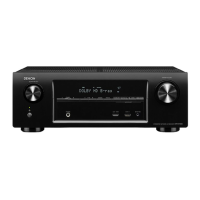
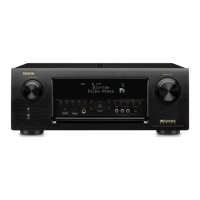
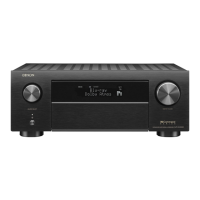
Identifies and explains the buttons and knobs on the front panel of the AV receiver.
Details the meaning of various indicators shown on the unit's display.
Provides a diagram and explanation of all input and output terminals on the rear panel.
Explains the functions of each button on the included remote control.
Provides typical speaker placement examples for various surround sound configurations.
Details the procedure for connecting speaker cables and a subwoofer correctly.
Explains how to configure speaker systems and assign amplifier channels for different setups.
Illustrates connections for 5.1-channel, 7.1-channel, height, and Dolby Atmos speaker systems.
Guides TV connection based on HDMI and ARC/eARC compatibility.
Explains how to connect various playback devices like set-top boxes, players, and consoles.
Details wired and wireless LAN connections for network access and features.
Instructs on how to properly connect the power cord after all other connections are completed.
Describes how to turn the unit on and put it into standby mode.
Explains how to choose the desired input source for audio or video.
Details how to adjust the volume level and temporarily mute the audio output.
Covers playback of music files from USB memory devices and supported formats.
Explains pairing and playback of music from Bluetooth-enabled devices.
Guides on accessing and playing internet radio stations via the unit.
Details playing music files and playlists from DLNA-compatible servers on your network.
Information on downloading and using the HEOS app for music streaming services.
Explains how to stream music from Apple devices using AirPlay and AirPlay 2.
Details how to play Spotify music wirelessly through the unit.
Guides on adjusting channel volume levels and tonal quality (bass/treble).
Explains how to choose different sound modes for various audio sources.
Describes Dolby and DTS sound modes and their capabilities.
Details HDMI control for device linkage and the Smart Menu for TV-based control.
Explains how to set the unit to automatically switch to standby after a specified time.
Describes how to register and recall frequently used settings with quick select buttons.
Covers disabling front panel buttons and managing remote control sensor function.
Step-by-step guide for performing room acoustic measurements and speaker setup.
Addresses issues like unit not turning on, auto power off, and remote control malfunctions.
Troubleshooting steps for no sound, distorted sound, or sound cutouts.
Resolves issues with no video display, menu screen problems, and network connection failures.
Guidance on handling update errors and resetting the unit to factory defaults.
Explains HDMI functions like Deep Color, x.v.Color, 3D, 4K, and ARC/eARC.
Lists supported audio formats, video signals, and copyright protection systems.
Details audio output ratings, connector types, tuner specs, and wireless/Bluetooth standards.
Provides information on software licenses, copyrights, and trademarks used in the unit.



 To Next Page
 General