EasyManua.ls Logo

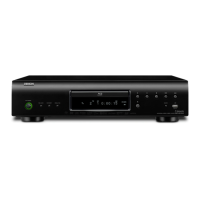
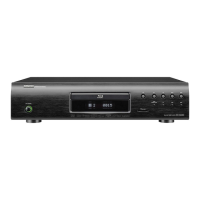
Denon DBP-2010 - User Manual

Denon DBP-2010
58 pages
Print Icon
To Next Page IconTo Next Page
Loading...
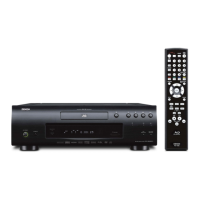
BLU-RAY DISC / DVD VIDEO PLAYER
DBP-2010
Owner’s Manual
Bedienungsanleitung
Manuel de I’Utilisateur
Manuale delle istruzioni
Manual del usuario
Gebruiksaanwijzing
Bruksanvisning
T Button illustrations used in this manual for
operation explanation are for the Remote
Control Unit.
You can operate the unit using the button of
the same name on the front panel of the unit.
T Die in diesem Handbuch verwendeten Tasten-
Illustrationen für die Betriebserklärung
beziehen sich auf die Fernbedienung.
Sie können das Gerät mit der gleichnamigen
Taste an der Frontkonsole des Gerätes
bedienen.
T Les illustrations des boutons présentes dans
ce manuel servent à expliquer le
fonctionnement de la télécommande.
Vous pouvez contrôler l’appareil à l’aide du
bouton portant le même nom sur la façade de
l’appareil.
T Le illustrazioni dei pulsanti mostrate in questo
manuale di spiegazione si riferiscono al
telecomando.
E’ possibile adoperare l’unità utilizzando i
pulsanti del nome corrispondente presenti sul
pannello frontale dell’unità.
T Las ilustraciones de los botones utilizadas en
este manual con propósitos de explicación
son para la unidad del mando a distancia.
Puede operar la unidad utilizando el botón del
mismo nombre en el panel delantero de la
unidad.
T De gebruikte toetsillustraties in deze
handleiding voor uitleg van de bedizening zijn
voor de afstandsbediening.
U kunt het toestel bedienen door de toets met
dezelfde naam op het voorpaneel van het
toestel te gebruiken.
T Bilder på knappar i denna bruksanvisning för
att förklara användningen gäller
fjärrkontrollen.
Du kan också använda knapparna med samma
namn på frontpanelen på enheten.

Table of Contents

Questions and Answers

  • T
    Theresa KramerAug 21, 2025
    What to do if my Denon Blu-ray Player is not responding to the remote control?
    • C
      Crystal MillerAug 22, 2025
      If your Denon Blu-ray Player isn't responding to the remote control, try these steps: * Aim the remote control directly at the infrared sensor window on the front of the unit. * Reduce the distance to the infrared sensor window. * Replace the batteries in the remote control. * Re-insert the batteries with their polarities (+/- signs) as indicated. * Make the signal code of the remote control match the signal code of the unit.
  • R
    Ryan VazquezSep 4, 2025
    Why is my Denon Blu-ray Player picture distorted?
    • C
      Christopher WilsonSep 4, 2025
      A small amount of picture distortion may sometimes appear, which is not a malfunction. Also, connect your Denon Blu-ray Player directly to the TV. If the RCA audio/video cables are connected to a VCR, pictures may be distorted due to the copy protection system.
  • B
    Billy ColonSep 2, 2025
    What to do if Denon DBP-2010 picture freezes during playback?
    • M
      Michael BowmanSep 2, 2025
      If the picture freezes momentarily during playback on your Denon Blu-ray Player, try the following: * Check the disc for fingerprints/scratches and clean with a soft cloth, wiping from center to edge. * Clean the disc.
  • C
    carternicholasSep 1, 2025
    How to reset forgotten password on Denon DBP-2010?
    • K
      Karen BartlettSep 1, 2025
      If you've forgotten the password for the rating level on your Denon Blu-ray Player, enter the default password “4737”. This will clear your forgotten password.
  • K
    Kristen WatsonAug 30, 2025
    What does 'HDCP NOK' mean on my Denon DBP-2010 Blu-ray Player?
    • D
      David WilsonAug 31, 2025
      If “HDCP NOK” appears on the front panel display of your Denon Blu-ray Player, it means: * The connected device does not support HDCP. * The connected device is recognized as HDCP incompatible by HDMI SRM. * The connected device supports HDCP but cannot be recognized as HDCP compatible for some reason.
  • T
    Thomas RobinsonAug 29, 2025
    Why Denon DBP-2010 cannot connect to the network?
    • N
      nicholas41Aug 29, 2025
      If your Denon Blu-ray Player cannot connect to the network, try the following: * Ensure the LAN cable is properly connected. * Turn on the modem or broadband router. * Check the network settings. * Verify that the broadband router and/or modem is correctly connected. * Check the “BD-Live Setting.”
  • S
    Shawn PerezAug 27, 2025
    What to do if my Denon DBP-2010 disc cannot be played back?
    • C
      Chris MillerAug 27, 2025
      If your Denon Blu-ray Player won't play a disc, try the following: * Clean the disc. * Make sure the disc label is facing up. * Try another disc to check if the disc is defective. * Cancel the ratings control or change the control level. * Ensure you are inserting a disc that can be played back on this unit.
  • W
    Wesley LucasAug 26, 2025
    How to fix no power on Denon Blu-ray Player?
    • D
      Dwayne NortonAug 27, 2025
      If your Denon Blu-ray Player has no power, check the following: * Make sure the AC cord is properly connected. * Unplug the AC cord, wait 5-10 seconds, and then plug it back in.
  • W
    Whitney PatelAug 25, 2025
    What to do if my Denon DBP-2010 buttons do not work?
    • M
      mooresuzanneAug 25, 2025
      If the buttons on your Denon Blu-ray Player aren't working or the unit stops responding, try this: Unplug the AC cord from the AC outlet for 5-10 seconds to completely reset the unit.
  • T
    Tim HendersonAug 23, 2025
    Why is there no sound or picture on my Denon DBP-2010 Blu-ray Player?
    • A
      andrew18Aug 23, 2025
      If you're not getting any sound or picture from your Denon Blu-ray Player, here are a few things to check: * Ensure the connected display device is turned on. * Verify the HDMI connection and related indications. * Inspect the RCA audio/video cable connections. * Confirm that Pure Direct mode is not set to “VideoOff” or “All Off”; if it is, set it to “Disp.Off” or “Normal.” * Check if your display device supports HDCP, as the unit requires it for video output. * Ensure the unit's HDMI output format matches the input format supported by the connected device. * If “HDMI Deep Color” is set to “Auto,” try setting it to “Off.”

Summary

Introduction

Important Safety Information

Lists essential safety guidelines to prevent hazards.

Handling and Installation Precautions

Provides guidance on proper placement, ventilation, and handling to ensure safe operation.

Connections

Home Theater System Connections

Guides on connecting for multi-channel audio and video playback via various interfaces.

HDMI Connections

Guides for establishing digital video and multi-channel audio connections using HDMI cables.

HDMI Output Configuration

Details how to configure HDMI output for video resolution and signal formats.

Audio Settings for HDMI Connections

Explains how to set audio formats for HDMI connections based on connected devices.

Playback

Direct Playback Operations

Basic playback controls for starting, stopping, pausing, and resuming media.

Playback Navigation and Control

Advanced playback controls for navigating and controlling playback speed and sequence.

Function Setup

Using the Setup Menu

Explains how to access and navigate the main setup menu for system configuration.

Picture Adjustment and Display

Allows fine-tuning of picture quality and adjustment of display settings like brightness.

Network Connection and Updates

Manages network settings, connection tests, proxy, DNS, and BD-Live access for internet connectivity.

Denon DBP-2010 Specifications

General IconGeneral
HDMIYes
Weight4800 g
HDMI version1.3a
Playback formatsAVCHD, DivX
Dimensions (WxDxH)435 x 309.3 x 106 mm
Composite video out1
Disc types supportedBD-R, BD-RE, CD, CD-R, CD-RW, DVD+R, DVD+RW, DVD-R, DVD-RW
Dynamic range (1kHz)100 dB
Audio formats supportedMP3, WMA
Image formats supportedJPG
Power consumption (standby)0.8 W
Power consumption (typical)30 W
Signal-to-Noise Ratio (SNR)115 dB
Audio output channels7.1 channels
Total Harmonic Distortion (THD)0.004 %
Networking featuresEthernet

Related product manuals