ENGLISH
ENGLISH
Getting StartedConnectionsTroubleshootingSpecifications
POWER
3$
DIRECT
PROGRAM
CALL
CLEAR
1 2 3
4 5 6
7 8 9
+100
DIMMER
PURE
DIRECT
TIMEARTISTTITLE
FOLDER
MODE
FOLDER
RANDOM REPEAT
SUPER
AUDIO CD
SETUP
3$
RANDOM REPEAT
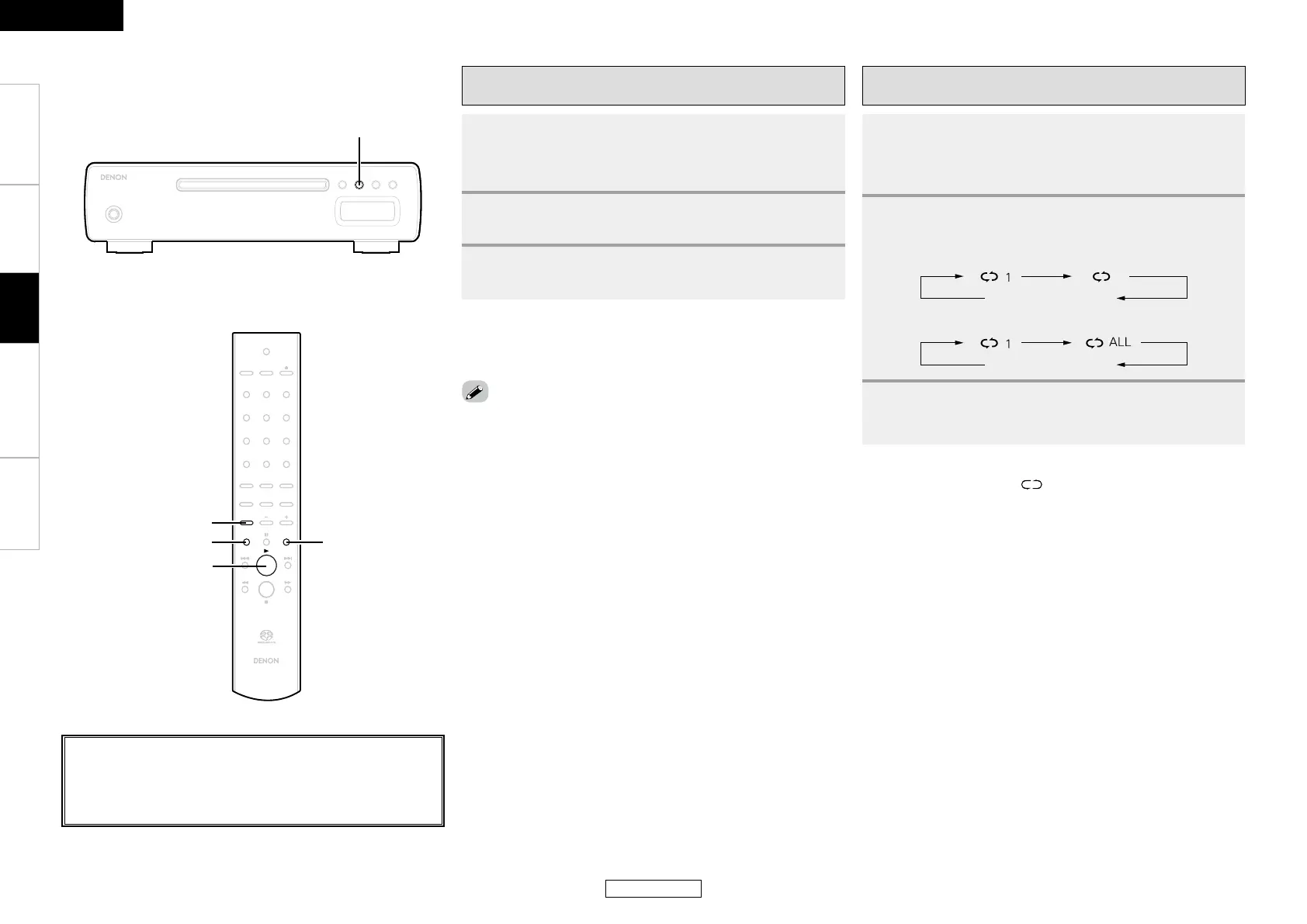
[REPEAT]
[RANDOM]
[FOLDER MODE]
[
1
]
Listening to MP3 or WMA files in random order
(Random playback)
n
Canceling random playback:
In the stop mode, press [RANDOM].
• The “RND” indicator turns off.
• Random playback is not possible in the folder mode.
Listening to MP3 or WMA files repeatedly
(Repeat folder/disc playback)
n
Canceling repeat folder/disc playback:
Press [REPEAT] until the “ ” indicator turns off.
Operation
1
Press [FOLDER MODE] to select the disc mode.
b Refer to “Folder mode and disc mode settings” (vpage 11).
2
Press [RANDOM].
• The “RND” indicator lights.
3
Press <1/3> or [1].
• Tracks are selected and played automatically in random order.
1
Press [FOLDER MODE] to select the folder mode or
disc mode.
b Refer to “Folder mode and disc mode settings” (vpage 11).
2
Press [REPEAT] to select the repeat mode.
b Using the folder mode:
b Using the disc mode:
3
Press <1/3> or [1].
• Either the files in the selected folder or all the files on the disc
are played repeatedly.
Repeat off
Repeat off
About the button names in these explanations
< > : Buttons on the main unit
[ ] : Buttons on the remote control unit
Button name only:
Buttons on the main unit and remote control unit



 To Next Page