ENGLISH
ENGLISH
Connections Operation Troubleshooting Specifications
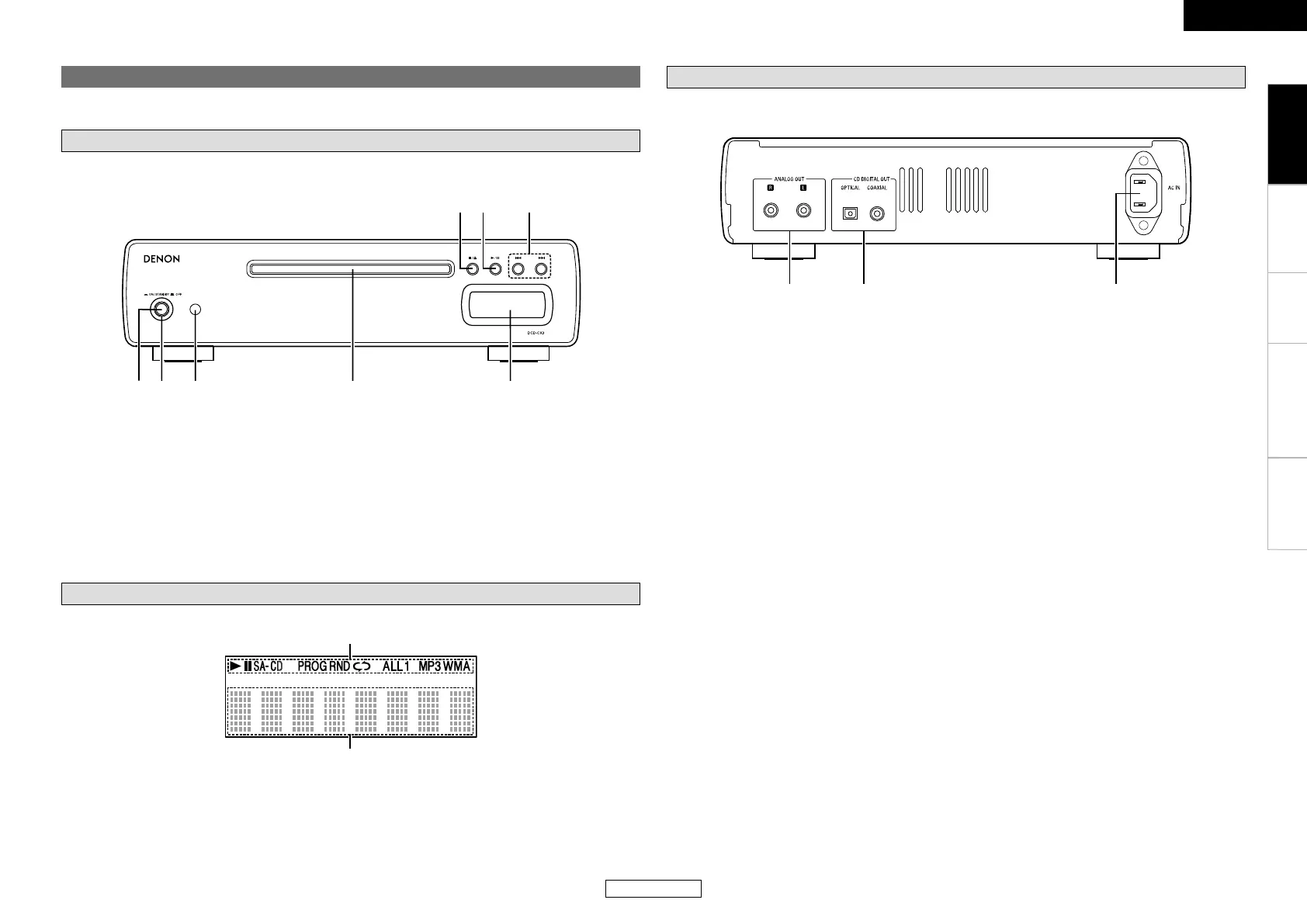
Display
q Information display ···························· (8 ~ 11)
Various information is displayed here,
depending on the operation mode.
Part names and functions
Front panel
For buttons not explained here, see the page indicated in parentheses ( ).
q Power switch
(h ON/STANDBY j OFF) ························· (8)
w Power indicator ··········································· (8)
e Remote control sensor ······························· (4)
r Disc tray ······················································· (3)
Rear panel
q ANALOG OUT terminals ···························· (7)
w CD DIGITAL OUT terminals
(OPTICAL/COAXIAL) ·································· (7)
Getting Started
t Display
y Skip buttons (8, 9) ·······················(9, 11)
u Play/Pause button (1/3) ··················· (9 ~ 12)
i Stop / Disc tray open/close button
(2/5) ···················································· (8 ~ 10)
w Mode indicators ··································(9 ~ 12)
e AC inlet ························································ (7)



 To Next Page